
Are you a Nintendo Switch user seeking to gauge your playtime on different games? Finding and keeping track of the time spent on Nintendo Switch games can help players monitor their gaming habits and manage the time they allocate to different games. This article will guide you through the steps to check your playtime for games on your Nintendo Switch.
Step 1: Open the ‘Home’ Menu
Turn on your Nintendo Switch and navigate to the home menu located at the bottom of the screen with game icons. If you aren’t already on this screen, press the “Home” button on your right joy-con controller.
Step 2: Access Your User Profile
On the top-left corner of the home menu, you’ll see your user icon—which represents your player profile—next to other users’ icons (if there are multiple users on your device). Select your user icon by navigating with the left joystick or directional buttons.
Step 3: Open ‘Profile’
Upon selecting a user profile, you will be directed to their page with various options related to that profile. Find and select “Profile” tab highlighted at the top-left of the screen.
Step 4: Select ‘Play Activity’
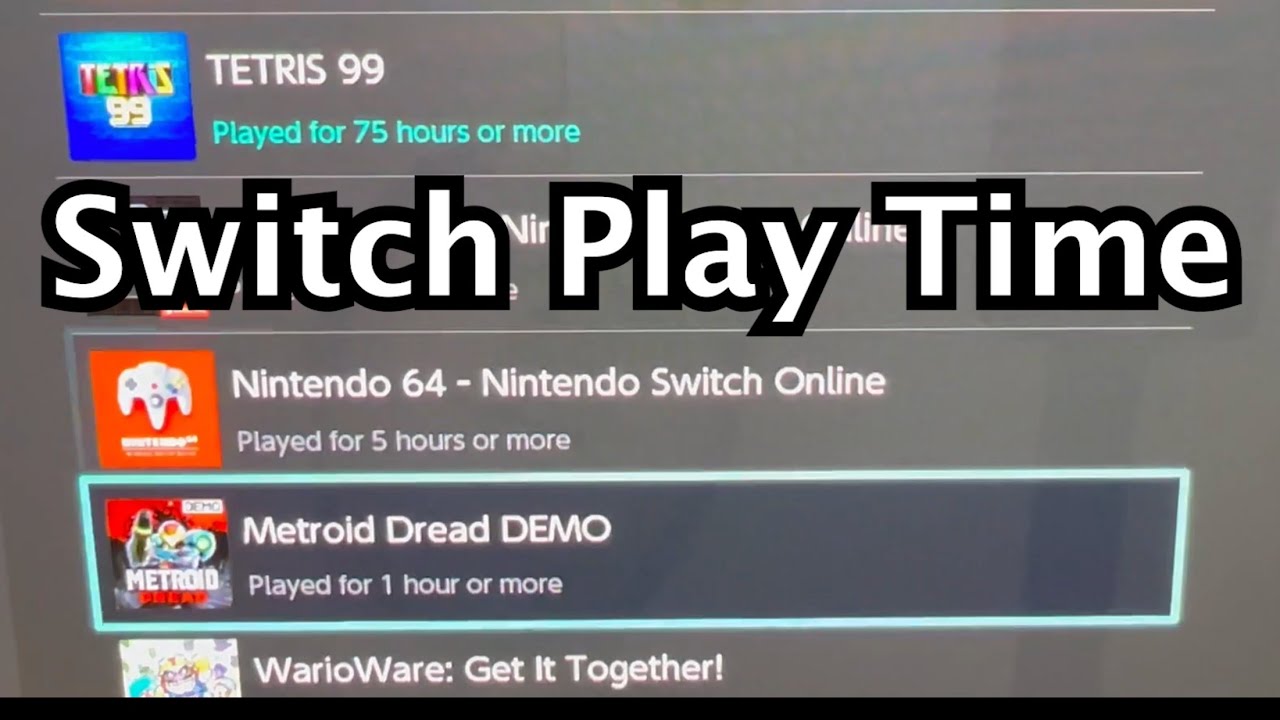
Inside your profile settings, scroll down to find “Play Activity“—which contains a list showcasing your gaming history. Select “Play Activity,” where you will find information about how many hours you have played for each game, along with overall playtime statistics.
Step 5: Review Your Playtime for Each Game
After opening “Play Activity,” you can browse through an organized list of all games you’ve played on your Nintendo Switch account. At a glance, each game will display an approximate number of hours spent playing it. However, it’s important to note that these numbers are estimates and might not showcase exact playtimes.
Step 6: Compare Your Playtime with Friends (Optional)
Nintendo Switch also allows you to compare playtime with friends who are added to your device’s friend list. On the “Play Activity” screen, you can find a tab titled “Friends’ Play Activity.” By selecting this tab, you’ll be able to browse through your friends’ profiles and see how your playtimes for different games stack up against theirs.
Now that you’ve learned how to check your playtime on Nintendo Switch games, it’s easier to keep track of and manage your gaming habits. Stay on top of your gaming statistics, monitor time spent on each game, and have more fun while comparing your progress with friends. Happy gaming!