
Introduction
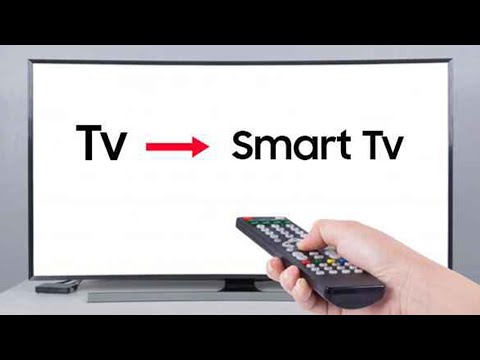
In today’s technology-driven world, smart TVs have become increasingly popular due to their ability to offer streaming, internet browsing, and app capabilities. However, not everyone can afford to purchase a new smart TV or upgrade their existing television. The good news is that there are ways to turn your regular TV into a smart TV without breaking the bank. This article will discuss various methods you can use to transform your TV into a multifunctional entertainment hub.
Method 1: Streaming Devices
One of the easiest ways to turn your regular TV into a smart TV is by using streaming devices. These devices allow you to access popular streaming platforms such as Netflix, Hulu, Amazon Prime Video, HBO Max, and more. The most well-known streaming devices include:
1. Roku
2. Amazon Fire TV Stick
3. Google Chromecast
4. Apple TV
To use these devices, connect them directly to your TV’s HDMI port and follow the on-screen setup instructions. Once set up, you’ll be able to browse and stream content from various platforms directly on your television.
Method 2: Gaming Consoles
If you’re a gamer and already own a gaming console like PlayStation or Xbox, you can use it as a smart TV hub. These gaming consoles provide a wide range of apps and services similar to those found on traditional smart TVs.
To access these applications:
1. Connect your gaming console to your TV through an HDMI cable.
2. Sign in or create an account with the respective gaming console’s network service.
3. Download and install the apps you want to use from their digital stores.
4. Enjoy streaming and browsing on your now-smart television.
Method 3: Using an Android Box/PC/Stick
An Android Box, PC or Stick is another option for transforming your regular TV into a smart one. These devices enable users to access the internet, download apps, and even run third-party software. To get started:
1. Purchase a suitable Android Box, PC or Stick based on your needs and budget.
2. Connect the device to your television with an HDMI cable.
3. Plug it into a power source and follow the setup instructions.
4. Link it to your Wi-Fi network and browse the web or download apps as desired.
Method 4: Screen Mirroring
Screen mirroring is an option available for users of Android and iOS devices. This method allows you to project your smartphone or tablet’s screen onto your TV without any additional hardware. To begin:
1. Ensure that your television supports screen mirroring (also known as Miracast for Android devices).
2. Connect your mobile device and TV to the same Wi-Fi network.
3. Go to your phone’s settings and search for “screen mirroring” or “cast” options.
4. Select your TV from the list of available devices, and your TV will now display your mobile device’s screen.
Conclusion
Converting your regular TV into a smart TV doesn’t have to be expensive or complicated. By using one of these methods, such as streaming devices, gaming consoles, Android Boxes/PCs/Sticks, or screen mirroring, you can enjoy a smart TV experience without breaking the bank!