
As educators adapt to new teaching models due to the ongoing pandemic, virtual classrooms have become an essential tool for engaging students and delivering lessons effectively. One way to bring creativity and fun into the online educational environment is by using Bitmoji, a smartphone app that allows you to create personalized digital avatars. So how can you use Bitmoji in your virtual classroom? Let’s explore the integration of this innovative platform into your curriculum.
What is Bitmoji?
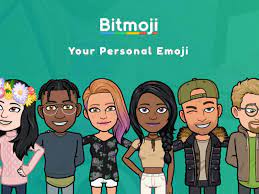
Bitmoji is a popular digital avatar application that allows users to create personalized caricatures of themselves for use in a wide variety of contexts. Users can choose from hundreds of outfits, accessories, and facial expressions, which can be edited at any time. These avatars can be inserted into numerous platforms such as social media, chat platforms, and virtual classrooms, providing an interactive visual element.
Creating Your Bitmoji
First things first – you’ll need to create your very own Bitmoji. To get started:
1. Download the Bitmoji app on your smartphone (available for both Android and iOS devices)
2. Sign up using your email or connect it to your existing Snapchat account
3. Start customizing! Follow the prompts to design your dream avatar
Using Bitmoji in Your Virtual Classroom
Once you’ve created your avatar, it’s time to implement it within the context of your online learning environment.
1. Interactive Google Slides: Use your Bitmoji as part of interactive slide decks. By incorporating these personalized additions, you offer a sense of familiarity and initiate engaging conversations with students.
2. Classroom Announcements: Improve the significance of routine announcements or updates by including a snapshot with your Bitmoji waving, giving advice, or even offering motivation on a difficult day.
3. Add Personality to Feedback: When grading assignments or providing feedback on student work, including a positive or constructive Bitmoji might soften the blow of critical evaluation and create a more encouraging atmosphere.
4. Video Chat Platforms: In some video conferencing applications, such as Zoom or Microsoft Teams, you can replace your live video feed with your Bitmoji, giving students a visual representation of yourself while reducing privacy concerns or interruptions from your home environment.
5. Virtual Classroom Decorations: By including a Bitmoji in the design of your virtual classroom, you create a personalized space that is more inviting and visually engaging for students. Examples include Bitmoji banners, posters, or bulletin boards within your Learning Management System.
In conclusion, incorporating Bitmojis into your virtual classroom can significantly enhance the online learning experience, making it more entertaining and engaging for both you and your students. By integrating these personalized avatars, you not only add a fun element to your lessons but also foster a more approachable and relatable learning environment.