Tech Advice

Understanding the Cost of Solar Panels for Your Home

Introduction:

As the world continues to shift towards renewable energy sources, solar panels have become an increasingly popular and practical choice for homeowners. Not only do they help reduce your carbon footprint, but they can also lower your energy bills. However, many people wonder about the cost of solar panels and whether they are a wise investment. In this article, we will discuss the various factors that contribute to the price of solar panels and help you determine their value for your home.

Factors Affecting Solar Panel Cost:

1. Size and wattage

The price of solar panels is usually measured in dollars per watt ($/W), and generally, higher wattage panels will cost more. The size and number of solar panels you need will depend on your energy consumption and available roof space.

2. Type of panels

There are three primary types of solar panels – monocrystalline, polycrystalline, and thin-film. Monocrystalline panels are the most efficient but also the most expensive. Polycrystalline panels are slightly cheaper but less efficient, while thin-film panels offer lower efficiency but are flexible and lightweight.

3. Installation cost

Installing solar panels requires professional help to ensure they function optimally and adhere to electrical codes. Installation costs will vary based on where you live, local regulations, as well as the size and complexity of your system.

4. Incentives and rebates

Many states in the U.S offer incentives or rebates to homeowners who install solar panel systems, which can help offset the upfront cost significantly. Research what incentives are available in your area before deciding to invest in solar power.

Understanding ROI and Payback Period:

When considering the cost of solar panels, it’s essential to think about their return on investment (ROI) over time as well as their payback period – how long it takes for you to recoup your initial investment through energy savings. Here are some factors that impact ROI and solar panel payback period:

1. Utility rates

If you’re located in an area with high utility electricity rates, then solar panels may be more economically advantageous.

2. System efficiency

More efficient solar panels will generate more power, leading to greater savings on your energy bills.

3. Energy consumption patterns

Higher energy consumption will naturally lead to faster payback times as your solar panels offset more of your utility power usage.

Conclusion:

To determine whether solar panels are a worthwhile investment for your home, it’s essential to consider the factors affecting their cost, including size, type, installation cost, and available incentives. Furthermore, calculating your potential ROI and payback period can help you make an informed decision about whether going solar is right for you. As you assess your options, remember that investing in solar power not only benefits your wallet but also helps conserve the environment by reducing dependence on non-renewable energy sources.

7 Ways to Improve Your Wi-Fi Router Speed

Introduction:

A speedy and reliable Wi-Fi connection is vital in today’s fast-paced digital world. If your Wi-Fi router speed is causing you headaches and affecting productivity, it’s time to take action. In this article, we will discuss seven ways to improve your Wi-Fi router speed and ensure a smooth online experience.

1. Update your router’s firmware:

One of the most effective ways to improve your Wi-Fi router speed is by updating its firmware. Most manufacturers regularly release updates that can optimize performance, fix bugs, and address security vulnerabilities. Make sure you check for updates and download them as soon as they become available.

2. Change the router’s channel:

Wi-Fi routers operate on different channels, which can be congested if there are multiple devices using them simultaneously. To avoid interference, switch your router to a less crowded channel. You can do this by logging into your router’s settings and selecting a new channel manually or using an app that identifies the least congested channels in your area.

3. Optimize the router’s placement:

The location of your router plays a significant role in its performance. A central position in your home or office with minimal obstructions ensures better signal coverage and strength. Avoid placing it near concrete walls, metal objects, or electronic devices that could cause interference.

4. Use a stronger antenna:

If you’re still experiencing slow Wi-Fi speeds, try replacing your router’s current antenna with a stronger one. A high gain antenna can increase the signal strength and improve its overall performance.

5. Configure Quality of Service (QoS) settings:

To prioritize certain types of traffic, such as video streaming or gaming, configure the Quality of Service settings on your router. This feature allows you to allocate more bandwidth to specific applications or devices, ensuring smoother performance for those tasks.

6. Upgrade to a mesh network:

A mesh network consists of multiple devices that work together to provide seamless Wi-Fi coverage throughout your home or office. If you have a large space or struggle with dead zones, upgrading to a mesh network can offer significant improvements in speed and reliability.

7. Consider a new router:

If you’ve tried all of the above steps and are still experiencing slow Wi-Fi speeds, it might be time to invest in a new router. Modern routers come with advanced features, like MU-MIMO technology and beamforming, which allow for faster data transfer rates and improved performance.

Conclusion:

By following these seven tips, you can boost your Wi-Fi router speed and experience smoother online performance. Regular maintenance, router placement optimization, channel adjustments, and selecting the right type of hardware will help ensure you have reliable internet connectivity for all your needs

How to Install Ubuntu Linux on Your Chromebook with Crouton

Introduction

Chromebooks are known as lightweight and cost-effective devices for everyday use. They come with Chrome OS, a fast, secure, and easy-to-use operating system developed by Google. However, Chromebook users may sometimes need more functionality or the ability to run Linux-based applications that the default Chrome OS doesn’t support. One solution is to install Ubuntu Linux on your Chromebook using Crouton.

In this article, we will guide you step-by-step on how to install Ubuntu Linux on your Chromebook using Crouton.
Prerequisites

1. A Chromebook with developer mode enabled.

2. A stable internet connection.

3. At least 5 GB of free storage space on your device.

4. Basic familiarity with command line and Linux basics.

Step 1: Enable Developer Mode

Before installing Ubuntu Linux, you need to enable developer mode on your Chromebook. Keep in mind that enabling developer mode will erase all local data from your device, so back up your important files to an external storage device or cloud service before proceeding.

To enable developer mode:

1. Turn off your Chromebook.

2. Press and hold the Esc + Refresh (F3) keys then press the Power button.

3. Once the recovery screen appears, press Ctrl + D then Enter to enable developer mode.

Your Chromebook will reboot, and the process of enabling developer mode will begin. This process typically takes around 10-15 minutes.

Step 2: Download Crouton

Next, you need to download Crouton software from Github:

1. Open Google Chrome browser on your Chromebook.

2. Go to the following URL: https://goo.gl/fd3zc

3. Click the link in the webpage that says “crouton.”

4. A file named “crouton” will be downloaded to your Chromebook’s Downloads folder.

Step 3: Install Ubuntu Linux using Crouto

1. Press Ctrl + Alt + T to open a terminal window in Chrome OS.

2. Type “shell” and press Enter to access a full bash shell.

3. Navigate to the Downloads folder by typing “cd ~/Downloads” and pressing Enter.

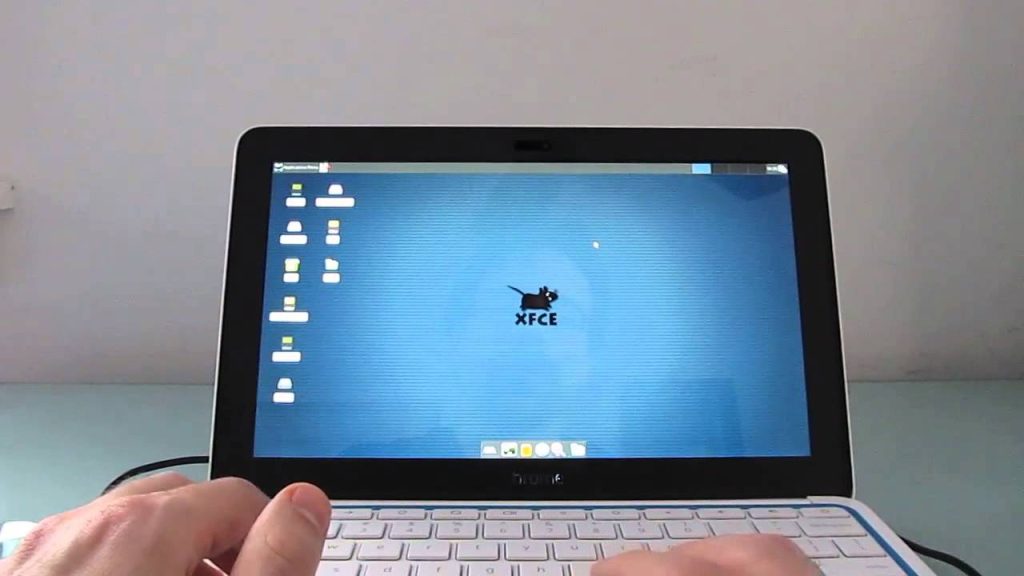
4. Type “sudo sh -e crouton -t xfce” to start the Ubuntu installation process. You can replace “xfce” with another desktop environment, such as “kde,” if you prefer.

The installation process may take a while, depending on your internet connection and device performance. Once completed, you will see a message stating that your Ubuntu Linux installation is ready.

Step 4: Start Ubuntu Linux

1. In the terminal window, type “sudo startxfce4” (or “sudo startkde” if you selected KDE earlier) and press Enter.

2. Your Chromebook will switch to Ubuntu Linux, and you’ll see the new desktop environment.

Step 5: Switching between Chrome OS and Ubuntu Linux

To switch back to Chrome OS, press Ctrl + Alt + Shift + Back Arrow.

To switch back to Ubuntu Linux again, press Ctrl + Alt + Shift + Forward Arrow.

Conclusion

Now that you’ve installed Ubuntu Linux on your Chromebook using Crouton, you have access to a wider range of applications and tools. Switch between Chrome OS and Ubuntu Linux seamlessly for maximum productivity and versatility on your device. Please note that running two operating systems concurrently can consume more system resources; close any unused applications when running both environments. Enjoy exploring the capabilities of your newly-installed Ubuntu Linux on your Chromebook!

2024 Jeep Wrangler 4xe: Lower Price, More Features

The automotive industry is steering towards a more sustainable and tech-focused future, and the 2024 Jeep Wrangler 4xe fits perfectly into this trajectory. Boasting a lower price and enhanced features, the latest version of this iconic off-road vehicle has left enthusiasts eagerly anticipating its release.

A Price Drop for the Eco-Friendly Wrangler

Jeep’s decision to lower the price of the 2024 Wrangler 4xe showcases their commitment to making eco-friendly vehicles more accessible. The price reduction makes this plug-in hybrid electric vehicle (PHEV) increasingly attractive as an option for potential buyers who are environmentally conscious and looking to switch to an electric off-roader.

Improved Features for a Better Off-Road Experience

The 2024 Jeep Wrangler 4xe comes with a host of upgrades that enhance not only its performance but also overall driver experience. Some notable new features include:

1. Advanced Powertrain – The updated powertrain incorporates an electric motor along with a turbocharged four-cylinder engine. This powerful combination improves efficiency without sacrificing performance.

2. Enhanced Connectivity – A new Uconnect system links drivers to a variety of apps and services, enabling turn-by-turn navigation, voice commands, over-the-air updates, and much more. This helps ensure a seamless and enjoyable journey through technology integration.

3. Improved Safety Suite – The Wrangler 4xe offers a comprehensive range of safety technologies from Forward Collision Warning, Adaptive Cruise Control, Blind Spot Monitoring to Rear Cross Path detection, providing drivers with peace of mind both on and off the road.

4. New Customization Options – Buyers can further personalize their vehicles by selecting from an array of exterior colors, decal packages, wheel options, and interior trim materials. These customization choices enable Jeep owners to make their Wrangler truly reflective of their personality and style.

A Green Off-Roader Ready for Adventure

The 2024 Jeep Wrangler 4xe undoubtedly maintains its position as a jamboree-ready off-road machine while taking into account the requirement for eco-friendly vehicles. With a more attractive price point and enhanced features, it’s poised to leave its mark on electrified vehicles in the automotive world. Gear up for an off-roading experience that is both environmentally responsible and enjoyable with the 2024 Jeep Wrangler 4xe.

Sony MDR-R10: The World’s Best Headphone

Introduction:

With the undeniable growth of music streaming and high-quality audio sources, headphones have become an essential part of our daily lives. Among the vast array of options available, the Sony MDR-R10 stands out as the world’s best headphone. This article will discuss the unparalleled features that contribute to the unmatched performance of the Sony MDR-R10.

Design and Comfort:

Crafted with precision, the Sony MDR-R10 showcases a sleek and eye-catching design. The headphones are engineered with high-grade materials such as magnesium alloy, ensuring durability and an ultra-lightweight feel. Moreover, their ergonomically designed ear cups, coupled with breathable leather ear pads, provide remarkable comfort during long listening sessions.

Sound Quality:

The Sony MDR-R10 boasts an exceptional level of audio quality that truly rivals any other headphones on the market. Their large 50mm bio-cellulose drivers produce accurate sound reproduction with superior bass response and detailed highs. Furthermore, the headphones implement noise isolation technology to reduce ambient noise significantly, ensuring an immersive listening experience.

Signature Technologies:

A critical factor that sets the MDR-R10 apart from its competitors is Sony’s proprietary technologies implemented in these headphones. One such feature is the Beat Response Control, which enhances low-end frequencies while reducing distortion in densely layered beats. Additionally, Sony’s Digital Sound Enhancement Engine (DSEE) optimizes compressed audio files to bring them closer to their original quality.

Compatibility and Connectivity:

The Sony MDR-R10 offers a versatile range of compatibility options – they can be paired seamlessly with various audio devices like smartphones, tablets, and portable media players. Besides providing a high-quality wired connection through the included audio cable, these headphones also support Bluetooth and NFC for a hassle-free wireless experience.

Battery Life:

Wireless usage doesn’t hinder the outstanding performance of the MDR-R10 as it offers a remarkable battery life of up to 30 hours on a single charge. When used in wired mode, the headphones provide an even more extended listening experience without the need for additional power sources.

Conclusion:

The Sony MDR-R10 is undeniably the world’s best headphone in terms of design, comfort, sound quality, and performance. With their unmatched audio capabilities and cutting-edge technologies, they’ve become the go-to option for music enthusiasts seeking a truly immersive auditory experience. Investing in a pair of Sony MDR-R10 headphones is a decision that will truly redefine your perception of sound.

5 Ways to Fix Apple Watch Face Keeps Changing

Introduction:

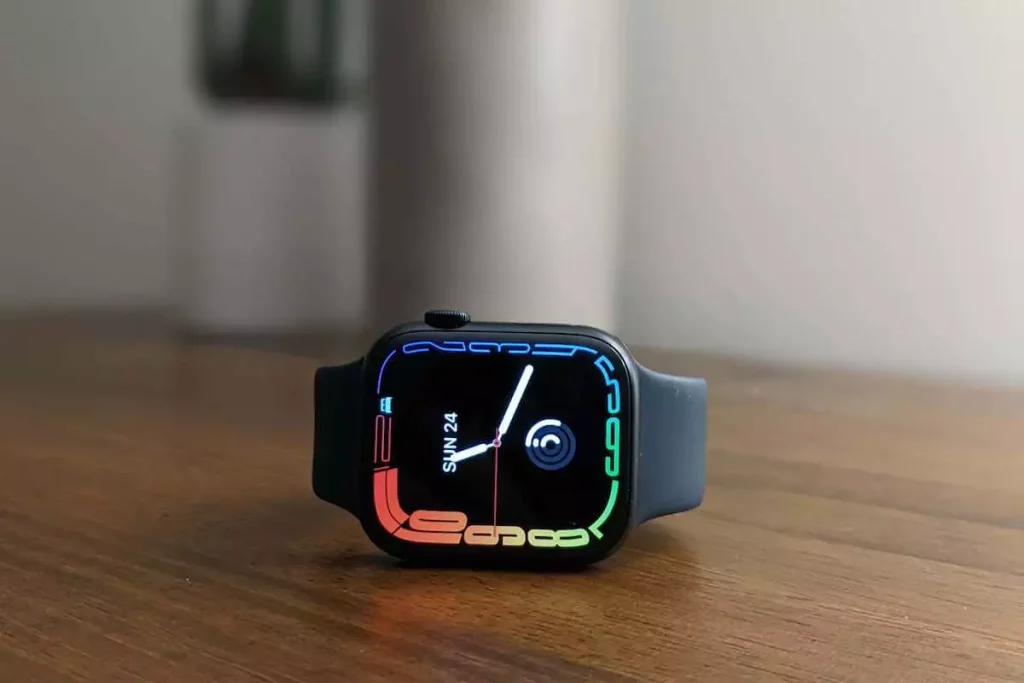
The Apple Watch is designed to be versatile and customizable, allowing users to change watch faces as per their preferences. However, there have been instances where the Apple Watch face keeps changing on its own, which can be frustrating for users. The following article discusses five ways to troubleshoot this issue and potentially fix the problem.

1. Update Your Apple Watch Software:

Before attempting other fixes, check if your Apple Watch is running the latest software. Outdated software can cause various issues, including unexpected watch face changes. To update your watch, navigate to the Watch app on your iPhone > General > Software Update and follow the prompts.

2. Check Your Customized Watch Faces:

Sometimes a software glitch in one of your customized watch faces may cause it to switch automatically. To resolve this, try removing all the custom watch faces from your collection except for one. Then, monitor if the issue persists; if it doesn’t, you can add back the other watch faces one by one until you identify which one causes problems.

3. Disable ‘Face Gallery’ Setting:

The Face Gallery feature allows you to browse and choose different Apple Watch faces, but it can sometimes cause issues with face changes. To disable this feature:

a. Open the Watch app on your iPhone.

b. On the “My Watch” tab, tap ‘Face Gallery.’

c. Scroll down and tap ‘Edit.’

d. Toggle off any problematic faces or customization options.

4. Unpair and Repair Your Apple Watch:
Sometimes unpairing your watch from your iPhone and then repairing it can help resolve issues like unexpected watch face changes.

To unpair your device:

a. Open the Watch app on your iPhone.

b. On the “My Watch” tab, tap your watch at the top of the screen.

c. Tap the “i” icon next to your connected watch.

d. Tap ‘Unpair Apple Watch.’ Follow the prompts to complete the process.

e. To re-pair your watch, turn it back on and follow the standard pairing procedure with your iPhone.

5. Reset Your Apple Watch to Factory Settings:

If none of the above solutions work, you may need to reset your Apple Watch to factory settings. Keep in mind that this step will erase all data and settings, so you should backup any important information beforehand.

a. Open the Settings app on your Apple Watch.

b. Scroll down and tap ‘General.’

c. Tap ‘Reset’ at the bottom of the screen.

d. Choose ‘Erase All Content and Settings.’ You may need to enter your passcode to confirm.

Conclusion:

If your Apple Watch face keeps changing automatically, try employing one or more of these troubleshooting methods. Updating your watch software, checking customized faces, disabling Face Gallery, unpairing and pairing your watch, or resetting it are ways you can fix this issue. Nevertheless, if problems persist, contact Apple Support for further assistance

How to Retrieve Text Messages from a Cell Phone Carrier

Introduction:

In today’s digital world, text messages play an essential role in communication. There are times when you may need to retrieve old text messages for various reasons, such as legal issues or personal reasons. Fortunately, it is possible to access your text message records through your cell phone carrier. In this article, we’ll explore the different ways you can retrieve text messages from your carrier.

Requesting Text Message Records:

One way to retrieve your text messages is by contacting your cell phone carrier directly. Most carriers retain records of text messages for a certain period (usually 60-90 days) and require a written request to release them.

Follow these steps:

1. Contact your cell phone carrier’s customer support line and ask for their specific guidelines on how to request your text message records.

2. Provide the required information, including your full name, address, and account number.

3. Specify the dates and time frames for which you want the records.

4. If required, obtain a notarized letter or subpoena if it’s part of a legal matter.

5. Submit your request via mail or fax according to the carrier’s guidelines.

It’s essential to know that carriers may charge fees for obtaining these records, and processing times can vary depending on the provider.

Recovering Deleted Messages with Cloud Backup:

Another method to retrieve texts is if you have opted for cloud backup services provided by the
same cell phone carrier. These services store backups of your messages in encrypted form as part of their data protection policies.

Here’s how you can recover deleted texts using cloud backup:

1. Log in to your carrier’s website with username and password provided during the time of registration for cloud services.

2. Go to the “Restore” or “Backup” section within your account settings.

3. Review all available backups of your text messages and select the one you wish to recover.

4. Follow the on-screen instructions to restore your text messages.

Keep in mind that this method works only if you’ve enabled cloud backup for your texts before deleting them.

Third-party Applications:

There are numerous third-party applications available that can assist you in retrieving text messages from your carrier. These apps typically require you to authenticate with your carrier account credentials and access message records on your behalf.
While using third-party apps, it’s crucial to verify the app developer’s reputation and security policy to ensure the safety of your data.

Conclusion:

Retrieving text messages from your cell phone carrier may be necessary for legal matters or personal reasons. By contacting your carrier directly, using cloud backup services, or employing third-party applications, you can access these records. Always consult with a legal professional if you’re unsure about any steps or need assistance dealing with sensitive matters.

Nintendo NES Classic Edition Review: The NES Classic is Back, But Switch Owners Should Think Twice

The gaming industry has come a long way since the early days of 8-bit graphics and simple side-scrolling adventures. As games become increasingly complex and immersive, it’s natural to feel nostalgic for the classics. If you’re craving some old-school gaming goodness, the Nintendo NES Classic Edition might be just what you need.

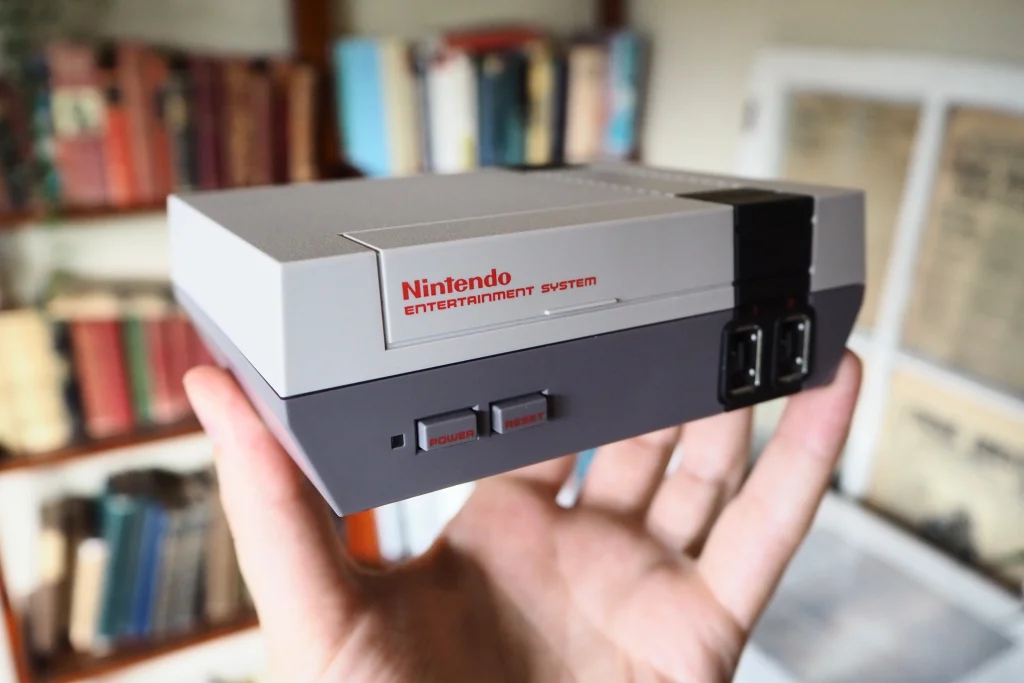
The Nintendo NES Classic Edition is a miniature version of the beloved 1980s console that took the world by storm. It comes pre-loaded with 30 classic games, including Super Mario Bros., The Legend of Zelda, Metroid, and Donkey Kong. Nintendo first released the NES Classic in 2016 but quickly discontinued it due to high demand, leaving many fans disappointed. However, Nintendo has now brought back this iconic console for another round of retro gaming action.

At first glance, the console looks nearly identical to the original NES design but is significantly smaller and more compact. The detail in replicating its appearance speaks volumes about Nintendo’s dedication to keeping the nostalgia alive. On a practical level, it also ensures that the device can comfortably fit on most entertainment centers without taking up significant space.

Setting up the NES Classic is incredibly easy. Simply plug it into your TV via HDMI and you’re good to go. One major improvement from the original console is that there is no need to fumble with cartridges or deal with their infamous connectivity issues; all games are now accessible from an organized main menu.

The included controller replicates the feel of handling an original NES controller, complete with its rectangular shape and straightforward button layout. More importantly, the gameplay still holds up well even after all these years; whether you’re saving Princess Peach in Super Mario Bros., or battling Ganon in The Legend of Zelda, these timeless games haven’t lost their charm.

However, despite all its nostalgic appeal, potential buyers should consider whether the NES Classic Edition is the right fit for them—most notably, those who already own a Nintendo Switch.

Nintendo Switch owners may think twice before purchasing the NES Classic because of Nintendo’s expanding digital library. The Switch now has access to over 50 classic NES titles, with more added regularly, through their online subscription service. So, if you’re solely interested in playing classic games on modern hardware, a Switch membership might be a better investment.

Furthermore, unlike the fixed library on the NES Classic Edition, Nintendo has plans to keep adding games to their online service, including classic titles from other consoles like the SNES. This means that over time, the choice of retro titles available on the Switch could outpace those included in the NES Classic.

In conclusion, while the Nintendo NES Classic Edition offers an authentic and nostalgic gaming experience for fans seeking a trip down memory lane, it may not be worth it for those who already have access to similar content on their Switch console. The limited library and potential redundancy in owning both devices should be considered before making the decision to purchase this otherwise delightful piece of gaming history.

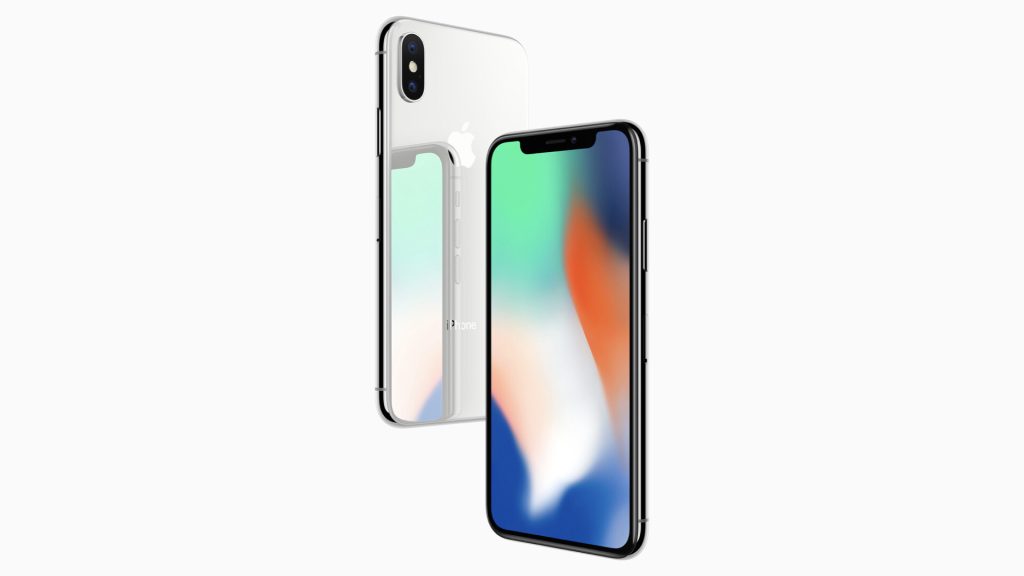
Reasons Why the iPhone X is Still a Great Buy in 2023

Introduction:

As technology keeps advancing, the market is constantly flooded with newer and better smartphones. But even though newer models keep emerging, some classics remain as popular choices for users. One such classic is the iPhone X. Originally released in 2017, it continues to be a great buy in 2023, and here’s why:

1. Timeless design:

The iPhone X introduced a radical change in design featuring the now-iconic edge-to-edge screen and no home button. Its bezel-less style has aged gracefully, maintaining its sleek appeal in the modern phone market.

2. Consistent performance:

Despite being several years old, the iPhone X continues to deliver impressive performance. With Apple’s A11 Bionic chip, it can still keep up with daily tasks and runs iOS smoothly.

3. Regular software updates:

Apple is known for providing long-term software support for their devices. iPhone X users can be assured of receiving consistent updates, thus keeping their phones secure and up-to-date with the latest features.

4. Dual camera system:

The iPhone X boasts a dual-camera setup which includes a 12MP wide-angle lens and a 12MP telephoto lens, enabling users to capture quality photographs and videos even years after its release.

5. Face ID technology:

As the first iPhone model to introduce Face ID facial recognition technology, the iPhone X
provides solid security features for users who prioritize privacy.

6. Wireless charging capability:

Compared to other devices at its age, the iPhone X supports wireless charging with any Qi-compatible charger. This future-proof feature allows for convenient charging experience without grappling with cords.

7. More affordable price:

Since newer models have been released, including those from the iPhone 13 lineup, the iPhone X’s price has gone down, making it a relatively affordable option for those keen on obtaining an Apple smartphone without breaking the bank.

8. Eco-friendliness:

Buying a used iPhone X contributes to reducing the impact on the environment by prolonging its device life cycle and delaying its disposal as e-waste.

Conclusion:

With its blend of classic design, reliable performance, and continued support through software updates, the iPhone X has stood the test of time. Its range of features combined with its affordability makes it an attractive choice for those looking to invest in a reliable smartphone without breaking the bank. So if you’re on the fence about which phone to purchase, consider giving the iPhone X a second look – we’re sure it’ll give you great value for your money.

Celebrating Academic Milestones: Congratulations Messages for Ph.D. or Doctorate Degree Achievements

Introduction:

Earning a Ph.D. or a Doctorate Degree is a monumental accomplishment that speaks to an individual’s dedication, hard work, and passion for their chosen field. As friends, family members, and colleagues, it’s important to acknowledge and celebrate these significant achievements by offering thoughtful congratulations messages.

In this article, we will be sharing some heartwarming congratulations messages to convey your admiration and pride when someone you know achieves their Ph.D. or Doctorate Degree.

1. Intellectual Triumphs

“Congratulations on achieving your Ph.D.! Your hard work and perseverance have paid off, showcasing your incredible intellect and commitment to making the world a better place. Keep pushing boundaries and inspiring us all.”

2. Dedication to Success

“What an outstanding accomplishment! Your dedication and enthusiasm for your research are truly inspiring. Congratulations on earning your Doctorate Degree, wishing you continued success in all your future pursuits.”

3. Brightening Futures

“Congratulations on completing your Ph.D.! Your research has the potential to change lives for the better, and I am excited to see where this achievement takes you in your career and life. Onwards to greater heights!”

4. An Inspiring Journey

“Congratulations on reaching the pinnacle of academia! Your journey towards earning your
Doctorate Degree has been an inspiration to everyone around you. Wishing you all the best as you explore new challenges and opportunities in the world of academia.”

5. Relentless Pursuit of Excellence

“It’s an immense honor to witness your relentless pursuit of excellence culminating in this well-deserved Doctorate Degree! You have truly conquered every obstacle placed in front of you, proving that anything is possible with perseverance and passion. Congratulations!”

6. Heartfelt Admiration

“I express my heartfelt admiration for achieving this significant milestone in your life—earning your Ph.D. Your dedication and resilience have shown us how passion and commitment transform dreams into reality. Congratulations on this great accomplishment!”

7. Unwavering Commitment

“Your unwavering commitment towards your research and education has led you to this extraordinary achievement. Congratulations on earning your Doctorate Degree! May you continue to contribute to the world of academia with your brilliance and insights.”

Conclusion:

Whether it’s a family member, friend, or colleague who has earned their Ph.D. or Doctorate Degree, sending a heartfelt congratulations message will remind them how proud you are of their immense accomplishment.

To formulate a meaningful congratulations message, try incorporating aspects of their personality, recognizing the hard work and dedication that has gone into earning such a degree. Additionally, acknowledging the positive impact they can make in their field can provide encouragement as they continue on their academic or professional journey.

No matter what words you choose, showing your support and admiration for their achievement will undoubtedly leave an everlasting impression on your loved one as they embark on the next chapter of their career or academic pursuits.