EdTech & Innovation

Digital Escape Rooms for Fun and Formative Assessment

Introduction

In recent years, escape rooms have gained immense popularity as a recreational activity for people of all ages. They present exciting challenges that require players to work together and think critically to solve a series of puzzles, ultimately leading to their ‘escape.’ In an age where digital technology continually shapes new learning methodologies, educators have started to give digital escape rooms a closer look. Not only are they entertaining, they offer opportunities for formative assessment in the classroom.

What is a Digital Escape Room?

A digital escape room is an online adaptation of physical escape rooms. The concept remains the same- participants must solve various puzzles and riddles within a limited time frame to progress through the game. However, digital escape rooms don’t require a physical space and can be accessed from anywhere with an internet connection.

These virtual experiences are typically multimedia-based, utilizing visuals, audio, and interactive elements to create immersive environments that keep learners engaged. The content and difficulty level can be customized according to specific age groups and educational goals.

Fun and Formative Assessment

One of the biggest challenges educators face is finding creative ways to conduct formative assessments- evaluations that take place during the learning process rather than assessing knowledge at the end of educational instruction. Digital escape rooms provide an innovative solution for this challenge.

Here are some reasons why digital escape rooms can serve as excellent formative assessment tools:

1. Engaging and Interactive: With their gamified nature, digital escape rooms provide a fun environment that encourages students to actively participate in the learning process.

2. Collaboration and Communication: Escape rooms require teamwork and effective communication for solving problems successfully. Students learn essential skills such as cooperation, listening, leadership, and negotiation while working together.

3. Critical Thinking: Digital escape rooms stimulate critical thinking skills as students must analyze complex scenarios, identify patterns, make connections between different pieces of information while solving puzzles.

4. Customization: Educators can design digital escape rooms based on specific learning objectives or curriculum requirements, ensuring that the content is aligned with the desired outcomes.

5. Immediate Feedback: As learners progress through the game, they receive instant feedback on their performance, allowing them to adjust their strategies and understanding of specific concepts.

6. Assessment Data: Digital platforms can track and record various data points during the escape room experience, providing valuable insights on student performance and areas for improvement.

How to Create a Digital Escape Room

There are various tools available online that can assist educators in designing their digital escape rooms. One popular tool is Google Forms, which allows for easy creation of interactive questionnaires. Teachers can also use Breakout EDU, a platform tailored specifically for educational escape room experiences.

When creating a digital escape room, consider the following steps:

1. Define your learning objectives.

2. Choose an engaging theme or story.

3. Develop age-appropriate challenges and puzzles aligned with the learning objectives.

4. Design multiple stages to test different skills and provide a sense of progression.

5. Incorporate hints or checkpoints to assist students when needed.

6. Test the escape room with a group of students and make necessary adjustments.

Conclusion

Digital escape rooms present an innovative way of incorporating fun into formative assessment processes. Not only do they promote critical thinking, collaboration, communication, but they also offer opportunities for immediate feedback and data-driven analysis. By embracing this versatile tool in the classroom setting, educators can provide an engaging and effective learning experience that extends beyond traditional teaching methods.

14 Fun Classroom Review Games for Your Projector

Introduction

Engaging students in classroom review games can be an excellent way to reinforce learning and encourage healthy competition. With the aid of a projector, you can transform your class into an exciting, interactive environment. Here are 14 fun classroom review games that will get your students excited about learning.

1. Jeopardy!

A classic trivia game that can be adapted to any subject, Jeopardy! allows students to test their knowledge by answering questions in various categories. Divide the class into teams and have them select clues based on point values.

2. Wheel of Fortune

An excellent way to review spelling and vocabulary, players must guess letters to reveal a hidden word or phrase. Incorporate your lesson content by customizing the words or phrases for your subject matter.

3. Bingo

For a fun twist on trivia, create a Bingo game with questions related to your curriculum. Students must mark off answers on their cards until they complete a row – vertically, horizontally, or diagonally.

4. Who Wants to Be a Millionaire?

Inspired by the popular TV show, test students’ knowledge with increasingly difficult multiple-choice questions. Offer lifelines such as “Ask the Audience” or “Phone a Friend” to boost engagement.

5. Kahoot!

Use your projector with this online platform that allows teachers to create interactive quizzes for any subject. Students can participate on their own devices, making it an accessible and fun way to test their knowledge.

6. Pictionary

A great game for visual learners, students sketch images related to the course material as their classmates guess the term being drawn.

7. Hangman

This classic game is perfect for practicing spelling and vocabulary words from your lesson content. As students guess letters that make up the hidden word or phrase, incorrect answers add pieces to a stick figure hanging from a scaffold.

8. Trivial Pursuit

Adapt this popular board game for your classroom by creating cards with questions from your curriculum. Establish categories based on subject matter and have students move around the board answering questions to collect colored wedges.

9. Memory Match

Put vocabulary, images, or concepts on cards and display them on the projector. Students must remember the locations to make matching pairs, reinforcing retention and recall skills.

10. Quizlet Live

This online platform allows you to create custom flashcards, which students can use to participate in team-based quiz games through their devices.

11. Charades

Ideal for drama-oriented subjects or active learners, students act out words or concepts without using sound while their classmates guess the term.

12. Two Truths and a Lie

Students present three statements about a topic – two true and one false. Classmates must identify which statement is the lie, sparking discussion and debate.

13. Fact or Fiction

Display statements about a subject on the projector and have students decide if they are true or false. Discuss why certain statements were misleading or confusing.

14. Pyramid

Similar to the TV show, players must describe terms related to the lesson content without using certain keywords as their teammates try to guess them.

Conclusion

Projector-assisted review games can be a fantastic way to create a fun, interactive learning environment in your classroom. These 14 games will enthrall students and ensure that they retain key information from your lessons.

Using Interactive Projectors to Increase Student Engagement

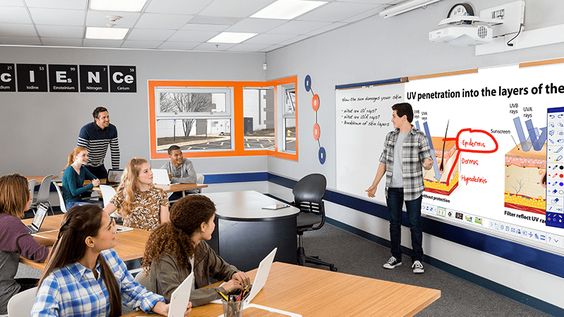
In today’s rapidly evolving education landscape, finding ways to increase student engagement is more important than ever. One innovative solution that is making waves among educators is the use of interactive projectors in the classroom. These advanced devices have transformed the way teachers and students interact with lesson content, resulting in improved learning outcomes and increased classroom participation. This article explores how interactive projectors can boost student engagement and offers tips on implementing this technology effectively.

What are Interactive Projectors?

Interactive projectors are a type of digital display device that combines the functions of traditional projectors with touch-based interactivity. These devices allow users to control and manipulate projected images using a stylus, finger touch, or other pointing device, enabling a higher level of interaction between students and their lessons.

Benefits of Using Interactive Projectors in the Classroom

1. Increased Student Engagement: Interactive projectors allow for a more hands-on learning experience, encouraging students to become active participants in the lesson rather than passive observers. This heightened level of engagement leads to better understanding and retention of the material being taught.

2. Improved Collaboration: Interactive projectors facilitate group work by allowing multiple students to engage with images and content simultaneously. This promotes teamwork, communication, and problem-solving skills among students.

3. Visual Learning Enhancement: The use of interactive projectors often integrates multimedia elements such as images, videos, or animations into traditional lessons. This appeals to visual learners who may struggle with text-heavy or lecture-based teaching methods.

4. Adaptive Learning Experience: Teachers can tailor their lessons according to students’ needs using interactive projectors. By manipulating content on the screen in real-time, teachers can address questions or difficulties as they arise while keeping the lesson dynamic.

5. Increased Technological Literacy: Utilizing interactive projectors exposes students to cutting-edge technology, familiarizing them with digital tools that they’ll likely encounter in their future careers.

Tips for Implementing Interactive Projectors in the Classroom

1. Provide Adequate Training: Ensure that both teachers and students understand how to use the interactive projector effectively. This may involve providing hands-on training and ongoing technical support.

2. Invest in Quality Equipment: A quality interactive projector is key to a successful implementation. Consider factors such as image resolution, brightness, and ease of use when selecting a device.

3. Optimize Classroom Layout: Arrange the classroom in a way that maximizes visibility and accessibility, ensuring that all students have a clear view of the screen and can easily participate.

4. Plan Interactive Lessons: Create lesson plans that encourage students to actively engage with the content displayed on the interactive projector. Incorporate opportunities for group work, problem-solving, and multimedia integration.

5. Encourage Feedback: Request feedback from students regarding their experience using interactive projectors. This can help identify areas for improvement and maximize the technology’s impact on engagement.

In conclusion, integrating interactive projectors into the classroom has the potential to greatly increase student engagement and foster an active learning environment. By carefully considering factors such as training, equipment quality, and lesson planning, educators can successfully harness this technology to enhance their teaching methods and elevate student learning experiences.

Get These Free and Fun Tech Posters for Home & School

Introduction:

Technology has become an integral part of our lives, and it’s vital that we not only stay up-to-date on the latest developments but also make learning about technology fun and engaging. One great way to do this is by using tech-themed posters for your home or classroom. These visual aids can be an excellent resource to spark interest, initiate conversations and share valuable information with others. In this article, we’ve compiled a list of free and fun tech posters that you can easily download, print, and display in your home or school.

1) Computer Science Education Week:

Celebrate Computer Science Education Week with these eye-catching posters from Code.org. They feature various role models from diverse backgrounds who have made significant contributions to the field of computer science. Download them for free at:

https://code.org/educate/resources/inspire

2) Hour of Code Posters:

Hour of Code is a global movement that encourages learners to devote one hour to coding activities. These vibrant posters come in multiple languages and can be a great motivation for students to try their hands on coding. Get them here:

https://hourofcode.com/us/posters

3) Cybersecurity Awareness Posters:

Promote online safety and cybersecurity best practices using these informative posters developed by the National Cyber Security Alliance (NCSA). Get access to these resources at:

https://staysafeonline.org/resources/

4) STEM Posters for the Classroom:

These high-resolution STEM-themed posters are perfect for inspiring students to explore science, technology, engineering, and math. Some subjects covered include robotics, alternative energy sources, and biotechnology. You can find these printable posters at:

https://www.educationworld.com/subjects/science/stem-poster/index.shtml

5) Typographic Tech Quote Posters:

These beautiful typographic posters showcase thought-provoking quotes by prominent tech innovators like Steve Jobs and Elon Musk. They are suitable for both home and school settings, offering motivation and food for thought. Download them at:

https://www.canva.com/design/templates/posters/technology/

6) Women in Tech Posters:

Celebrate the achievements of women in the technology industry with these beautiful posters from Nevertheless, featuring illustrations of trailblazing women who have made significant contributions to the tech world. Download them for free at:

https://www.neverthelesspodcast.com/posters/

7) Scratch Programming Posters:

Designed specifically for young learners, these colorful and engaging posters demonstrate the basics of Scratch programming concepts. Covering topics like loops, events, and sprites, they can be downloaded from the official Scratch website at:

https://scratch.mit.edu/info/cards/

Conclusion:

These free and fun tech posters are perfect for adding a splash of color and excitement to your home or classroom while also being educational. So go ahead – download them, print them out, and start inspiring those around you to learn more about technology and its numerous facets.

Quiz: Which Holiday Movie Best Represents Your Teaching Style?

Introduction:

Attention teachers! With the holiday season around the corner, it’s the perfect time for some fun and lighthearted reflection. Why not take a break from the classroom preparations and indulge in this festive quiz to determine which holiday movie best represents your teaching style. Let’s embrace the magic of the season and discover if you’re a classic like “It’s a Wonderful Life” or a cheerful comedy like “Elf”!

Question 1: How would you describe your classroom management style?

  1. Firm, but fair
  2. Creative and interactive
  3. Friendly, with an emphasis on group activities
  4. A mix of traditional methods with some innovative approaches

Question 2: If one of your students is struggling with an assignment, how do you help them?

  1. Offer additional support outside of class time
  2. Provide alternative resources or materials to support their learning
  3. Encourage a group discussion where other students can offer insight
  4. Modify the assignment to cater to their individual learning style

Question 3: What is your favorite classroom activity during the holiday season?

  1. Creating handmade holiday-themed crafts
  2. Watching educational holiday movies
  3. Hosting a festive classroom party
  4. Organizing charitable events or volunteering opportunities

Question 4: How do you approach student collaboration in your classroom?

  1. Assigning group projects that encourage teamwork and leadership skills
  2. Organizing creative workshops and problem-solving challenges
  3. Facilitating open communication and peer-to-peer learning opportunities
  4. Integrating technology to provide an engaging collaborative experience

Question 5: What is your preferred teaching method?

  1. Lectures and PowerPoint presentations
  2. Engaging demonstrations and hands-on activities
  3. Using storytelling or role-playing to capture students’ interest
  4. Incorporating multimedia elements to support lessons across various subjects

Results:

– Mostly A’s: “A Christmas Carol”

Your teaching style is reminiscent of the timeless classic “A Christmas Carol”. Like the transformation experienced by Ebenezer Scrooge, you foster personal growth and self-reflection within your students. You prioritize discipline and structure while encouraging them to continuously strive for improvement.

– Mostly B’s: “Elf”

You embody the fun-loving spirit of Buddy the Elf! Your teaching style is full of laughter, creativity, and enthusiasm. You build meaningful connections with your students and find creative ways to engage them in learning. Your classroom is a festive haven where imagination and energy are always encouraged.

– Mostly C’s: “Home Alone”

Just as Kevin McCallister learns the value of teamwork and family, your teaching style emphasizes collaboration and group activities. You create a warm and inclusive classroom environment where students work together to problem-solve and learn valuable lessons from one another.

– Mostly D’s: “The Polar Express”

As a teacher, you take your students on an exciting educational journey, much like the magical train ride in “The Polar Express”. Your teaching style balances both traditional methods with modern techniques to capture your students’ attention. Along the way, you inspire them to believe in the magic of learning.

Conclusion:

No matter which holiday movie best represents your teaching style, remember that each approach offers unique benefits that contribute to shaping well-rounded individuals. As you continue to evolve as an educator, don’t forget to embrace a little holiday cheer along the way! Happy holidays!

Casey’s Is Offering Big Grants to Help Schools Like Yours

Introduction:

As schools face unprecedented challenges in today’s rapidly changing times, many are seeking much-needed financial support. In response, Casey’s is stepping up to make a difference by offering significant grants to help schools like yours. This article will detail the exciting opportunity provided by Casey’s and discuss how your school can benefit.

Casey’s Grant Program:

Casey’s, a well-known convenience store chain, believes in the power of education and is committed to giving back to local communities. Through their grant program, they are providing financial assistance to schools in need so that resources can be effectively channeled into vital areas such as technology upgrades, infrastructure improvements, and additional educational programs.

Eligibility Criteria:

To qualify for a grant from Casey’s, schools must meet the following eligibility criteria:

1. Be a public or private K-12 institution.

2. Be located within the geographical radius of a Casey’s store.

3. Demonstrate recognizable need for funding and outline how the grant will positively impact students.

Due to the granting process’s competitive nature, priority will be given to schools that provide creative and innovative ways they would use the funds to achieve lasting change.

Application Process:

If your school meets the eligibility criteria outlined above, you can apply for a grant through these steps:

1. Visit Casey’s official website (www.caseys.com/Grants) and download the grant application form.

2. Carefully fill out the form providing accurate information about your school and details regarding your proposed project.

3. Include testimonials and support letters from community members, local businesses, teachers, or parents who endorse your project.

Submit your completed application along with required supporting documents to Casey’s Grant Committee before the announced grant submission deadline.

Grant Evaluation:

Upon receiving applications, Casey’s Grant Committee will thoroughly review each submission based on merit and alignment with their core values. The committee will consider factors such as feasibility, long-term impact, community involvement, and creative use of funds in making their decision.

Successful Recipients:

Casey’s will notify successful grant recipients via email or phone and also highlight them on their website. In addition, grant winners may be featured in local news stories or Casey’s promotional materials to celebrate their achievements and inspire other schools to apply for future grant opportunities.

Conclusion:

Casey’s grants provide a fantastic opportunity for schools like yours to get much-needed financial assistance. If you believe your school would greatly benefit from this funding, don’t hesitate to apply and showcase your innovative ideas for improving your students’ educational experience.

We Need to Teach All Students About Artificial Intelligence—Starting Now

Introduction:

In today’s rapidly advancing world, artificial intelligence (AI) is at the forefront of nearly every industry and plays a crucial role in shaping our lives. From shaping medical treatments to streamlining business processes, AI’s impact is transforming how we approach problems and find solutions. As such, it is vital that we start educating students about AI as early as possible, preparing them for a future where they can effectively harness the power of this technology.

The Importance of Teaching AI:

1. Preparing for an AI-driven future: With the influx of jobs and roles demanding AI skills and knowledge, it’s crucial that students are prepared for these opportunities. The job market will continue to evolve as advancements in AI continue to disrupt traditional industries, and our education system must adapt to ensure that students can develop the skills needed for success.

2. Developing critical thinking skills: Teaching students about AI promotes critical thinking skills and fosters their creativity, enabling them to seek innovative ways in which they can use AI technologies in solving real-world problems. These soft skills are just as important as technical knowledge when it comes to using AI effectively.

3. Reducing fear and misconceptions: Educating students about AI can help demystify the technology by providing an understanding of how it works on a basic level. This can prevent fear and misconceptions about its potential impact on society from taking hold.

4. Encouraging ethical considerations: Introducing AI concepts to students can promote discussions around the ethics surrounding data usage, privacy, and fairness. These conversations are vital in ensuring that the next generation of leaders understands the responsibility that comes with wielding this powerful technology.

How We Can Implement AI Education:

1. Incorporate AI into existing curricula: Rather than creating entirely new courses focused solely on artificial intelligence, schools can integrate fundamental principles of AI into existing subjects such as math, science, and computer science courses.

2. Hands-on projects: Giving students the opportunity to engage in practical, hands-on projects related to AI can help solidify their understanding of various principles and deliver a more meaningful learning experience. Students can build and program robots or use machine learning algorithms to identify patterns in data sets.

3. Career development programs: Schools can develop partnerships with local businesses and academic institutions to provide internship opportunities for students interested in AI disciplines. These opportunities will help expose students to real-world applications of AI, further reinforcing classroom learning.

4. Teacher training: Ensuring that educators are adequately trained in AI is crucial for the success of any AI-related education effort. Professional development programs dedicated to equipping teachers with the necessary knowledge and skills should be a priority.

5. Utilizing Massive Open Online Courses (MOOCs): Supplementing traditional classroom learning with online AI courses offered through platforms like Coursera or edX can provide an affordable and accessible way for students to gain exposure to leading-edge practices from experts in the field.

Conclusion:

As the role of artificial intelligence continues to expand, it is essential that our education system adapts, and all students are given the opportunity to learn about this transformative technology. The earlier we introduce these concepts and tools, the better equipped our future workforce will be to harness AI’s potential for the benefit of society as a whole. It’s time for us to prioritize AI education—starting now.

10 Podcasting Projects Teachers Should Try in the Classroom

Introduction:

In today’s digital age, podcasting has become a popular medium for storytelling, entertainment, and education. Introducing podcasting projects in the classroom can significantly engage students and enhance their communication, technical, and interpersonal skills. Here are ten podcasting projects teachers should try in their classrooms to enrich the learning experience:

1. Personal Narratives:

Encourage students to create short podcasts sharing personal experiences or family stories. This helps students to develop storytelling and self-expression skills.

2. Current Event Discussions:

Have students research a current event and present their viewpoints with evidence through a podcast episode. This project helps students develop critical thinking and communication skills.

3. Interviews:

Students can improve their speaking and listening skills by interviewing classmates, teachers, or local community members on a topic of interest.

4. Book Reviews:

Students can create podcasts reviewing books they’ve read or recommend to others. This not only promotes reading comprehension but also helps students practice giving their opinions eloquently.

5. Historical Events Recaps:

Assign students historical events to explore through research and present using audio storytelling techniques in podcast format, allowing them to foster a deeper understanding of past events.

6. Science Experiment Reports:

Students can record podcasts that document their science experiments – sharing the steps they took, their observations, results, and conclusions.

7. Language Learning Exercises:

Using podcasts as a language learning tool reinforces oral communication in foreign languages by having students create episodes discussing cultural topics or practicing dialogues.

8. Group Debates:

Divide the class into groups to debate various topics in a podcast format. It encourages healthy discussions while enhancing teamwork and persuasive speaking abilities.

9. Fictional Stories:

Unleash your students’ creativity by encouraging them to write fictional stories, with twists inspired by their favorite books, movies, or original ideas. Their narrated stories can be shared as podcasts for others to enjoy.

10. Classroom Newsletters:

Turn class updates, school events, announcements, and other news into podcasts while teaching students journalism basics, such as unbiased reporting, scriptwriting, and interviewing skills.

Conclusion:

Integrating podcasting projects in the classroom offers numerous educational benefits and enables students to learn valuable skills applicable in various aspects of life. Teachers can use these ten podcasting projects to provide engaging and meaningful learning experiences for their students while adapting them to suit varying age groups and lesson plans.

20 Classroom Technology Anchor Charts Every Teacher Needs

Introduction:

In today’s modern educational environment, technology plays a crucial role in enhancing the learning experience for students. As a teacher, it’s important to have a solid understanding of different classroom technology tools and strategies. One of the most effective ways to do this is by creating and using anchor charts. Here are 20 essential classroom technology anchor charts that every teacher needs in their arsenal:

1. Digital Citizenship: This anchor chart outlines the key principles of digital citizenship, such as online etiquette, safety, and privacy.

2 Google Classroom Basics: An anchor chart featuring step-by-step instructions for using Google Classroom, including signing in, creating assignments, and providing feedback.

3. Keyboard Shortcuts: A visual reference for students highlighting the essential keyboard shortcuts that can save time while using various software applications.

4. Coding Concepts: An anchor chart introducing basic coding concepts and terminology to help students understand the foundations of computer programming.

5. Internet Safety Rules: A chart discussing crucial internet safety rules to ensure students navigate the online world responsibly and securely.

6. Research Skills: An anchor chart detailing effective steps to conduct online research, including reliable sources, search strategies, and citation guidelines.

7. Troubleshooting Techniques: This chart helps both teachers and students identify common tech-related issues and learn how to troubleshoot them independently.

8. The SAMR Model: An overview of the Substitution, Augmentation, Modification, and Redefinition (SAMR) model for integrating technology into teaching effectively.

9. Office Applications: A guide for using popular office applications such as Word, PowerPoint, Excel, and Google Drive in an educational context.

10. Digital Storytelling Tools: Introduce students to creative digital storytelling resources such as video editing software, podcast tools, and interactive presentation platforms.

11. EdTech Vocabulary Glossary: Help students familiarize themselves with essential edtech terms and acronyms by creating an anchor chart filled with definitions and examples.

12. Cyberbullying Prevention: Raise awareness about the consequences and prevention of cyberbullying with a chart that offers tips for fostering a positive online environment.

13. Online Collaboration Tools: A guide to using platforms like Microsoft Teams, Zoom, and Google Meet to facilitate learning and collaboration among students.

14. Technology Usage Guidelines: Create a chart outlining the expectations for responsible technology use in the classroom, including device care and appropriate online behavior.

15. Social Media Literacy: A chart breaking down the fundamentals of using social media responsibly and safely for both personal and educational purposes.

16. Assistive Technologies: Introduce students to various assistive technologies available to support diverse learning needs, such as text-to-speech tools and closed captioning services.

17. Blogging in Education: A guide illustrating how teachers can use blogging as a creative means for communication, reflection, and student-centered learning in the classroom.

18. Video Conferencing Etiquette: Charts outlining best practices for participating in virtual meetings to maintain professionalism and enhance collaboration.

19. Flipped Classroom Model: Highlight essential components of flipped learning, including pre-class content, in-class activities, technology integration, and student collaboration.

20. Teaching with Tablets: An anchor chart demonstrating the most effective ways teachers can incorporate tablets into their lesson plans to engage students actively.

Conclusion:

With these 20 technology anchor charts at your disposal, you’ll be better equipped to introduce valuable resources into your lessons and develop tech-savvy students prepared for success in the digital age.

Don’t Miss The Best Owl Cams for Kids

Introduction:

Owls, with their captivating stares and haunting hoots, have long been a source of fascination for people of all ages. For children, these mysterious creatures can serve as an entry point into the world of wildlife and environmental exploration. With the advancement of technology, it is now possible for kids to observe these magnificent birds up close without leaving the comforts of home, thanks to owl cams! Let’s dive into some of the best owl cams specifically tailored for children that you don’t want to miss.

1. Cornell Lab Barred Owl Cam:

Located in a secluded forest in Indiana, this owl cam is operated by the Cornell Lab of Ornithology. It showcases a pair of barred owls that are known for their distinct “Who cooks for you?” call. The live-stream is available 24/7, allowing kids to witness moments such as egg-laying, hatching, and fledgling owlets learning to fly.

URL: https://www.allaboutbirds.org/cams/barred-owls/

2. Savannah Great Horned Owl Cam:

This live camera features a great horned owl family residing in Georgia’s coastal city, Savannah. Managed by Cornell Lab and Skidaway Audubon, this owl cam allows children to observe fascinating behaviors such as courtship displays, nest building, and the raising of owlets.

URL: https://www.landingsbirdcam.com/greathornedowl

3. OKCO Barn Owl Cam:

The OKCO Barn Owl Cam is brought to you by Oklahoma City’s WildCare Foundation and offers intimate access to a barn owl family as they raise their young. This educational livestream is perfect for kids and provides an opportunity to learn about these nocturnal hunters and their habitats.

URL: https://www.wildcareoklahoma.org/owl-cam

4. The Owl Channel:

A great resource for kids, The Owl Channel is home to multiple owl species, including the Great Horned Owl, Western Screech Owl, and the Barn Owl. This website features live video feeds as well as informative videos about owl behavior and biology.

URL: https://www.owlchannel.com/

Conclusion:

These fascinating owl cams engage children in a virtual adventure that highlights the wonders of nature. By watching these beautiful creatures in their natural habitats, kids can develop an appreciation for wildlife and its conservation. So, don’t miss these incredible owl cams that will entertain and educate your children about the mesmerizing world of owls!