EdTech & Innovation

Creative Ways Teachers Are Using Outschool

In an age where technology has become an indispensable part of our lives, it comes as no surprise that education too must adapt to this ever-evolving landscape. Among the myriad of digital learning platforms, Outschool has emerged as a refreshing educational resource for millions of learners worldwide. It offers an expansive catalog of teacher-led, small-group, live online classes at an affordable price. Teachers on Outschool are pushing the boundaries not only by embracing digital learning but also by adopting incredibly creative teaching methods. Here are some of the most interesting and innovative ways teachers are using Outschool to transform K-12 education.

1. Gamifying Learning:

One effective teaching strategy employed on Outschool is the gamification of lessons. To make subjects more engaging and interactive, teachers cleverly design games around topics ranging from math and science to language arts and social studies. In these game-based classes, students participate in friendly competitions while honing their skills in a fun, low-pressure environment.

2. Exploring Pop Culture Contexts:

Outschool educators also leverage popular culture references such as Harry Potter, Marvel superheroes, and Star Wars to attract students’ attention and deepen their understanding of otherwise complex concepts. By creating lessons based on familiar fictional worlds, teachers connect with students on a personal level and foster their enthusiasm for learning.

3. Virtual Field Trips:

Travel restrictions brought about by the pandemic have compelled teachers to think outside the box when it comes to experiential learning. Many instructors on Outschool have overcome these limitations by conducting virtual field trips that allow students to explore diverse locations, museums, and cultural sites from the comfort of their homes.

4. Learning through Role-Playing:

Another engaging method employed in Outschool is role-playing. Students assume different personas or characters and engage in immersive activities specially designed to teach social interactions as well as subjects like history, literature, or government. This interactive learning approach encourages students to think critically, empathize, and communicate effectively.

5. Project-Based Learning:

Project-based learning is a staple teaching technique on Outschool. Whether it’s creating a science experiment or writing a script for a short film, teachers prompt students to apply their newfound knowledge to real-world scenarios. This collaborative approach empowers students to take ownership of their learning while building useful skills like time management, teamwork, and problem-solving.

6. Integrating Curricular and Co-Curricular Activities:

Many Outschool instructors link curricular subjects with co-curricular pursuits such as the arts, sports, and hobbies. For example, a class might involve creating paintings or sculptures inspired by literary themes or examining the physics behind various sports. Merging these seemingly unrelated areas piques students’ curiosity and exposes them to varied perspectives on familiar topics.

7. Supporting Social-Emotional Learning:

Finally, Outschool teachers recognize the importance of social-emotional development in children’s overall well-being. Classes that focus explicitly on building empathy, resilience, self-awareness, and leadership skills help students navigate challenges both inside and outside the classroom effectively.

In conclusion, Outschool offers an innovative platform for educators to explore unconventional teaching techniques that not only keep students engaged but also prepare them for the future in unique ways. By embracing Outschool’s flexibility and its network of passionate teachers, K-12 education is becoming more dynamic, immersive, and enjoyable than ever before.

Is the Next Young Innovator Sitting in Your Classroom?

As educators, we often come across bright and eager students who demonstrate a unique spark of creativity and curiosity. In today’s rapidly evolving world, this spark has the potential to ignite groundbreaking innovations that could change life as we know it. So, is it possible that the next prodigious innovator is sitting right there in your classroom? The answer is a resounding yes, and here’s why:

1. Nurture Ignites Talent

Children have an innate sense of curiosity about the world around them. When exposed to different fields, they are naturally inclined to question how things work. Schools and teachers serve as the primary facilitators that encourage creative thinking among students by providing resources, guidance, and support.

2. The Impact of Technology

The past decade has seen unprecedented growth in technology, enabling children to access diverse platforms for learning and exploration. Young minds can now interact with global communities through social media or online communities related to their areas of interest, fostering innovative thinking.

3. Cross-disciplinary Learning

The modern academic curriculum emphasizes a multidisciplinary approach to learning that empowers children to be well-rounded individuals. By equipping them with knowledge and skills from various disciplines such as science, arts, humanities, and beyond, students develop a vast array of perspectives – essential for innovation.

4. Collaboration and Teamwork

Team projects, whether at school or extracurricular clubs and activities, equip students with essential soft skills enabling them to problem-solve collaboratively. It’s no surprise that many ground-breaking innovations are born from strong teamwork.

5. Exposure to Entrepreneurial Education

Schools are now acknowledging the importance of entrepreneurial education, where students learn business skills alongside their academic subjects. This integration helps develop a mindset conducive to innovation as children recognize opportunities and learn how to transform their ideas into tangible solutions.

6. Encouraging Failure

It may sound counterintuitive, but teaching students that it’s okay to fail and learn from mistakes helps them develop a growth mindset. Understanding the importance of resilience and iteration grants them a sense of self-confidence necessary for pursuing innovative ideas or projects.

7. Recognition and Support

Finally, students need recognition and support from mentors, parents, and the broader community. By spotlighting young innovators, others are encouraged to follow suit, paving the way for discovery and invention.

In Summary

As educators and parents, we must remain attentive to the budding innovators in our classrooms, offering them the guidance, resources, and space to develop their potential fully. It wouldn’t be surprising that students you encounter daily could be discovering inventive solutions or products that shape industries in the future. By fostering creativity within an educational setting, we embrace limitless opportunities for innovation in future generations.

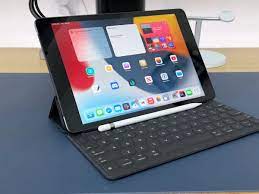
10 Keyboard Options To Upgrade Your Classroom Tablets

As technology continues to advance, more and more schools are integrating tablets into their classrooms. Tablets offer a versatile and portable way for students to access educational resources, research topics, and complete assignments. However, typing long documents on a tablet’s touchscreen can be challenging. To help improve the tablet experience in your classroom, consider upgrading with these 10 keyboard options:

1. Logitech K480 Multi-Device Keyboard: The Logitech K480 is a compact and durable Bluetooth keyboard that can connect to three devices simultaneously– a perfect option for classrooms with multiple tablets.

2. Microsoft Universal Mobile Keyboard: This compact keyboard is designed for Android or iOS devices. It comes with an integrated stand that allows for comfortable typing on tablets of different sizes.

3. Arteck HB030B Universal Slim Portable Wireless Keyboard: With its slim design and compatibility across multiple devices, the Arteck HB030B is an excellent option for classrooms looking for an affordable yet functional keyboard solution.

4. Anker Bluetooth Ultra-Slim Keyboard: The Anker Bluetooth Ultra-Slim Keyboard offers long battery life, reliable Bluetooth connectivity, and a low-profile design that makes it easy to transport and store.

5. Fintie 10-Inch Ultrathin (4mm) Wireless Bluetooth Keyboard: Another slim option, the Fintie 10-Inch Ultrathin Wireless Bluetooth Keyboard also features a power-saving mode that helps conserve battery life when not in use.

6. Apple Magic Keyboard: For iPad users, the Apple Magic Keyboard offers a sleek design, precise typing experience, and adjustable viewing angles which are essential tools for students looking to use their tablets as an everyday laptop replacement.

7. Brydge 10.5 Series II Wireless Keyboard: An aluminum design gives this keyboard a premium feel while offering full device compatibility, making it perfect for schools using a mixed ecosystem of tablets.

8. Nulaxy KM12 Bluetooth Keyboard: This keyboard is not only affordable and compatible with most devices, but it also has built-in multimedia hotkeys that are perfect for classroom presentations.

9. Jelly Comb Foldable Bluetooth Keyboard: The Jelly Comb Foldable Bluetooth Keyboard is an excellent option for classrooms with limited space, as it can be folded up when not in use.

10. MoKo Universal Folio Case with Removable Magnetic Keyboard: This combination of keyboard and protective case is a great investment for schools looking to upgrade their classroom tablets, as it offers both typing functionality and extra protection against accidental drops.

In conclusion, the integration of keyboards in your classroom tablets significantly enhances the learning experience for students by providing a comfortable and efficient tool for typing and interacting with their devices. Consider upgrading your classroom tablets with any of these 10 keyboard options to improve students’ engagement and productivity.

Take Your Students on a Free Space Technology Tour!

Introduction

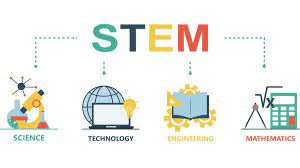
Are you an educator looking to stimulate your students’ interest in science, technology, engineering, and mathematics (STEM)? A space technology tour offers an incredible opportunity to engage and inspire the next generation of scientists, engineers, and astronauts. The best part? You can launch this exciting journey for your students without breaking the bank!

In this article, we’ll explore various free space technology tours suitable for students of different ages. Get ready to embark on an educational adventure that’s truly out of this world.

Space Centers Offering Free Tours

1. NASA’s Jet Propulsion Laboratory (JPL) – Pasadena, California

Located in Pasadena, California, NASA’s Jet Propulsion Laboratory offers free tours for visitors of all ages. Students will get a glimpse into the cutting-edge research projects happening at JPL, from Mars rovers to Earth science satellites. Be sure to reserve your spot well in advance, as tours book up quickly!

2. The U.S. Space & Rocket Center – Huntsville, Alabama

Home to Space Camp and the fascinating Saturn V Hall, the U.S. Space & Rocket Center in Huntsville is a must-visit destination for any aspiring space enthusiast. Although the center itself isn’t free, they do offer periodic free admission days throughout the year. Keep an eye on their calendar of events to find the perfect day for your class trip.

3. Kennedy Space Center – Cape Canaveral, Florida

While entry to Kennedy Space Center requires paid admission, some aspects of this remarkable facility are accessible for free — including their visitor complex with exhibits and displays featuring historic spacecraft and memorabilia. One highlight is the nearby Rocket Garden, where students can see real-life unused rockets up close.

Virtual Tours For The Classroom

With advances in modern technology, you don’t need to leave your classroom to explore outer space! Many institutions now offer virtual tours and online learning experiences that bring the wonders of space right to your students’ fingertips.

1. NASA Glenn Research Center Virtual Tour

Explore the Glenn Research Center in Ohio through their comprehensive virtual tour, complete with interactive features and engaging videos. This tour offers a behind-the-scenes look at critical research and development that has propelled space exploration forward throughout the years.

2. ESA’s European Space Operations Centre (ESOC) 360-Degree Virtual Tour

For a more international perspective, take your students on a 360-degree virtual tour of ESA’s European Space Operations Centre in Germany. This interactive experience provides a unique view of the site, showcasing satellite communications, mission control, and more.

3. Smithsonian National Air And Space Museum Virtual Tour

The Smithsonian National Air And Space Museum in Washington, D.C., boasts an extensive online exhibit collection. Students can virtually explore iconic aircraft and spacecraft, learn about the history of air travel and space exploration, and even participate in digital interactive activities.

Conclusion

By exposing your students to the fascinating world of space technology through free tours and virtual experiences, you’re not only nurturing their curiosity but also inspiring them to push the boundaries of human knowledge. These educational opportunities could become pivotal moments for young learners eager to pursue careers in STEM fields – all without burdening your school budget. So gear up your class for an extraordinary voyage into the realms of space!

Research Shows Learning STEM is like Learning Language

Introduction

In recent years, the importance of Science, Technology, Engineering, and Mathematics (STEM) education has grown exponentially. As professionals are encouraging more students to pursue careers in these fields, new studies reveal that learning STEM subjects is akin to learning language. This article explores the similarities between STEM and language acquisition and how this insight can benefit both educators and students.

1. The Connection Between STEM and Language Learning

Much like language learning, STEM education involves the acquisition of a unique set of skills, concepts, and terminologies. Researchers have noted that both processes require the following:

2. Structured brain development: Both language and STEM learning involve a grammatical structure where syntax rules dictate how elements combine to form understandable expressions.

3. Cognitive flexibility: Cognitive flexibility enables learners to adapt to various scenarios and situations. In the context of languages, it allows individuals to switch between different linguistic codes effectively; in STEM fields, cognitive flexibility promotes problem-solving skills.

4. Constant practice: Regular exposure and practice play crucial roles in mastering both languages and STEM concepts. Immersing oneself in the subject matter boosts retention and deepens understanding.

Benefits of Recognizing the Connection

Understanding that learning STEM is like learning a new language can help educators ensure better outcomes for their students:

1. Tailored teaching methods: By considering STEM education as teaching ‘content languages,’ instructors could apply established language-teaching strategies for improved results. For instance, they might encourage conversational exchanges and active participation in acquiring complex concepts.

2. Comprehensive assessment tools: Keeping in mind that learning STEM is akin to learning a language; teachers can utilize comprehensive assessment tools – such as reading comprehension exams or structured problem-solving exercises – to measure their students’ strengths and weaknesses more effectively.

3. Encouraging bilingualism or multilingualism: Underscoring the relationship between language systems and scientific knowledge can inspire interest in cultivating multiple languages. Moreover, proficiency in multiple languages is linked to improved cognitive skills, which could benefit students not only in their language development but also in their understanding of STEM subjects.

Conclusion

Recognizing the parallels between language acquisition and learning STEM subjects can provide a new perspective to improve teaching methods and generate better student outcomes. This approach highlights the importance of continuous practice, cognitive flexibility, and structured education – fostering a greater appreciation for both languages and STEM disciplines in the process.

A Unique Platform That Posts Daily Writing Prompts, Math Problems, and More!

Introduction:

Did you know there exists a fascinating platform that regularly posts daily writing prompts, math problems, and a plethora of other engaging content to challenge your brain and improve your skills? In an era when our cognitive capabilities are of utmost importance in both professional and personal spheres, this dynamic online platform offers an excellent opportunity to develop various skills and ensure we stay sharp.

What is “Did You Know?”

“Did You Know?” is a one-of-a-kind online platform designed to cater to the interests of all individuals willing to sharpen their skills in various domains. It is an excellent resource for students, teachers, professionals, and curious learners alike. This engaging platform posts daily writing prompts, math problems, trivia questions, riddles, and more, keeping the content fresh and diverse for followers.

Daily Writing Prompts:

For those passionate about writing or looking to improve their language and communication abilities, “Did You Know?” provides intriguing daily writing prompts. These creative impetuses range widely in theme and structure, stimulating lateral thinking and promoting self-expression. By practicing different writing styles based on these prompts – from narratives to essays – users can expand their literary landscape and cultivate new stylistic techniques.

Math Problems:

For math enthusiasts or those who require strengthening their numeracy skills, “Did You Know?” posts a wide array of daily math problems. These puzzles cater to all skill levels – from elementary arithmetic challenges to advanced calculus conundrums. With these daily exercises, users can enjoy expanding their mathematical toolkit while refining problem-solving abilities.

Bonus Content:

Apart from writing prompts and math problems, “Did You Know?” regularly releases additional educational content. This bonus material includes science facts, historical trivia, riddles, brainteasers, puzzles, quizzes on various subjects such as geography and literature. The sheer diversity of information encourages users to explore new areas of knowledge, sparking intellectual curiosity and fostering a comprehensive learning experience.

The Benefits of “Did You Know?”:

The consistent engagement with “Did You Know?” content brings several benefits, including:

1. Improved problem-solving and critical thinking skills

2. Enhanced creativity and divergent thinking

3. Augmented language and communication abilities

4. Strengthened mathematical prowess

5. Overall cognitive development within various domains

Conclusion:

“Did You Know?” is a remarkable platform for all individuals who wish to sharpen their minds and boost their skill set in multiple domains. With its ever-changing range of content – from writing prompts to math problems, trivia, puzzles, and more – this online hub provides an ongoing challenge that helps foster growth and development on both personal and professional levels. Dive into the world of “Did You Know?” today, and embark on an intellectual adventure that pushes you beyond the limits of ordinary learning experiences!

10 Tips for Using E-Readers in the Classroom

In today’s technologically advanced world, e-readers have become a popular tool to enhance the educational experience. They offer various benefits such as increased accessibility, reduced cost, and increased organization for both teachers and students. As more classrooms move toward adopting e-readers, here are ten tips for effective use of these devices in the classroom:

1. Choose the Right E-Reader: With various e-readers available on the market, choose a device that best suits your specific needs and budget. Consider factors such as battery life, storage capacity, ease of use, and compatibility with different file formats.

2. Establish Classroom Rules: To ensure smooth integration of e-readers into your teaching routine, establish clear guidelines about usage, sharing, and responsible online behavior.

3. Encourage Digital Literacy: Teach students about digital rights management (DRM), copyright laws, and how to safely download materials from verified sources to avoid potential legal issues.

4. Organize Your eBooks: Create a well-structured digital library by organizing books into folders and categories. This will help students find required reading materials with ease.

5. Explore Interactive Features: Take advantage of features like note-taking, highlighting, definitions, and more to engage students in active reading and critical thinking during class discussions.

6. Assign eBooks as Homework: Utilize e-readers as an alternative to traditional textbooks for homework assignments or supplemental reading materials.

7. Leverage Accessibility Features: For students with visual impairments or learning difficulties, make use of built-in accessibility features such as text-to-speech or adjustable text size to make content more accessible.

8. Incorporate Multimedia: Utilize multimedia capabilities of e-readers by embedding audio clips, videos or animations to enhance learning experience and cater to different learning styles.

9. Monitor Progress: Track student’s reading activities through built-in progress tracking systems on some e-readers, allowing you to gauge a better understanding of how each student is engaging with the content.

10. Teach Beyond the Text: Utilize e-readers to access and share non-traditional learning materials such as essays, articles, and interactive quizzes related to the course material. This encourages students to think beyond the textbook and develop critical-thinking skills.

Integrating e-readers effectively into classroom instruction can revolutionize teaching and learning experience, making it more engaging, cost-effective, and environmentally friendly. By following these tips, you can create a conducive learning environment that embraces technology while enhancing educational outcomes for all students.

We Need Tech Coaches and IT Specialists in Our Schools: Here’s The Best Things They Do

Introduction

Nowadays, technology is deeply ingrained in our lives, and you can see its influence everywhere. It has transformed our communication, entertainment, information, and even education systems. It’s crystal-clear that we need tech coaches and IT specialists in our schools to guide students and educators onto the right technological path. This article delves into why we need these IT professionals in our educational institutions and the best things they do.

Tech Coaches and IT Specialists: A Key Ingredient to Modern Education

1. Enhance Technical Skills of Teachers and Students

With constant technological advancements, it’s crucial for both students and teachers to remain updated on the latest tech-relat妹ed trends. Tech coaches help educators better grasp how to use technology effectively in the classroom. As a result, teachers can incorporate digital tools into their lessons, making them more engaging and dynamic for the students.

2. Support Teachers in Curriculum Development

Tech coaches work closely with teachers to develop a curriculum that integrates technology to transform teaching methods. This ensures that students are taught essential digital skills that will significantly impact their future job opportunities.

3. Facilitate Digital Literacy

IT specialists ensure that schools have a strong digital infrastructure so that all students have access to various resources. They also educate students on how to use these tools responsibly and safely, equipping them with essential digital literacy skills.

4. Encourage Collaborative Learning

One perk of having tech coaches and IT specialists in schools is the promotion of collaborative learning through various online platforms and tools—this cooperation not only fosters teamwork but also prepares students for the interconnected global environment they’ll face after leaving school.

5. Foster Creativity and Innovation

By introducing creative technological tools such as 3D printing, computer-aided design (CAD), or programming languages, tech coaches help students explore different ways of problem-solving, thus fostering creativity and innovation.

6. Ensure Cybersecurity

With the increasing reliance on technology in schools, the risk of cyber threats is also on the rise. IT specialists protect school networks and data from such potential threats. They also ensure adherence to privacy laws, maintaining confidentiality while keeping students and staff well-informed about cybersecurity.

7. Support for Students with Disabilities

Tech coaches play a vital role in assisting students with disabilities by identifying and implementing appropriate technological tools that help these students learn effectively. Digital tools can offer alternative ways to communicate and engage students, ensuring a more inclusive learning environment for all.

Conclusion

The benefits of incorporating tech coaches and IT specialists into our schools are undeniable. They provide essential technical support to teachers, help foster creativity and innovation in classrooms, secure sensitive information, and create accessible learning environments for all students. Let’s make a concerted effort to ensure our schools have the necessary support to produce future-ready graduates prepared to thrive in a technologically advanced world.

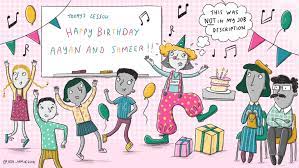
Help! Parents Are Throwing Full-Blown Birthday Parties in My Classroom

As teachers, we acknowledge the importance of celebrating the little milestones in our students’ lives. Indeed, birthdays are a memorable occasion for children and deserve to be honored. However, when parents begin hosting full-blown birthday parties in classrooms, it can become a nightmare for educators. The chaos and distractions that follow threaten to derail our well-laid teaching plans and hinder the learning process.

Let us examine the reasons behind this growing trend and discuss possible solutions to ensure both celebration and education can coexist harmoniously.

Why Is This Happening?

1. Competitive Spirit: It’s no secret that modern parenting is often riddled with competition. Many parents feel compelled to outdo each other in throwing elaborate parties for their children, even if it means encroaching on the classroom territory. This competitive streak may drive some parents to transform a simple birthday treat into an extravagant affair during school hours.

2. Financial Considerations: Organizing a separate party outside of school hours can be expensive, especially considering the cost of renting venues and catering. By hosting the celebration in a classroom environment, parents can save money while still providing a festive experience for their children.

3. Convenience: By bringing the party to the classroom, parents believe they can ensure all classmates are present to celebrate without needing to coordinate an event after school or during weekends.

The Impact on Education

Despite good intentions, these full-scale celebrations inevitably interfere with the learning environment. Here are some negative effects:

1. Lost Instructional Time: Teachers often struggle to reclaim lost time after the chaos of a birthday party has taken over their schedule. As a result, vital lesson plans get delayed or neglected altogether.

2. Distraction: Elaborate parties pull students’ focus away from their academic tasks, making it difficult for them to refocus once celebrations end.

3. Peer Pressure: Such events might foster feelings of inadequacy among children whose families cannot afford elaborate parties, causing stress and anxiety in their formative years.

Finding a Solution

There are ways for schools to strike a balance between celebration and maintaining an effective learningenvironment:

1. Set Guidelines: School administrators should establish clear guidelines outlining acceptable ways to celebrate birthdays in classrooms. For instance, limiting celebrations to the last few minutes of class or instituting a “no decorations” rule can help minimize disruptions.

2. Encourage Modesty: Appeal to parents to keep things modest and hold them accountable for following school policies. Request that they resist the “keeping up with the Joneses” mentality when it comes to classroom celebrations.

3. Designate Specific Days: Designate a specific day, perhaps once a month, where all classroom birthdays for that month can be celebrated together during lunchtime or recess, allowing ample time for everyone involved.

Conclusion

Birthdays are a special occasion for children, but full-scale parties in the classroom compromise the integrity of the educational environment. By working together with parents and establishing clear policies, schools can ensure that fair and enjoyable celebrations take place without hampering the learning experience.

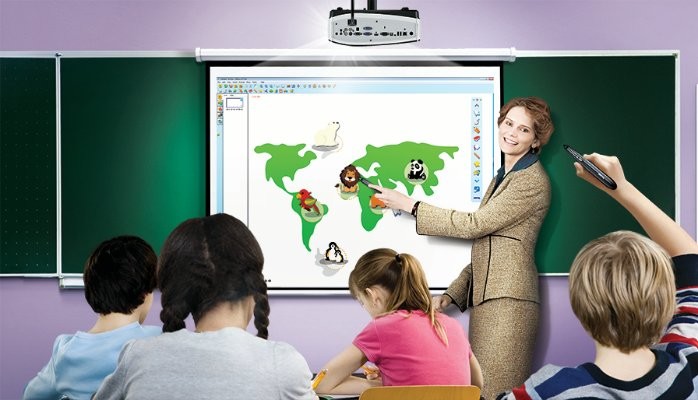
10 Game-Changing Ways to Use an Interactive Classroom Projector

In recent years, technology has transformed the classroom, and the interactive projector is at the forefront of this revolution. By bringing lessons to life and enabling students to participate in engaging activities, interactive projectors are changing the game for educators. Here are ten innovative ways to use an interactive projector in your classroom.

1. Interactive Whiteboard

Transform your projector into an interactive whiteboard by projecting onto a screen or wall. Students can write, draw, and interact with the content, making it an excellent tool for collaborative learning and brainstorming sessions.

2. Virtual Field Trips

Use interactive projectors to take your students on virtual field trips without ever leaving the classroom. Explore historic sites, famous landmarks, or natural wonders by navigating through images and videos.

3. Gamified Learning

Incorporate educational games that utilize the interactive projector’s capabilities. This encourages friendly competition and active learning while allowing students to reinforce their knowledge through play.

4. Multimedia Presentations

Create multimedia presentations by combining text, images, videos, and animations into a single lesson plan. This not only caters to diverse learning styles but also keeps students engaged throughout the lesson.

5. Group Projects and Collaboration

Project group projects onto the screen and have students collaborate in real-time using the interactive projector’s features. This promotes teamwork, problem-solving skills, and shared understanding of concepts.

6. Interactive Quizzes

Design interactive quizzes using your projector’s software and display them on the screen for students to answer using individual devices or by annotating directly on the projected image.

7. Flipped Classroom Model

Use the interactive projector to support a flipped classroom model where students explore topics at home before discussing them in class. Teachers can share pre-recorded videos or online resources that students can engage with independently before group sessions.

8. Mind Mapping

Employ mind mapping tools available on your interactive projector to facilitate brainstorming and help students visualize concepts. This is particularly useful for complex topics or understanding connections between subjects.

9. Live Polling

Collect real-time feedback from students during your lessons using live polling features available in most interactive projector platforms. This helps gauge student comprehension and encourages active participation in the learning process.

10. Video Conferencing

Connect with guest speakers, experts in a particular field, or even other classrooms around the world using video-conferencing capabilities built into your interactive projector. This can provide unique learning experiences for students and broaden their perspectives.

Interactive projectors offer endless possibilities for enhancing the learning experience and encouraging collaboration among students. Experiment with the above strategies and discover more innovative ways to integrate this versatile tool into your curriculum.