EdTech & Innovation

11 Things You Never Knew You Could Do With Your SMART Board

Smart Boards are revolutionizing classrooms and meeting rooms across the globe. They serve as interactive whiteboards which integrate digital learning and help facilitate seamless collaboration. While they are already known for their fantastic range of features, there are still quite a few hidden gems left to be discovered. Here are 11 things you never knew you could do with your SMART Board:

1. Annotate PDFs on the Fly: You can easily annotate PDFs directly on the SMART Board using SMART Ink. This feature allows users to highlight, underline, or write on any PDF without altering the original document.

2. Quick and Easy Screen Recording: Need to record a lesson or presentation? The SMART Board’s built-in screen recording feature lets you capture all your interactions, which you can later review, share, or even publish online.

3. Customizable Backgrounds: Make your lessons or presentations more engaging or personalized by customizing the background of your SMART Board.

4. Import PowerPoint Slides: Did you know that you can directly import PowerPoint slides onto your SMART Board? Just copy the slide images to your board and annotate them during a lesson or presentation.

5. Export Whiteboard Sessions: Once a whiteboarding session is complete, users can easily export the entire work as a PDF for further collaboration or sharing with others.

6. Gamify Your Learning: Besides using imported games, you can use SMART Notebook software to create custom games tailored specifically to your students’ needs.

7. Access Online Libraries: Want some quick inspiration for lessons? You can access countless premade content from online libraries like SMART Exchange, which offers free educational resources created by fellow teachers.

8. Use as a Giant Tablet: Turn your SMART Board into an all-in-one tablet by utilizing its touch-input capabilities. This means that multiple users can interact simultaneously with various digital objects on-screen.

9. BitPaper Collaboration: This digital collaboration tool, compatible with all SMART Boards, allows students or colleagues to interact on a shared canvas in real-time – regardless of their physical locations.

10. Use SMART Blocks: These physical manipulatives can be used with the SMART Board to help students understand complex concepts in arithmetic or geometry by utilizing tangible objects.

11. Create an Interactive Quiz: Smart Boards are equipped with the tools to create an interactive quiz, enabling teachers to assess student understanding and provide feedback in real time.

These 11 hidden features can bring your SMART Board usage to a whole new level, transforming your lessons or presentations into engaging and interactive experiences that everyone will enjoy. The possibilities with SMART Boards are endless – explore and unlock their full potential today!

Empowering Student Leadership Skills with Lead4Change’s Innovative Leadership Program

Introduction

In today’s rapidly changing world, the need for exceptional leadership skills has become essential. To succeed in any professional, academic, or personal capacity, students must be equipped with the right tools to lead their peers towards a shared vision. Empowering the next generation of leaders is crucial, and the Lead4Change (L4C) Student Leadership Program is designed to support this goal, helping students develop critical leadership skills that will last a lifetime.

Program Overview

The Lead4Change Student Leadership Program is a comprehensive approach to fostering leadership qualities in today’s youth. This program combines various contemporary leadership theories and practices while emphasizing character building, effective teamwork, and project management skills to create positive change within the community.

By participating in the L4C program, students gain valuable experience working on team-based projects that address real-world issues. They learn essential skills such as problem-solving, decision-making, and interpersonal communication through tailored lessons and activities.

Key Components of Lead4Change’s Leadership Program

1. Comprehensive Curriculum: The L4C curriculum is rooted in dynamic educational materials that combine established leadership theories with relatable examples from successful business leaders. The curriculum includes engaging activities that help students develop problem-solving techniques, build strong communication skills, and foster a growth-oriented mindset.

2. Real-World Impact: By working on community-driven projects, students are able to apply their learned leadership skills in practical situations. They get hands-on experience in planning, organizing, and executing projects while learning how to unite diverse groups of individuals towards a common goal.

3. Personal Growth: Through self-reflection exercises incorporated into the curriculum, students are encouraged to examine their own strengths and weaknesses as leaders. This introspection helps them better understand their potential impact on others and develop more effective approaches based on their personal leadership styles.

4. Educator Support: Lead4Change offers extensive resources for educators, including lesson plans, teaching materials, assessment tools, and ongoing support from the L4C team. This ensures that teachers are well-equipped to implement the program effectively in their classrooms.

5. Recognition & Rewards: L4C recognizes the dedication and hard work of its student leaders through various awards and scholarships. These accolades not only celebrate students’ achievements but also strengthen their motivation to continue inspiring change in their communities.

Conclusion

The Lead4Change Student Leadership Program offers a unique opportunity for students to grow as leaders while making a lasting impact on their communities. By participating in this transformative program, students are equipped with essential leadership skills that translate into successful careers and responsible citizenship. Through Lead4Change’s cutting-edge curriculum and focus on real-world application, tomorrow’s leaders are being cultivated today.

It’s Time to Start Reconsidering Suspensions

In recent years, there has been growing concern about the effectiveness of school suspensions as a disciplinary measure. Proponents argue that suspensions serve as a deterrent against disruptive behavior and help maintain a safe learning environment. However, critics argue that suspending students can be counterproductive and exacerbate existing problems within the education system. In light of these arguments, it is time to reconsider the use of suspensions in schools and explore alternative disciplinary methods.

The Argument Against Suspensions

One primary concern that critics raise is that suspensions disproportionately affect certain demographics, specifically students from low-income households and minority backgrounds. This can perpetuate systemic educational inequalities, as suspended students are at a heightened risk of falling behind academically and experiencing negative long-term outcomes such as dropping out of school or engaging in criminal behavior.

Moreover, suspension often fails to address the root causes of disruptive behavior. Students may act out for various reasons – from unresolved personal issues to undiagnosed learning disorders – and suspension alone does not provide the necessary support or intervention needed to help them overcome these challenges.

Lastly, suspending students can contribute to fostering an unhealthy school climate, where young individuals do not feel valued or respected. When students are detached from their learning environment, it creates a gap in their education, contributing to disengagement and disconnection from school communities.

Alternatives to Suspension

Instead of relying on suspensions as a default response to disciplinary matters, schools should first consider implementing alternative strategies that foster positive behavior change.

1. Restorative Practices: Rather than simply punishing students for misbehavior, restorative practices promote communication between all parties involved to gain an understanding of what caused the issue and collaboratively develop solutions. This approach fosters empathy, accountability and mutual respect among students and staff.

2. Social-Emotional Learning (SEL) Programs: SEL programs focus on teaching students essential life skills such as self-management, decision-making, and effective communication. By incorporating SEL into the curriculum, schools can foster a more positive school climate and prevent disciplinary issues from arising in the first place.

3. Early Intervention: Schools should proactively identify and address students’ needs before they escalate to serious behavioral issues. Providing mental health services, counseling, and academic support can reduce the likelihood of students acting out due to unmet emotional or academic needs.

4. Peer Mediation and Conflict Resolution: Providing students with opportunities to resolve conflicts amongst themselves fosters a sense of community and encourages individuals to take greater responsibility for their actions. Providing proper training in conflict resolution techniques can empower students to become peacemakers within their schools.

Conclusion

It is crucial for educational institutions to recognize that suspensions are not a one-size-fits-all solution for disciplinary issues. Moving forward, schools should prioritize implementing alternatives to suspension that promote positive behavior change and address the root causes of disruptive behavior. By doing so, we can create more equitable learning environments that benefit all students and contribute to a healthier school climate overall.

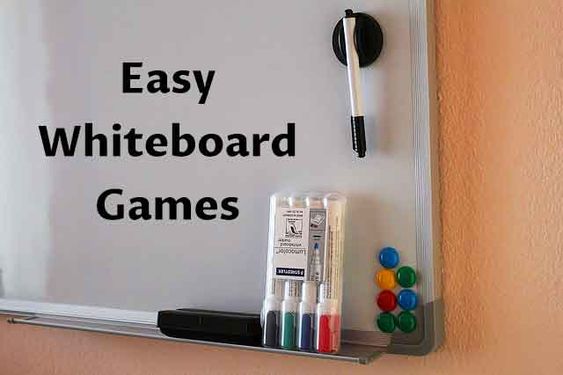
The Sticky Note White Board: Revolutionizing Classroom Community Games

In recent years, educators have been seeking innovative ways to engage students in the learning process. One such method that has been gaining popularity within the classroom is the incorporation of community games. These games not only serve as icebreakers but also promote collaboration, communication, and critical thinking skills among students. A breakthrough tool that has revolutionized these classroom community games is the sticky note whiteboard.

The sticky note whiteboard is a versatile and user-friendly tool that allows both teachers and pupils to create a dynamic and interactive group activity environment. Its simplicity, accessibility, and flexibility make it ideal for integrating into various types of community games.

One of the key reasons why the sticky note whiteboard is rapidly changing our classroom community games is its adaptability. A single board can accommodate activities ranging from brainstorming sessions, problem-solving exercises, to team-building activities. In addition, the use of different colored sticky notes enables teachers to categorize information easily or designate teams/participants more effectively. Furthermore, the reusable nature of a whiteboard minimizes paper waste, promoting sustainability within the classroom.

Incorporating a sticky note whiteboard into classroom games also encourages whole-class participation and engagement. The tactile nature of writing on sticky notes and placing them on a whiteboard not only increases student involvement but also provides kinesthetic learners with an alternative method for retaining information. Moreover, the visually appealing display of ideas fosters creativity and fuels discussions while allowing teachers to track individual contributions.

Notable benefits of using a sticky note whiteboard in community games include:

1. Enhancing collaboration: Students learn to work together as they contribute ideas and develop solutions collectively.

2. Improving problem-solving abilities: Team-based activities require participants to identify problems, generate alternatives, and evaluate their effectiveness.

3. Encouraging creativity: Generating ideas through collective brainstorming results in novel solutions.

4. Stretching communication skills: The process of presenting, debating, and prioritizing ideas on the whiteboard sharpens students’ listening, speaking, and persuasive abilities.

In conclusion, the sticky note whiteboard is transforming classroom community games by providing a versatile and engaging platform for students to learn in an interactive, hands-on manner. The board promotes essential skills such as collaboration, problem-solving, and communication while ensuring a sustainable learning environment. As more educators embrace its practicality, this novel tool will continue to revolutionize classroom dynamics and enrich the learning experience for students.

The Best Teacher Gifts You Can Send By Mail or Email

As the school year comes to an end, it’s time to show our appreciation for the tireless work and dedication of teachers. With the rise of digital learning, there’s never been a better time to consider sending gifts via mail or email. Here’s our list of the best teacher gifts you can send through these methods.

1. Gift Cards

A gift card is a versatile option that allows teachers to purchase what they need or enjoy a well-deserved treat. Choose from popular online stores such as Amazon, Barnes & Noble, or Target, or opt for a specific experience like spa treatments, streaming services, or meal delivery kits.

2. Customized Digital Art

Show your gratitude with personalized digital art that celebrates your teacher’s unique talents. Commission an illustration featuring their favorite book quote, send them custom typographic prints of their best teaching moments, or create a colorful infographic highlighting their impact on students’ lives.

3. eBook Subscription

For educators who love books and reading, an eBook subscription is a thoughtful gift idea. Platforms such as Kindle Unlimited, Scribd, or Bookmate provide access to thousands of titles across various genres and formats.

4. Virtual Classes or Workshops

Give the gift of learning by enrolling your teacher in an online class that aligns with their hobbies and interests. Popular platforms like Masterclass, Udemy, and Coursera offer courses on everything from photography to cooking to personal development.

5. Charitable Donation in Their Name

Make a difference by donating to a charity organization your teacher cares about in their honor. Do some research on non-profits related to education, children’s issues, or local community initiatives for appropriate options.

6. Personalized e-Cards

Add a heartfelt touch by sending your teacher a special e-card featuring photos or drawings from the entire class. Select a customizable template from websites like Canva, Smilebox, or Punchbowl and personalize it with messages of appreciation.

7. Inspirational Digital Quotes

Surprise your teacher with a collection of digital quote cards that convey motivation and gratitude. Package them into a beautifully designed PDF or create a slideshow with music for an extra wow factor.

8. Virtual Concert or Theater Tickets

Many concerts, plays, and other performances are now available online. Treat your teacher to a virtual event they’re passionate about by purchasing e-tickets to an upcoming show or streaming service.

9. Plant Delivery Subscription

Bring some greenery and life into your teacher’s home with a plant delivery subscription. Services like The Sill, Bloomscape, and Horti offer monthly deliveries of plants that can brighten up any space.

10. Curated Media Playlist

Gather recommendations from classmates for an expertly curated playlist on platforms like Spotify or Apple Music, featuring songs, podcasts, and audiobooks tailored to their interests.

In conclusion, there are numerous innovative and meaningful gifts you can send by mail or email to express gratitude to your teachers. By selecting an option that matches their passions and personality, you’ll show them just how much you appreciate their hard work throughout the year.

What Is Scaffolding?

Introduction

Scaffolding is a popular educational framework that helps improve the learning process for students of all levels. Originating from the works of psychologist Lev Vygotsky, it is a teaching approach where the instructor provides guidance, support, and encouragement to assist learners in achieving their educational goals. This article will explore the concept of scaffolding, its benefits, and its applications in today’s educational landscape.

Defining Scaffolding

Scaffolding may be defined as a gradual bridging of the gap between the learner’s existing knowledge and their intended learning objectives. In other words, it establishes a structured guideline for the student to follow as they progress through their learning journey. The main objective is to facilitate learning in such a way that students can grasp new concepts and skills by systematically building upon prior understanding.

The Role of the Instructor

In a scaffolding-based lesson plan, the instructor plays a crucial role in providing support and guidance at each stage of learning. They offer various tools and resources necessary to help students comprehend complex topics effectively. The support given is gradually reduced as the learner gains more understanding, ultimately enabling them to accomplish tasks independently.

Benefits of Scaffolding

1. Encourages Independent Learning: As scaffolding allows learners to build on existing knowledge, they gain confidence and gradually become more self-sufficient in their learning process.

2. Enhances Student Engagement: When students are provided with appropriate guidance and support, they are more likely to actively participate in their education rather than passively receiving information.

3. Improves Retention & Conceptual Understanding: By breaking down complex topics into smaller, manageable pieces, scaffolding allows students to better grasp new concepts and retain information more effectively.

4. Reduces Frustration & Anxiety: The step-by-step approach used in scaffolding helps minimize student frustration while encouraging learners to challenge themselves within a supportive environment.

5. Caters to Diverse Learning Needs: Scaffolding allows educators to tailor their instruction methods to the unique needs of each individual student, fostering an inclusive learning atmosphere.

Applications of Scaffolding

Scaffolding can be utilized in various educational settings, including K-12 education, higher education, workplace training, and online learning platforms. Some common scaffolding strategies include:

– Demonstrations & Modeling: Teachers showcase specific skills or concepts that students can imitate or follow.

– Visual Aids: Graphics, charts, diagrams, and other visual materials can help clarify complex ideas.

– Hands-on Learning: Engaging students in practical activities reinforces theoretical knowledge.

– Peer Collaboration: Learners work together in small groups, supporting and learning from one another.

– Questioning Techniques: Teachers use well-timed questions to gauge understanding and encourage deeper critical thinking.

Conclusion

In conclusion, scaffolding is an efficient instructional model that empowers learners by providing them with structured support and guidance throughout their educational journey. By implementing this approach, educators can foster independent thinking, enhance engagement, and strengthen the conceptual understanding of students across varied learning environments. Scaffolding ultimately plays a vital role in facilitating effective learning experiences that cater to diverse educational needs.

Master the Art of Teaching with Adobe in a Box Explainer Videos to Engage Your Students

Introduction

As educators, it’s crucial to adapt to new and effective teaching methods to engage students. With the growing popularity of online learning, incorporating multimedia content such as videos is increasingly vital to keep students interested. One excellent resource that teachers can utilize is Adobe in a Box explainer videos. These engaging explainer videos cover essential skills in popular Adobe programs, enhancing your students’ learning experience.

What are Adobe in a Box Explainer Videos?

Adobe in a Box explainer videos are short, interactive clips that teach key concepts of widely-used Adobe software such as Photoshop, Illustrator, and Premiere Pro. These videos feature step-by-step instructions, demonstrations, and practical examples to illustrate essential concepts and techniques. They are designed to be informative yet entertaining and easily digestible for learners of all levels.

Benefits of Using Adobe in a Box Explainer Videos

1. Enhances Learning Experience: Incorporating these explainer videos into your lessons can help augment the learning process for your students. The combination of visual and auditory cues makes it easier for them to understand complex concepts.

2. Encourages Active Participation: Adobe in a Box explainer videos pique students’ curiosity by providing real-world examples and applications of what they are learning. They encourage active participation and foster collaborative problem solving among classmates.

3. Facilitates Skill Development: By exploring different skills through these videos, students develop valuable Adobe software competencies that they can apply in numerous professional fields such as graphic design, video editing, or web design.

4. Saves Time and Effort: By integrating these ready-to-use materials into your lessons, you can reduce your workload required for lesson planning and content creation.

How to Use Adobe in a Box Explainer Videos to Engage Your Students

1. Begin with Basic Concepts: Introduce your students to the fundamentals of specific Adobe programs through explainer videos that target basic skills and tools. This will ensure they have a strong foundation to build upon.

2. Assign Tasks: After watching the videos, assign students tasks that encourage them to practice the skills they just learned. These tasks can include creating digital paintings in Photoshop or designing a logo in Illustrator.

3. Organize Group Activities: Turn your classroom into a collaborative learning space by organizing group activities where students can work together on Adobe software projects. This encourages teamwork and allows them to learn from one another.

4. Encourage Independent Exploration: Once your students have built a strong foundation, encourage independent exploration of advanced features in Adobe programs, such as advanced video editing techniques in Premiere Pro.

5. Assess Progress: Regularly assess your students’ progress and understanding through quizzes, assignments, and presentations to ensure they are applying their new knowledge effectively.

Conclusion

Adobe in a Box explainer videos offer an innovative method to engage your students while teaching them essential software skills relevant in today’s digital world. By incorporating these videos into your lessons, you not only add diversity to your teaching methods but also enhance the overall learning experience for your students. With Adobe in a Box explainer videos, you’ll be well on your way to mastering the art of teaching through technology.

3 Ways to Use Facebook Live in the Classroom

 Introduction

In today’s digital era, education has evolved beyond the conventional norms. With an increasing emphasis on technology integration, educators are striving to leverage various platforms to engage and inspire students. One such platform is Facebook Live, a real-time streaming tool that can be utilized effectively in the classroom. This article explores three innovative ways educators can incorporate Facebook Live into their teaching toolkit.

1. Conduct Virtual Field Trips

Taking students on physical field trips may not always be feasible due to time constraints, budget limitations, or simply the geographical location of the site. However, Facebook Live provides an excellent opportunity for teachers to create enriching virtual experiences that transport their students to places they otherwise might not have had the opportunity to visit.

Teachers can collaborate with colleagues, experts, or organizations and arrange live video tours of different locations related to their subject matter — museums, historical sites, research facilities, or even natural habitats. Through live-streaming these tours on their class’s Facebook page, students can feel as if they are an active part of these unique experiences while asking questions and participating in discussions with experts in real-time.

2. Peer-to-Peer Learning Sessions

Collaborative learning is widely recognized as an effective way to promote deep understanding of complex concepts. With Facebook Live, teachers can encourage peer-to-peer learning by creating a virtual forum where students can hold group discussions and lessons.

By scheduling live sessions that focus on specific topics or projects, students can collaboratively tackle problems and share their insights with each other. This approach not only fosters teamwork and communication skills but also empowers students by giving them agency over their learning process.

3. Direct Access to Guest Speakers

Sometimes inviting guest speakers into a classroom might be challenging due to geographical distances or busy schedules. Thankfully, Facebook Live eliminates this barrier by facilitating virtual interactions between students and experts.

Teachers can invite professionals from various fields to participate in live sessions, where students can learn firsthand from their experiences and insights. These guest speakers can offer potentially life-changing wisdom, exposure to potential careers, and inspiring narratives that leave a lasting impact on students.

Conclusion

The potential of Facebook Live as an innovative educational tool is vast. By incorporating it into the classroom, educators can breathe new life into their lessons while providing engaging, dynamic content for their students. From virtual field trips and peer-to-peer learning sessions to interacting with guest speakers, Facebook Live exemplifies the transformative power of technology in education.

The Best Mini Fridges for Classrooms, According to Teachers

Introduction:

A mini fridge in a classroom can be very useful for storing packed lunches, drinks, and snacks, allowing teachers and students to have access to fresh food and beverages throughout the day. With so many options available, it can be overwhelming to decide which mini fridge is the best choice. We took the task of seeking out expert opinions and asked teachers about their favorite mini fridges for classroom use. Here are their top picks:

1. Midea WHS-65L Compact Refrigerator

The Midea WHS-65L is a popular choice amongst teachers for its compact size and optimal performance. This 1.6 cubic feet fridge offers quiet operation, doesn’t take up much space, and is energy-efficient. The adjustable legs and reversible door ensure flexibility when choosing where to place it.

2. Black+Decker BCRK25V Compact Refrigerator

Teachers love the Black+Decker BCRK25V for its versatility and extra features. Not only does this 2.5 cubic feet fridge offer spacious storage for food items and beverages, but it also includes a small freezer compartment for ice or long-lasting cold packs for lunch bags. The adjustable thermostat control makes it easy to maintain the perfect temperature.

3. Cooluli Mini Fridge Electric Cooler & Warmer

The Cooluli Mini Fridge is an excellent option if portability is a priority. This lightweight fridge can hold up to six 12-ounce cans or a few snack items, which teachers find useful on field trips or during after-school events. The thermoelectric system allows the fridge to function as both a cooler and warmer depending on your needs.

4. Frigidaire Retro Bar Fridge

The sleek design of the Frigidaire Retro Bar Fridge makes it a visually appealing option for classrooms looking to add some style along with function. This 3.2 cubic feet fridge offers enough space to store lunch boxes, drinks, and snacks. Teachers appreciate the slide-out shelves and door bins for easy organization.

5. Magic Chef MCBR240S1 Mini Fridge

Lastly, the Magic Chef MCBR240S1 is a great choice for larger classrooms since it offers 2.4 cubic feet of storage space and a partial freezer compartment. It also includes an adjustable thermostat for temperature control and adjustable glass shelves for versatile storage options.

Conclusion:

Choosing the best mini fridge for your classroom ultimately depends on your specific needs and preferences. The five options mentioned above are tried-and-tested favorites among teachers and offer a balance between size, functionality, and design. No matter which option you choose, having a mini fridge in the classroom will make both teachers’ and students’ lives a bit more convenient.

Should Teachers Use a 403(b) or 457(b) for Retirement?

Introduction

Retirement planning is essential for everyone, including teachers who often deal with limited resources and face unique challenges in securing their financial futures. Among the available retirement options for teachers are the 403(b) and 457(b) plans. Deciding which plan to use can be a challenge, but understanding their differences and benefits can help teachers make informed decisions on how to best save for retirement.

403(b) Plans

A 403(b) plan is a tax-deferred retirement savings vehicle designed specifically for employees of educational institutions, non-profit organizations, and certain ministers. Contributions to a 403(b) plan are made pre-tax, lowering an individual’s taxable income. The money invested then grows on a tax-deferred basis until it is withdrawn during retirement when the individual typically has a lower tax rate.

Advantages of a 403(b) Plan:

1. Employer matching: Many educational employers provide matching funds to incentivize participation in the plan.

2. Flexible withdrawal options: Participants can take loans or hardship withdrawals from their 403(b) accounts under specific circumstances.

3. Catch-up contributions: Teachers aged 50 or older can make additional catch-up contributions to their 403(b), allowing them to save even more for retirement.

457(b) Plans

The 457(b) plan is another tax-deferred retirement savings option available to employees of state and local governments, as well as certain non-profit organizations. Like the 403(b), contributions to a 457(b) are made pre-tax, and the invested funds grow tax-deferred until withdrawal in retirement.

Advantages of a 457(b) Plan:

1. No early withdrawal penalty: Unlike the 403(b), there is no penalty for withdrawing funds from a 457(b) before reaching age 59½, providing greater flexibility.

2. Double catch-up contributions: Participants in a 457(b) plan can make double catch-up contributions for the last three years before reaching normal retirement age, potentially boosting their retirement savings.

3. Separate contribution limits: If a teacher has access to both a 403(b) and 457(b), they can contribute the maximum amount to each plan, effectively doubling their contribution limit.

Which Plan is Right for Teachers?

Deciding whether to opt for a 403(b) or 457(b) will depend on the teacher’s specific financial situation and future goals. Factors to consider include:

– Employer matching: If an employer offers matching funds for a 403(b), it’s often wise to contribute enough to take full advantage of that match. Free money is hard to pass up!

– Flexibility: For those who anticipate needing more financial flexibility in the future, a 457(b) plan may be more attractive due to its lack of early withdrawal penalties.

– Contribution Limits: Teachers who want to maximize their retirement savings and have access to both plans may choose to contribute the maximum allowable amount to each plan.

Conclusion

The choice between a 403(b) and a 457(b) for retirement should be based on an individual’s unique circumstances and financial goals. By understanding the differences in these plans, teachers can confidently decide which one (or both) will help them achieve a financially secure retirement. Consulting with a financial advisor is also recommended, as they can provide personalized guidance based on an individual’s specific needs and objectives.