EdTech & Innovation

Why Teachers Need to Embrace Technology in the Classroom

Introduction:

As technology advances, traditional forms of education are evolving consequently. Today, classrooms are not what they used to be just a couple of decades ago. From projectors to tablets, new teaching tools have facilitated more effective and interactive methods of knowledge transfer. This article discusses why it is crucial for teachers to embrace technology in the classroom and highlights some of its benefits.

1. Increased student engagement:

One of the major advantages of incorporating technology in classrooms is the increased level of student engagement. Unlike traditional methods, technological tools enable interactive learning experiences that go beyond chalk-and-talk sessions. Students actively participate by using multimedia content, games, and quizzes that can help them learn faster and retain information longer.

2. Personalized learning experience:

By using technology, teachers can better tailor their lessons according to each student’s learning needs and preferences. Online quizzes can provide instant feedback, allowing teachers to identify students’ areas for improvement. Besides, educational platforms that accommodate various learning styles enable every student to progress at their own pace – offering a more inclusive educational environment.

3. Wider access to resources:

With limitless information available online, students no longer have to rely solely on textbooks or limited library resources. Incorporating technology in the classroom allows both teachers and students to access a wealth of information and various multimedia content that cater to different subjects and learning styles.

6. The Spooky Lesson Plan:

Online platforms (such as Google Classroom) streamline administrative tasks for teachers, while providing collaborative spaces that enable real-time collaboration among students. Furthermore, efficient communication between educators and parents enhances students’ support system both within and outside the classroom.

5. Developing 21st-century skills:

Technological literacy is now an essential skill desired in most future workplaces. By exposing students early on to cutting-edge technologies within classes, they develop familiarity with tools that they will inevitably encounter later in life – preparing them for this fast-changing digital world.

6. Eco-friendly & cost-effective:

Lastly, the implementation of technology in classrooms encourages electronic assignments and resource sharing, subsequently reducing paper waste. In the long run, the use of digital resources may prove to be more cost-effective than traditional print materials.

Conclusion:

Embracing technology in the classroom offers significant benefits, including increased student engagement, personalized learning experiences, and improved communication among students, teachers, and parents. As educators continue to adopt and adapt to modern teaching tools, ultimately, they are shaping their students’ futures by equipping them with the skills required for success in the digital age.

The Target Dollar Spot Overflowing With Classroom Accessories Right Now

Are you a teacher or a parent looking to spruce up your classroom or homeschooling environment? Look no further! The Target Dollar Spot is currently overloaded with an incredible selection of classroom accessories, perfect for enhancing any educational setting on a budget.

The Target Dollar Spot is known for offering an ever-changing array of affordable items. And right now, its focus is on classroom accessories that cater to teachers, parents, and students. From bulletin board decorations to organizational tools, the store has it all – and at unbelievable prices.

One of the standout items in the mix is the educational posters. Available in a variety of subjects, including math, science, and language arts, these posters are an excellent resource for engaging students in their learning environment. They can be used as focal points in the classroom or as supplemental material to enhance lessons plans.

Another exciting find at the Target Dollar Spot right now is the assortment of learning games and puzzles. These interactive activities encourage critical thinking and teamwork while promoting an enjoyable learning atmosphere. They’re perfect for incorporating into daily lesson plans or as extra activities during indoor recess.

Of course, no classroom is complete without proper organization. The Target Dollar Spot provides an extensive range of storage solutions like magazine files, accordion folders, and desk organizers to keep everything tidy and easily accessible. These functional items are not only practical but also boast vibrant colors and designs that will brighten up any learning space.

In addition to all of these fantastic finds, the store also offers reward charts and stickers to support positive reinforcement and motivate students throughout their academic journey. These encouragement tools help foster a strong sense of accomplishment within students as they see their progress first-hand.

So teachers and parents alike should head over to the Target Dollar Spot right away to take advantage of these budget-friendly classroom accessories that are just waiting to be discovered! Hurry – with such incredible deals on high-quality educational materials, the supplies won’t last long. Be sure to stock up on these fantastic classroom additions before they’re gone!

15 Memes That Show What It’s Like to Teach the Week of Halloween

Introduction:

Halloween is a holiday cherished by many for the atmospheric decorations, costumes, and candy galore. However, when it comes to teaching during this spooky season, educators may experience a rollercoaster of emotions and challenges—keeping students focused and eager to learn can be quite a task. Here are 15 memes that perfectly encapsulate the experience of teaching the week of Halloween.

1. The Mixed Emotions of October

This meme shows an optimistic educator embracing the autumn season with open arms but simultaneously dreading the approaching week of Halloween and its chaotic school days.

2. Pumpkins Everywhere

A teacher’s reaction when entering any store during October, this meme highlights overwhelmed teachers encountering countless pumpkin-themed decorations and snacks.

3. Balancing Act

An educator trying to maintain a serious demeanor while wearing a fun costume, illustrating the paradoxical nature of teaching during Halloween season.

4. The Untamed Classroom

A werewolf taking over a classroom, symbolizing the wild behavior of students during Halloween week and how difficult it can be for teachers to regain control.

5. Interesting Costume Choices

This meme highlights students showing up with unconventional or questionable costume ideas for the school party and teachers having to deal with said choices.

6. The Spooky Lesson Plan

An educator dresses up as a ghost with “Lesson Plans” written on its sheet, representing teachers’ efforts to add some Halloween flair to their lessons while staying on topic.

7. Trick-or-Teaching

Teachers realizing that trick-or-treating isn’t just for kids—armed with plenty of candy to keep up classroom morale throughout the spooky week.

8. Lesser-Known Fears

The terror on an educator’s face when they discover they’re out of candy and must face an unruly classroom during Halloween week.

9. Seizing Every Opportunity

Halloween-themed puns and wordplay incorporated into their lessons as a feeble yet adorable attempt to make learning a bit more enjoyable for everyone.

10. The Halloween Sugar Rush

A whirlwind of excitement and energy fills the classroom when students are allowed to consume their Halloween candy during class.

11. The Undead Educator

This meme shows a teacher who’s worn out from Halloween festivities but continues to persevere through the day like a zombie.

12. The Mysterious Stains

Ink smudges, food spills, and even unidentifiable materials teachers encounter on submitted Halloween assignments—still dedicated to grading them all.

13. The Post-Halloween Struggle

The meme exhibits the unfortunate aftermath: teachers dealing with the clean-up of torn costumes and broken decorations that once adorned their classrooms.

14. Endless Pumpkins

Teachers see pumpkin shapes appearing in students’ work, their art projects, and even doodles in notebooks—no pumpkin shall escape the week of Halloween uncelebrated.

15. The November 1st Countdown

A teacher eagerly waiting for November 1st not only to end the Halloween madness but also to prepare for—and indulge in—leftover candy discounts at every store.

Conclusion:

Teaching during the week of Halloween can test an educator’s patience, creativity, and resilience. These 15 memes perfectly capture the struggles and triumphs teachers face during this hauntingly delightful time of year. As educators continue inspiring students amid pumpkins and costumes galore, one thing is certain; they will continue working tirelessly to cultivate a passion for learning—even amidst sugar-fueled chaos.

How to Use Blooket to Play Online Games With Your Students

Introduction:

Blooket is an engaging online platform that allows educators to create custom games and quizzes for their students. Incorporating Blooket into your teaching can be a fun and interactive way to review course material, energize your classes, and help students retain information more effectively. In this article, we will explore the steps to use Blooket to play online games with your students.

Step 1: Register and sign in

Before you can start creating games for your students, you will need to visit the Blooket website (www.blooket.com) and sign up for a free account. Simply click on “Sign Up,” enter your email address, and create a password. After confirming your account via email, sign in to access the dashboard.

Step 2: Create a custom game

Once you have logged in, click on the “Create” tab at the top of the dashboard. You will be presented with several game types to choose from. Select a game type and then click on “Create Your Own” to begin building a custom game.

Provide a title for your game and start adding questions and answers by clicking the “+ Add Question” button. You can also select pre-made questions from the content library or import questions from other sources like Quizlet.

Step 3: Share the game with your students

When you have finished creating your custom game, press “Save” to make it available in the “My Games” section of your dashboard. To share this game with your students, click on “Play” next to the saved game, choose the hosting options that work best for your needs, and follow the instructions displayed.

Your students will need to join by visiting join.blooket.com or via an invitation link shared by you. They will be prompted to enter a unique Game PIN generated by Blooket, and they can then join your game room using their name or a nickname.

Step 4: Monitor student progress and provide feedback

While students are participating in the game, you can track their progress through the game’s host dashboard. This allows you to identify areas where your students may be struggling so that you can provide additional guidance or support.

Step 5: Review game results and analyze performance

Once the game is complete, Blooket will provide a summary of the results, showcasing each student’s individual performance. You can review these results and identify patterns or trends to modify instruction, provide targeted feedback, or plan future lessons.

Conclusion:

Blooket is a powerful tool for engaging students in practice and review through creative online games. By following the steps outlined above, you will be well on your way to integrating Blooket into your teaching toolkit and creating a fun, interactive learning experience for your students. So jump in, create a custom game tailored to your content, and start playing with Blooket today!

The Germiest Places in Any Room

Introduction

Though we like to think of our homes, offices, and other indoor spaces as clean and sanitary, the truth is that bacteria, viruses, and other germs can be found lurking just about anywhere. In fact, some of the germiest places in any room might surprise you. In this article, we’ll explore some of the most common germ hotspots and share tips on how to keep them clean and disinfected.

1. Door Handles and Light Switches

It should come as no surprise that door handles and light switches are prime real estate for germs. Every time we touch these surfaces, we transfer bacteria from our hands onto them. For this reason, it’s crucial to clean and disinfect door handles and light switches regularly, especially if you have young children or live with someone who’s prone to illness.

2. Computer Keyboards and Mobile Devices

Between typing emails at work, texting on the go, playing games during breaks or surfing online in bed before going to sleep, our computer keyboards and mobile devices get a ton of use on a daily basis. All that handling provides ample opportunity for germs to hitch a ride from your hands – or face – onto your device. To minimize the buildup of bacteria on these surfaces, make a habit of cleaning your keyboard and mobile devices at least once a week with disinfectant wipes or rubbing alcohol.

3. Remote Controls

Just like computer keyboards and mobile devices, remote controls are often handled by multiple people throughout the day- making them another breeding ground for germs. Regularly wiping down your remote controls with a disinfectant solution can help reduce the risk of bug transfer between household members or office coworkers.

4. Kitchen Sponges and Dish Cloths

Think your kitchen is squeaky clean? Think again! The damp environment in which kitchen sponges and dishcloths live make them prime breeding grounds for bacteria. Replace your kitchen sponges regularly, and consider using disinfectant wipes on countertops and other cooking surfaces instead of a damp cloth. Alternatively, you can microwave damp sponges for two minutes to kill most germs before using them again.

5. Bathroom Surfaces

While it is commonly known that bathroom surfaces can harbor a lot of germs, it’s still worth mentioning in the list. Sink faucets, toilet seats, and flush handles are just a few places where bacteria can thrive. Make sure to clean these surfaces frequently with an appropriate bathroom cleaner that effectively kills germs.

6. Carpets and Rugs

Carpets and rugs don’t just accumulate dirt and dust; they can also hold onto a variety of germs from pet accidents to food spills. Regular vacuuming is vital to keep these surfaces reasonably clean. However, periodic deep cleanings with a powerful carpet cleaner will help remove any remaining germs lurking in the fibers.

Conclusion

In conclusion, many seemingly harmless objects in our homes and office spaces can harbor a significant amount of germs. By being vigilant about cleaning high-touch surfaces like door handles, light switches, keyboards, remote controls, and bathroom fixtures, as well as replacing or deep cleaning items like kitchen sponges, carpets, and rugs, we can reduce the risk of illness caused by harmful bacteria and viruses in our environment.

Best Classroom Robotics Tools, as Chosen by Educators

In today’s technologically advanced world, robotics has become an essential part of the educational system. Educators understand the importance of teaching students to think critically, innovate, and collaborate through the use of hands-on technology projects. Robotics tools in the classroom promote various learning objectives, including STEM education, problem-solving skills, team working, and decision-making.

With an array of robotics tools available in the market, it can be challenging to decide which ones are the best fit for your classroom. To ease this decision-making process, we have compiled a list of the top classroom robotics tools as chosen by educators themselves. These tools promise to keep students engaged while learning critical skills for their future careers.

1. LEGO MINDSTORMS Education EV3

LEGO MINDSTORMS EV3 allows students to build and program real-life robotic solutions using a combination of LEGO bricks and smart modules. The tool encourages students to develop engineering and innovation skills while incorporating a fun learning experience. Its intuitive software and easily programmable design make it an ideal choice for educators.

2. Sphero SPRK+

The Sphero SPRK+ is a programmable robot ball that introduces learners to coding concepts in a hands-on manner. Students can control its movement and create different programming tasks using the Sphero Edu app. This robotics tool is suitable for all age groups and provides endless opportunities for creative problem-solving.

3. VEX Robotics

VEX Robotics offers educational solutions through its VEX EDR (for middle school and high school) and VEX IQ (for elementary school) systems. The platform provides students with opportunities to design, build, and program real-world robots while fostering critical thinking and teamwork skills. Additionally, VEX offers competitions that engage students further in their learning experience.

4. Ozobot Evo

Ozobot Evo is a small robot designed to teach coding skills and creative problem-solving. By incorporating color code markers, the robot can follow drawn paths and execute actions based on the sequence of colors. Students can also program Evo using the OzoBlockly programming language, making it a versatile tool for multiple age groups.

5. Makeblock mBo

The Makeblock mBot is an all-in-one solution for robotics learning and teaching. With its easy-to-use modular design, students can assemble the robot and start programming quickly using block-based coding software like Scratch or a more advanced language like Python. The mBot provides a platform for students to learn and develop skills in engineering, coding, and robotics.

In conclusion, incorporating robotics tools into your classroom can significantly enhance the learning experience for your students. These top-notch tools, chosen by educators worldwide, promise to keep students engaged and provide them with crucial skills that will benefit them in their future careers. Integrate these innovative devices into your curriculum to prepare your students better for the rapidly-evolving job market of tomorrow.

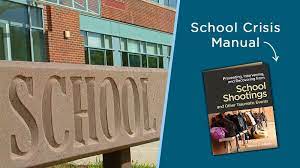
The 7 Key Elements of a School Crisis Plan

In today’s world, preparedness is essential for educational institutions as they face a range of potential crises. A comprehensive school crisis plan helps to create a safe learning environment and ensures timely response in case of emergencies. Here are the seven key elements that should be included in every school’s crisis plan.

1. Communication protocols

Having clear and efficient communication protocols will ensure that all stakeholders (students, staff, parents, and first responders) receive accurate and timely information during an emergency. This includes identifying various channels (e.g., public address systems, text messages), assigning roles for communication dissemination, and creating templates for quick distribution.

2. Identified crisis team

A designated crisis team should be chosen to handle emergencies efficiently. This team must include individuals from various departments (e.g., management, security, health), who will be trained to respond appropriately in different situations.

3. Regular training and drills

Conducting regular training sessions and drills will ensure that the entire school community is familiar with the crisis plan and can respond correctly during a real emergency. This includes tabletop exercises, full-scale simulations, and debriefings to continually improve the plan.

4. Evacuation procedures

Establishing detailed evacuation procedures is essential for ensuring the safety of students and staff during a crisis. This involves designating primary and secondary exits, allocating safe locations (e.g., assembly areas), mapping routes, and accounting for persons with disabilities or specific needs.

5. Lockdown protocols

Implementing lockdown protocols will minimize the risk of harm during incidents like an active shooter or intruder situation. These procedures should include securing doors, windows as well as explaining steps for students and staff to follow.

6. Mental health support

The provision of mental health support during and after a crisis is crucial for the well-being of both students and staff members. This may include counseling services, designated safe spaces, or other support resources to help those affected cope with traumatic situations.

7. Regular plan review and updates

Finally, an ongoing evaluation of the crisis plan is essential to ensure its effectiveness in ever-changing situations. This process involves identifying possible gaps or improvements, receiving feedback from stakeholders, and regularly updating the plan to incorporate changes.

In conclusion, a well-crafted school crisis plan incorporates these seven critical elements to provide a safe and secure environment for all. By prioritizing safety, communication, and preparedness, educational institutions can mitigate potential risks, respond quickly during emergencies and support recovery efforts.

4 Fresh Ways to Keep Track of Classroom Read Alouds (That Aren’t Logs!)

Introduction:

Read alouds are an essential part of classroom learning, especially for younger students. They encourage listening skills, build vocabulary and fluency, and can help students develop a love for reading. Traditionally, teachers used reading logs to keep track of read alouds. However, many educators have found that logs can become monotonous and time-consuming. Here are four innovative alternatives to keep track of classroom read alouds without using traditional logs:

1. Digital Reading Journals:

Instead of the traditional paper-and-pencil reading log, students can maintain a digital reading journal using tools like Google Docs or blogging platforms like Edublogs. In these journals, students can record the titles and authors of the books read aloud and write reflections on what they’ve learned from each session. Digital journals can be easily shared with teachers who can leave comments or suggestions.

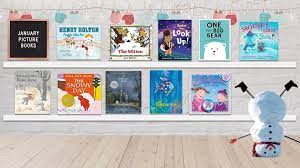
2. Bookshelf Display:

Create a bookshelf display on one of your classroom walls dedicated to the read alouds completed by your class. Add a visually appealing book cover printout or create one with your students for every book you finish together. Write down the date and brief synopsis on the backside of the covers before placing them on your display. This visual representation will help students remember the stories and allows both students and their families to celebrate accomplishments.

3. Interactive Reading Maps:

Design an interactive reading map where students can place stickers or small tokens to indicate all the books they’ve encountered during read aloud sessions. You could theme these maps around geography, fantasy worlds from popular book series, or even different genres of literature. Updating these interactive maps every time a new book is finished will keep students engaged while allowing them to observe their reading journey grow.

4. QR Code Library Cards:

As you complete each classroom read aloud session, create a custom QR code that links directly to a summary or resource page about the book. Laminate these QR codes and attach them to small library cards, which can be added to a ring or collected on a bulletin board. Students can scan the codes with their devices, like iPads or smartphones, to revisit the summaries and resources long after the read aloud has occurred.

Conclusion:

These fresh methods of tracking classroom read alouds offer engaging ways for both teachers and students alike to reflect on their shared reading experiences. By using digital journals, bookshelf displays, interactive reading maps, or QR code library cards, you can create more motivating and interactive approaches to measuring progress, all while steering clear of repetitive reading logs.

The 30-Second Teacher Task That Always Pays Off

Teaching is an art that requires immense patience, creativity, and a knack for reaching out to students with varying needs. Amidst the many teaching strategies and techniques available, there is one simple yet effective method that invariably pays off – a 30-second task. This quick and efficient approach involves checking in with students by asking questions or giving them short assignments to ascertain their understanding of the subject matter.

The Power of 30 Seconds

In today’s fast-paced world, time is of the essence. So why not employ it wisely in a classroom setting too? The idea behind the 30-second teacher task is that it requires minimal investment of time while delivering maximum benefits. It aids in:

1. Engaging students: A brief, interactive exercise can pique students’ curiosity, motivating them to learn more about the subject.

2. Understanding individual progress: A quick assessment helps teachers gauge each student’s progress and identify areas where they might need extra help.

3. Creating a conducive learning environment: Regular reinforcement and engagement lead to better class rapport, providing an inclusive atmosphere where students feel comfortable participating.

4. Accommodating diverse learning styles: Whether learners are visual, auditory, or kinesthetic, a quick check-in caters well to various aptitudes and preferences.

5. Continuous improvement: Tracking progress and addressing gaps in comprehension fosters growth and achievement for both students and teachers alike.

Implementing the 30-Second Task

Incorporating this technique into daily classroom routines is quite simple. Follow these steps:

1. Plan ahead: When framing your lesson plan, set aside time to include short activities at appropriate intervals throughout the session.

2. Choose relevant tasks: The 30-second tasks should correspond with the current material being studied. You can use open-ended questions, true/false or multiple-choice questions, or even quick problem-solving exercises.

3. Gather student responses: You may ask the class to raise hands, use response cards, or give a verbal response based on their individual understanding.

4. Analyze the results: Spend a few seconds assessing the responses gathered. It will help you determine the overall comprehension of your students and identify those who might need additional assistance.

5. Adjust your teaching: Based on student responses, revise your teaching approach as necessary to ensure full comprehension of the topic at hand.

Conclusion

By harnessing the power of 30 seconds, you can boost student engagement and enhance learning outcomes with minimal effort. The 30-second teacher task proves that sometimes even small, seemingly trivial actions can yield significant and lasting impacts. Embrace this technique to create an inclusive and tailored learning environment that benefits all students in your classroom.

20 NASCAR Teaching Ideas to Rev up Your Classroom

Are you looking for creative and engaging ways to teach your students about NASCAR or integrate the excitement of auto racing into your classroom? Look no further! We bring you 20 excellent teaching ideas that are sure to rev up your students’ engines and ignite their passion for learning.

1. History of NASCAR: Begin by introducing the history of NASCAR. The story of this legendary American motorsport has many twists and turns that can capture the attention of your students.

2. Famous Drivers: Teach students about famous NASCAR drivers, their backgrounds, career highlights, and impact on the sport.

3. Speed Math: Integrate math into lessons by discussing fastest laps, average speeds, and calculating differences between racers’ times.

4. Geography: Use a map to show the locations of various NASCAR tracks across North America, discussing regional characteristics and differences between the race locations.

5. Racing Terminology: Develop a glossary of terms related to NASCAR and car racing in general, introducing students to the specialized vocabulary used within the sport.

6. Aerodynamics & Engineering: Teach about how race cars incorporate principles of aerodynamics and engineering to attain maximum speed and efficiency.

7. Pit Crew Challenge: Engage students in a friendly pit crew challenge where they can practice teamwork skills by changing tires or filling imaginary gas tanks as quickly as possible.

8. Race Day Recipes: Have students research traditional race day foods from different tracks and try their hand at making some delicious snacks for a classroom banquet.

9. Art & Design: Encourage creativity by having each student design their own unique racing paint scheme on a paper race car template.

10. Science of Tires: Explain the importance of tire compounds in auto racing and explore how temperature affects tire grip through demonstrations or experiments.

11. Simulated Racing: Use racing video games or online simulators to let students take part in virtual races while practicing hand-eye coordination.

12. Sponsorship & Advertising: Discuss the role of sponsorship and advertising in NASCAR, and have students create mock advertising campaigns for hypothetical sponsors.

13. Debate Club: Organize student debates on controversial topics within the sport, such as safety measures, car technology advances, or the impact on the environment.

14. Racing Book Club: Select age-appropriate biographies or novels related to auto racing for students to read and discuss as a class.

15. Teamwork & Strategy: Explore the importance of teamwork in NASCAR by studying pit crew coordination and strategizing with your students how they would devise a winning race plan.

16. Career Exploration: Invite industry professionals or local race team members to speak with your students about the various careers within the sport, from engineering to public relations.

17. Movie Night: Screen an educational film related to NASCAR or racing, encouraging students to analyze plotlines, character development, and major themes.

18. Simulated Race Broadcast: Have students work in groups to script and narrate their own simulated race broadcast as practice for oral communication skills.

19. Women in Motorsports: Highlight trailblazing female drivers and discuss their achievements and the challenges they have faced in this male-dominated sport.

20. Field Trip: Arrange for a field trip to a local racetrack or motorsport museum to give students an immersive educational experience of their own.

Implementing these 20 NASCAR teaching ideas will help create a dynamic learning environment that extends beyond traditional curriculum material. Students will gain valuable knowledge through hands-on activities while being introduced to real-life applications of various subjects like math, science, art, and language arts. Get ready to wave that green flag and rev up learning in your classroom!