Education

The Growing Importance of Social-Emotional Learning (SEL)

In an era marked by rapid technological advancement and global interconnectedness, the importance of social-emotional learning (SEL) in education has come to the forefront. SEL focuses on developing essential life skills such as self-awareness, self-management, social awareness, relationship skills, and responsible decision-making. This holistic approach to education recognizes that academic success is intrinsically linked to emotional intelligence and social competence. 

The emphasis on SEL is driven by a growing body of research highlighting its positive impact on student outcomes. Studies have shown that students who participate in SEL programs demonstrate improved academic performance, better social behaviors, and reduced emotional distress. Moreover, these benefits extend beyond the classroom, contributing to long-term success in personal relationships, career, and overall well-being. 

One of the key aspects of SEL is its focus on emotional regulation. In a world where students are increasingly exposed to stressors, from social media pressures to global crises, the ability to manage emotions effectively is crucial. SEL programs teach students strategies for coping with stress, anxiety, and other challenging emotions, equipping them with valuable tools for mental health and resilience. 

Another important component of SEL is the development of empathy and social awareness. As classrooms become more diverse, the ability to understand and respect different perspectives becomes increasingly important. SEL activities often involve collaborative projects and discussions that encourage students to consider multiple viewpoints and develop cultural competence. 

The implementation of SEL in schools takes various forms. Some institutions integrate SEL principles into their core curriculum, while others offer dedicated SEL classes or programs. Many schools are also adopting whole-school approaches, where SEL is woven into every aspect of school life, from classroom management to playground interactions. 

Technology is playing an increasingly important role in SEL education. Virtual reality simulations, for instance, can provide safe spaces for students to practice social skills and empathy. Mobile apps and online platforms offer tools for mood tracking and mindfulness exercises, supporting students’ emotional well-being beyond school hours. 

As the importance of SEL gains recognition, there is a growing call for standardized assessment methods to measure social-emotional skills. However, this presents challenges, as these skills are often subjective and context-dependent. Educators and researchers are working to develop comprehensive and culturally sensitive assessment tools that can provide meaningful insights into students’ social-emotional development. 

The rise of SEL represents a shift towards a more holistic view of education, one that recognizes the interconnectedness of academic, social, and emotional learning. As we move forward, the integration of SEL into educational systems worldwide promises to better prepare students for the complex challenges of the 21st century, fostering not just academic achievers, but well-rounded, emotionally intelligent individuals ready to contribute positively to society. 

Transition Planning: Preparing Students with Disabilities for Post-Secondary Life

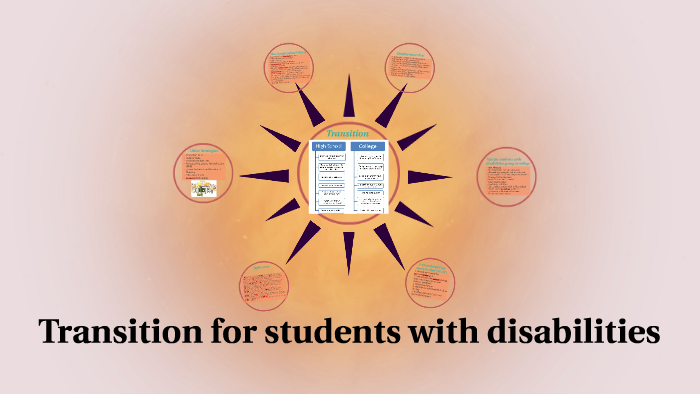
A significant trend in special education is the increased focus on comprehensive transition planning for students with disabilities. This trend recognizes the critical importance of preparing these students for life after high school, whether that involves higher education, employment, or independent living. Effective transition planning is now seen as a key component of special education, starting earlier and becoming more intensive as students progress through their school years. 

The core of this trend is the development of individualized transition plans that are tailored to each student’s unique strengths, interests, and needs. These plans typically begin to take shape around age 14 or 16, depending on state regulations, and become a central part of a student’s Individualized Education Program (IEP). The goal is to create a roadmap that guides the student towards their post-secondary goals, addressing academic, vocational, and life skills development. 

One key aspect of this trend is the emphasis on student-centered planning. Students are increasingly encouraged to take an active role in their transition planning process, fostering self-advocacy skills and ensuring that the plans align with their personal aspirations. This approach not only leads to more effective plans but also helps students develop important decision-making and self-determination skills. 

Vocational training and work-based learning experiences are becoming integral parts of transition planning. Many schools are developing partnerships with local businesses and organizations to provide students with disabilities opportunities for internships, job shadowing, and part-time employment. These experiences allow students to explore career interests, develop work skills, and build confidence in their abilities. 

For students planning to pursue higher education, transition planning often includes college preparation activities. This might involve visiting college campuses, understanding the process for requesting accommodations in post-secondary settings, and developing the self-advocacy skills necessary to navigate college life independently. 

Life skills training is another crucial component of modern transition planning. This includes instruction in areas such as financial literacy, time management, personal care, and community navigation. For students with more significant disabilities, transition planning might focus heavily on developing independent living skills and connecting with adult support services. 

Technology plays an increasingly important role in transition planning. Digital portfolios allow students to showcase their skills and achievements to potential employers or colleges. Assistive technologies are integrated into transition plans to support students’ independence in various settings. Additionally, online platforms are being used to connect students with mentors, job opportunities, and resources related to their post-secondary goals. 

Another significant aspect of this trend is the emphasis on collaborative planning. Transition teams often include not only educators and the student but also family members, vocational rehabilitation counselors, and representatives from community organizations. This multi-disciplinary approach ensures that all aspects of the student’s post-secondary life are considered and that there’s a seamless handoff to adult services when needed. 

The trend towards comprehensive transition planning also includes a focus on social and emotional preparation for post-secondary life. This involves helping students develop resilience, self-awareness, and interpersonal skills that will serve them well in various adult settings. 

However, implementing effective transition planning comes with challenges. One significant issue is ensuring that all students, regardless of the nature or severity of their disability, receive appropriate transition support. This requires a flexible approach and often necessitates additional resources and specialized expertise. 

Another challenge lies in bridging the gap between school-based services and adult support systems. Many students and families report difficulties navigating this transition, highlighting the need for better coordination between educational institutions and adult service providers. 

There’s also a growing recognition of the need to address systemic barriers that may impede successful transitions for students with disabilities. This includes working to combat discrimination in employment and higher education settings and advocating for policies that support inclusive post-secondary opportunities. 

Despite these challenges, the trend towards more comprehensive and individualized transition planning represents a significant step forward in special education. By focusing on preparing students for life after high school, this approach has the potential to significantly improve long-term outcomes for individuals with disabilities. 

As this trend continues to evolve, we can expect to see more innovative approaches to transition planning, potentially including the use of virtual reality for job training, increased emphasis on entrepreneurship education for students with disabilities, and more sophisticated tracking of post-school outcomes to inform and improve transition practices. The ultimate goal is to ensure that all students with disabilities have the opportunity to lead fulfilling, independent lives after their school years, fully participating in their communities and achieving their personal aspirations. 

The Bald Eagle in Popular Culture and Art

The bald eagle’s status as the national symbol of the United States has made it a popular subject in American art, literature, and popular culture. Its image is widely recognized and has been used in various contexts, from patriotic displays to corporate logos.

In visual arts, the bald eagle has been a favorite subject for painters and sculptors alike. Famous American artists such as John James Audubon and Louis Agassiz Fuertes created detailed, lifelike depictions of bald eagles that are still admired today. Contemporary wildlife artists continue to be inspired by the bird’s majestic appearance and symbolic significance.

The bald eagle’s image is also prevalent in graphic design, particularly in logos and emblems. It appears on the logos of numerous U.S. government agencies, including the Department of Defense and the State Department. Many private organizations and companies, from the National Rifle Association to the Philadelphia Eagles NFL team, also use the bald eagle in their branding.

In literature, the bald eagle often serves as a symbol of American ideals and natural beauty. It features prominently in works by authors such as Walt Whitman and Henry David Thoreau. In children’s literature, books about bald eagles often combine educational content about the bird’s biology and behavior with messages about conservation and American history.

The bald eagle has also made its mark in popular culture, appearing in countless films, television shows, and advertisements. It’s often used to evoke feelings of patriotism or to represent American characters or settings. The eagle’s cry, interestingly, is usually represented in media by the call of a red-tailed hawk, as the actual vocalization of a bald eagle is considered less impressive.

In recent years, the internet has provided new ways for people to engage with and appreciate bald eagles. Live webcams set up near eagle nests have become incredibly popular, allowing viewers from around the world to watch eagles raise their young in real-time. These webcams have not only provided entertainment but have also served as valuable educational tools, raising awareness about eagle behavior and conservation.

The prevalence of the bald eagle in American culture reflects its enduring power as a symbol. Whether in fine art or popular media, the image of the bald eagle continues to resonate with people, evoking ideas of freedom, strength, and the natural beauty of North America.

The Bald Eagle in Native American Culture

Long before the bald eagle became the national symbol of the United States, it held great significance in many Native American cultures. For centuries, indigenous peoples across North America have revered the bald eagle for its strength, wisdom, and spiritual power.

In many Native American traditions, the eagle is seen as a messenger between humans and the divine. Its ability to soar to great heights is believed to bring it closer to the Creator, allowing it to carry prayers and messages to the spirit world. The eagle’s keen vision is also associated with foresight and clarity of perception.

Eagle feathers are considered sacred objects in many Native American cultures and are often used in important ceremonies and rituals. These feathers are believed to carry the bird’s power and are used in healing ceremonies, prayer fans, and ceremonial dress. The gifting of an eagle feather is a high honor, symbolizing respect, trust, and admiration.

The importance of eagles in Native American culture is reflected in numerous myths and legends. In some traditions, the Thunderbird, a powerful supernatural being, is depicted as a giant eagle. The Thunderbird is often associated with thunder, lightning, and rain, playing a crucial role in maintaining balance in nature.

Many Native American tribes have specific laws and customs regarding the treatment of eagles and eagle parts. The use of eagle feathers and other parts for religious and cultural purposes is protected under U.S. federal law, recognizing the bird’s importance in Native American traditions.

The reverence for the bald eagle in Native American culture offers a perspective that goes beyond its role as a national symbol. It reminds us of the deep, spiritual connection many indigenous peoples have with nature and the importance of respecting and preserving wildlife not just for ecological reasons, but for cultural and spiritual ones as well.

What Does Education Mean? A Comprehensive Analysis

Introduction

Education is a cornerstone of human civilization, a fundamental right, and a powerful tool for personal and societal growth. But what does education truly mean in the context of our rapidly evolving world? This article delves deep into the multifaceted nature of education, exploring its historical roots, current manifestations, and future prospects. We’ll examine how education shapes individuals, communities, and nations, and why it remains one of the most critical investments we can make in our collective future.

The Historical Evolution of Education

Ancient Beginnings

The concept of education is as old as humanity itself. In ancient civilizations, education often took the form of oral traditions, with knowledge passed down through generations via storytelling, apprenticeships, and ritualistic practices.

Mesopotamia and Egypt

In Mesopotamia, the world’s earliest known formal schools emerged around 3500 BCE. These institutions, known as edubba or “tablet houses,” were primarily focused on training scribes for the growing bureaucracies of early city-states. Similarly, in ancient Egypt, schools were established to train scribes in hieroglyphics and mathematics, skills crucial for the administration of the pharaonic state.

Greece and Rome

The ancient Greeks revolutionized the concept of education. Philosophers like Socrates, Plato, and Aristotle emphasized the importance of questioning, critical thinking, and the pursuit of knowledge for its own sake. The Greek model of education, which included subjects like rhetoric, grammar, mathematics, music, and gymnastics, laid the foundation for what we now call a liberal arts education.

The Romans, building on Greek traditions, established a more structured educational system. They introduced the concept of graded schools, with children progressing through primary, secondary, and higher levels of education. Latin grammar schools, which focused on literature and rhetoric, became the model for early European education systems.

The Middle Ages and Renaissance

During the Middle Ages in Europe, education was primarily the domain of the Church. Monasteries and cathedral schools provided education, focusing on religious instruction and the preservation of classical knowledge. The founding of universities in the 11th and 12th centuries marked a significant shift, creating centers of learning that would shape intellectual discourse for centuries to come.

The Renaissance period saw a renewed interest in classical learning and humanism. Education began to emphasize the development of the individual, with a focus on subjects like literature, history, and the arts, alongside traditional religious instruction.

The Enlightenment and Industrial Revolution

The Enlightenment of the 17th and 18th centuries brought about a radical shift in educational philosophy. Thinkers like John Locke and Jean-Jacques Rousseau emphasized the importance of reason and experience in education, challenging traditional, authoritarian models of instruction.

The Industrial Revolution of the 18th and 19th centuries necessitated widespread literacy and numeracy, leading to the establishment of compulsory education in many countries. This period saw the birth of modern public education systems, designed to produce an educated workforce capable of meeting the demands of an industrialized economy.

The Modern Concept of Education

Formal Education Systems

Today, formal education systems are a global phenomenon, with most countries offering structured schooling from early childhood through adulthood. These systems typically include:

  1. Early Childhood Education: Focusing on basic skills and socialization for young children.
  2. Primary Education: Providing foundational knowledge in core subjects like reading, writing, and arithmetic.
  3. Secondary Education: Offering more specialized subjects and preparing students for higher education or the workforce.
  4. Higher Education: Including universities, colleges, and vocational schools, providing advanced knowledge and skills.

Informal and Non-formal Education

While formal education systems are widespread, it’s crucial to recognize the importance of informal and non-formal education:

  • Informal Education: This includes learning that occurs outside of structured educational settings, such as through life experiences, family interactions, and self-directed learning.
  • Non-formal Education: This refers to organized educational activities outside the established formal system, such as community programs, adult education classes, and professional development workshops.

The Purpose of Education

Personal Development

At its core, education is about personal growth and development. It aims to:

  1. Foster Critical Thinking: Education should teach individuals how to analyze information, question assumptions, and make reasoned judgments.
  2. Develop Communication Skills: The ability to express ideas clearly and effectively is crucial in all aspects of life.
  3. Encourage Creativity: Education should nurture creative thinking and problem-solving skills.
  4. Build Self-awareness: Understanding one’s strengths, weaknesses, and potential is a key outcome of education.
  5. Promote Lifelong Learning: Education should instill a love of learning that extends beyond formal schooling.

Social and Civic Responsibility

Education plays a crucial role in shaping responsible citizens and fostering social cohesion:

  1. Cultural Understanding: Education exposes individuals to diverse perspectives and cultures, promoting tolerance and empathy.
  2. Civic Engagement: An educated populace is better equipped to participate in democratic processes and contribute to community development.
  3. Social Mobility: Education can be a powerful tool for breaking cycles of poverty and promoting social equality.
  4. Ethical Development: Education should help individuals develop a strong moral compass and ethical decision-making skills.

Economic Empowerment

In today’s knowledge-based economy, education is closely tied to economic prosperity:

  1. Career Preparation: Education equips individuals with the skills and knowledge needed for various professions.
  2. Innovation and Progress: A well-educated workforce drives technological advancement and economic growth.
  3. Adaptability: In a rapidly changing job market, education provides the foundation for lifelong learning and career adaptability.
  4. Global Competitiveness: Nations with strong educational systems are better positioned to compete in the global economy.

Challenges in Modern Education

Access and Equity

Despite significant progress, access to quality education remains a global challenge:

  1. Socioeconomic Disparities: Children from low-income families often have limited access to educational resources and opportunities.
  2. Gender Inequality: In many parts of the world, girls face barriers to education due to cultural, economic, and social factors.
  3. Disability Inclusion: Educational systems often struggle to provide adequate support for students with disabilities.
  4. Rural-Urban Divide: Rural areas frequently lack the educational infrastructure and resources available in urban centers.

Quality and Relevance

Ensuring the quality and relevance of education is an ongoing challenge:

  1. Outdated Curricula: Educational content often lags behind the rapidly evolving needs of society and the job market.
  2. Standardization vs. Personalization: Balancing standardized education with personalized learning approaches remains a challenge.
  3. Teacher Training and Support: The quality of education is closely tied to the quality of teachers, making ongoing professional development crucial.
  4. Technology Integration: While technology offers new educational opportunities, its effective integration into classrooms remains a challenge.

Funding and Resources

Adequate funding for education is a persistent issue in many countries:

  1. Budget Constraints: Many educational systems face chronic underfunding, impacting everything from infrastructure to teacher salaries.
  2. Resource Allocation: Ensuring equitable distribution of resources across different schools and regions is an ongoing challenge.
  3. Private vs. Public Education: The role of private education and its impact on educational equity is a subject of ongoing debate.

Innovative Approaches in Education

Technology-Enhanced Learning

Technology is revolutionizing education in numerous ways:

  1. E-learning and Online Education: Digital platforms are making education more accessible and flexible.
  2. Adaptive Learning Systems: AI-powered tools can personalize learning experiences based on individual student needs.
  3. Virtual and Augmented Reality: These technologies offer immersive learning experiences, particularly beneficial in fields like science and history.
  4. Gamification: Incorporating game elements into education can increase engagement and motivation.

Project-Based and Experiential Learning

Moving beyond traditional lecture-based instruction, many educators are embracing more hands-on approaches:

  1. Project-Based Learning: Students learn by actively engaging in real-world projects.
  2. Experiential Learning: This approach emphasizes learning through reflection on doing, often involving internships, field trips, and simulations.
  3. Service Learning: Combining community service with academic study helps students apply their knowledge to real-world problems.

Interdisciplinary and Holistic Education

Recognizing the interconnected nature of knowledge, many educational systems are moving towards more integrated approaches:

  1. STEAM Education: Integrating Science, Technology, Engineering, Arts, and Mathematics promotes creative problem-solving.
  2. Global Citizenship Education: This approach aims to prepare students to be active participants in an interconnected world.
  3. Social-Emotional Learning: Recognizing the importance of emotional intelligence, many schools are incorporating programs to develop social and emotional skills.

The Future of Education

Lifelong Learning

As the pace of change accelerates, the concept of education is evolving from a finite period of schooling to a lifelong process:

  1. Continuous Skill Development: The rapidly changing job market requires ongoing learning and skill acquisition.
  2. Micro-credentials: Short, focused courses and certifications are becoming increasingly popular for specific skill development.
  3. Adult Education: Programs catering to adult learners are expanding, recognizing that learning doesn’t stop after formal schooling.

Personalized Learning Paths

Advances in technology and pedagogy are enabling more personalized educational experiences:

  1. Adaptive Learning Systems: AI-powered platforms can create customized learning paths based on individual strengths and weaknesses.
  2. Competency-Based Education: This approach allows students to progress based on mastery of skills rather than time spent in class.
  3. Multiple Intelligence Theory: Recognizing diverse forms of intelligence allows for more tailored educational approaches.

Global and Cross-Cultural Education

In an increasingly interconnected world, education is becoming more global in scope:

  1. International Exchange Programs: These programs promote cross-cultural understanding and global perspectives.
  2. Global Online Collaborations: Technology enables students from different countries to collaborate on projects and share experiences.
  3. Multilingual Education: Recognizing the value of linguistic diversity, many educational systems are promoting multilingual instruction.

The Role of Education in Addressing Global Challenges

Climate Change and Environmental Sustainability

Education plays a crucial role in addressing environmental challenges:

  1. Environmental Literacy: Educating students about environmental issues and sustainable practices is crucial for long-term change.
  2. Green Skills Training: Education systems are increasingly incorporating training for jobs in the green economy.
  3. Interdisciplinary Approaches: Addressing climate change requires integrating environmental education across various disciplines.

Social Justice and Equality

Education is a powerful tool for promoting social justice:

  1. Critical Consciousness: Education can help students understand and challenge systemic inequalities.
  2. Inclusive Curricula: Representing diverse perspectives and histories in educational content promotes equality and understanding.
  3. Empowerment Through Knowledge: Education equips marginalized groups with the tools to advocate for their rights and participate fully in society.

Technological Ethics and Digital Citizenship

As technology becomes increasingly pervasive, education must address its ethical implications:

  1. Digital Literacy: Students need to learn how to navigate the digital world safely and responsibly.
  2. Ethical AI and Data Use: Education should prepare students to grapple with the ethical challenges posed by emerging technologies.
  3. Cybersecurity Awareness: As digital threats evolve, education plays a crucial role in promoting cybersecurity practices.

Conclusion

Education, in its broadest sense, is the key to human progress and fulfillment. It is a lifelong journey of discovery, growth, and empowerment that extends far beyond the confines of formal schooling. In today’s rapidly changing world, education means equipping individuals not just with knowledge, but with the skills to adapt, create, and thrive in an uncertain future.

The meaning of education is continually evolving, shaped by societal needs, technological advancements, and our growing understanding of how people learn. It encompasses formal schooling, informal learning experiences, and everything in between. At its core, education is about unlocking human potential – fostering critical thinking, creativity, empathy, and a sense of global citizenship.

As we face unprecedented global challenges, from climate change to social inequality, the role of education becomes ever more crucial. It is through education that we can cultivate the innovators, problem-solvers, and ethical leaders of tomorrow. Education is not just about personal advancement; it’s about collective progress and the betterment of society as a whole.

Looking ahead, the future of education is likely to be more personalized, technology-enhanced, and globally connected. It will need to balance the acquisition of specific skills with the development of adaptability and lifelong learning capabilities. The boundaries between formal and informal learning, between different disciplines, and between education and work are likely to become increasingly blurred.

Ultimately, the true meaning of education lies in its power to transform – individuals, communities, and the world at large. It is a fundamental human right, a public good, and our most powerful tool for creating a more just, sustainable, and prosperous future for all. As we continue to redefine and reshape education for the 21st century and beyond, we must ensure that it remains accessible, relevant, and empowering for every individual, regardless of their background or circumstances.

In essence, education means hope – hope for personal growth, hope for social progress, and hope for a better world. It is through education that we can turn this hope into reality, one learner at a time.

Competency Based Education Examples

Competency Based Education Examples: A Comprehensive Guide

Table of Contents

  1. Introduction to Competency Based Education
  2. Key Principles of Competency Based Education
  3. K-12 Competency Based Education Examples
  4. Higher Education Competency Based Education Examples
  5. Vocational and Technical Education Examples
  6. Corporate Training and Professional Development Examples
  7. Online and Blended Learning Competency Based Models
  8. Assessment Strategies in Competency Based Education
  9. Technology Tools for Implementing Competency Based Education
  10. Challenges and Solutions in Implementing Competency Based Education
  11. Future Trends in Competency Based Education
  12. Conclusion

1. Introduction to Competency Based Education

Competency Based Education (CBE) is an innovative approach to learning that focuses on mastery of skills and knowledge rather than time spent in a classroom. This educational model has gained significant traction in recent years as educators and institutions seek more effective ways to prepare students for the complexities of the modern world.

In a CBE system, students progress through their education by demonstrating proficiency in specific competencies, rather than by completing a set number of credit hours or seat time. This approach allows for a more personalized learning experience, where students can move at their own pace, focusing on areas where they need more support while advancing quickly through content they easily master.

The core idea behind CBE is that what students learn is more important than how long they take to learn it. This shift in focus from time-based to learning-based progression has the potential to revolutionize education at all levels, from elementary school through higher education and professional development.

As we explore various examples of CBE implementation across different educational contexts, we’ll see how this approach can:

  1. Provide clearer learning objectives for students
  2. Allow for more personalized learning paths
  3. Better prepare students for real-world challenges
  4. Offer more transparent assessment of skills and knowledge
  5. Potentially reduce the time and cost of obtaining degrees or certifications

This comprehensive guide will delve into concrete examples of CBE in action, from K-12 classrooms to university programs, vocational training, and corporate learning environments. By examining these diverse implementations, we aim to provide a thorough understanding of how CBE can be adapted to various educational needs and contexts.

2. Key Principles of Competency Based Education

Before diving into specific examples, it’s important to understand the fundamental principles that underpin Competency Based Education. While implementations may vary, most CBE programs adhere to the following key principles:

  1. Clear, Measurable Competencies: Learning objectives are explicitly stated and broken down into specific, measurable skills or knowledge areas.
  2. Personalized Learning Paths: Students can progress at their own pace, with learning activities tailored to their individual needs and goals.
  3. Flexible Time Frames: The time it takes to complete a program or course is variable, depending on how quickly a student can demonstrate mastery.
  4. Performance-Based Assessments: Students demonstrate their learning through authentic tasks or projects that mirror real-world applications of skills.
  5. Immediate and Actionable Feedback: Regular assessments provide students with timely feedback to guide their learning process.
  6. Self-Directed Learning: Students take an active role in managing their learning process, with guidance and support from educators.
  7. Multiple Pathways to Mastery: Students can demonstrate competency through various means, recognizing that learning can occur in different contexts.
  8. Recognition of Prior Learning: Students can receive credit for skills and knowledge they’ve acquired outside of formal educational settings.
  9. Emphasis on Application: The focus is on applying knowledge and skills in practical contexts, not just memorizing information.
  10. Continuous Improvement: Programs are regularly evaluated and updated based on student outcomes and evolving industry needs.

With these principles in mind, let’s explore how CBE is being implemented across various educational settings.

3. K-12 Competency Based Education Examples

Competency Based Education in K-12 settings is reshaping how we think about primary and secondary education. Here are examples from different grade levels:

Elementary School Examples

  1. Literacy Skill Progression at Sanborn Regional School District, NHThe Sanborn Regional School District has implemented a CBE model for literacy skills. Students progress through clearly defined reading and writing competencies, such as:
    • Phonemic awareness
    • Decoding skills
    • Reading comprehension
    • Writing structure and mechanics

    Students work on these skills at their own pace, moving to the next level only when they’ve demonstrated mastery. This allows advanced readers to progress quickly while providing additional support for those who need it.

  2. Math Mastery at Lindsay Unified School District, CALindsay Unified uses a performance-based system where students progress through math concepts based on demonstrated proficiency. Key features include:
    • Clear learning targets for each math concept
    • Multiple attempts allowed for each assessment
    • Peer tutoring opportunities for students who have mastered concepts
    • Real-world application projects to demonstrate mastery
  3. Science Inquiry Skills at Westminster Public Schools, COWestminster’s competency-based model for elementary science focuses on developing inquiry skills. Students progress through levels of scientific inquiry, demonstrating competencies such as:
    • Asking testable questions
    • Designing simple experiments
    • Collecting and recording data
    • Drawing conclusions from evidence

    Students showcase their skills through hands-on projects and science fairs, moving to more complex inquiries as they demonstrate readiness.

Middle School Examples

  1. Interdisciplinary Projects at Kettle Moraine School District, WIKettle Moraine’s middle schools use interdisciplinary projects to assess multiple competencies simultaneously. For example:
    • A “Community Garden” project assesses competencies in science (plant biology), math (area and yield calculations), and social studies (local food systems).
    • Students progress through competency levels by completing increasingly complex project components.
  2. Personalized Learning Plans at Boston Day and Evening Academy, MAThis alternative school uses competency-based education to serve over-age, under-credited students. Key features include:
    • Personalized learning plans based on initial competency assessments
    • Self-paced progression through academic and social-emotional competencies
    • Regular one-on-one check-ins with advisors to track progress and set goals
  3. Technology Integration Competencies at Montpelier School District, VTMontpelier’s middle schools have integrated technology competencies across all subject areas:
    • Students demonstrate digital literacy skills such as online research, digital presentation creation, and basic coding.
    • Competencies are assessed through practical applications in various subjects, rather than standalone tech classes.

High School Examples

  1. Proficiency-Based Graduation at Purdue Polytechnic High School, INPurdue Polytechnic has reimagined high school education with a fully competency-based model:
    • Students complete industry-aligned projects to demonstrate mastery of competencies.
    • Graduation is based on demonstrated proficiency across all required competencies, not credit hours.
    • Students can accelerate their learning, potentially completing high school requirements early.
  2. Mastery Transcript at Mastery School of Hawken, OHThis innovative high school has replaced traditional grades with a Mastery Transcript:
    • Students demonstrate mastery of specific skills and knowledge areas through real-world projects.
    • The transcript provides a detailed view of a student’s competencies, replacing traditional letter grades and GPAs.
    • College admissions offices receive a comprehensive picture of student abilities and achievements.
  3. Competency-Based Career Pathways at Da Vinci Schools, CADa Vinci Schools offer career-aligned pathways with competency-based progression:
    • Students choose pathways such as Engineering, Medicine, or Business.
    • Each pathway has clearly defined competencies aligned with industry standards.
    • Students complete internships and industry projects to demonstrate real-world application of competencies.

These K-12 examples demonstrate how CBE can be adapted to different age groups and learning contexts, providing personalized, relevant education that prepares students for future success.

4. Higher Education Competency Based Education Examples

Competency Based Education has made significant inroads in higher education, offering flexible, career-aligned programs. Here are examples from undergraduate and graduate levels:

Undergraduate Programs

  1. Western Governors University (WGU)WGU is a pioneer in competency-based higher education:
    • Students pay for six-month terms during which they can complete as many competencies as possible.
    • Degree programs are designed around industry-relevant competencies.
    • Assessments include performance tasks, projects, and objective exams.
    • Students can accelerate their degree completion by demonstrating existing competencies.

    Example: In WGU’s B.S. in Software Development program, students demonstrate competencies such as:

    • Software Engineering
    • Data Structures and Algorithms
    • Web Development
    • Mobile Application Development
  2. Southern New Hampshire University’s College for AmericaCollege for America offers fully online, project-based competency programs:
    • Students complete real-world projects to demonstrate mastery of competencies.
    • Programs are designed in collaboration with employers to ensure relevance.
    • Students can complete associate’s and bachelor’s degrees at their own pace.

    Example: The B.A. in Management program includes projects such as:

    • Developing a change management plan for a fictional company
    • Creating a comprehensive marketing strategy
    • Analyzing financial statements and making budget recommendations
  3. Capella University’s FlexPathCapella’s FlexPath allows students to move through courses at their own pace:
    • Students pay for 12-week sessions and can complete as many courses as they’re able.
    • Competencies are demonstrated through practical assessments and projects.
    • Students receive extensive feedback from faculty to guide their learning.

    Example: In the B.S. in Business Administration program, competencies include:

    • Applying leadership principles in diverse business environments
    • Analyzing business problems using data and financial models
    • Developing strategies for effective team collaboration

Graduate Programs

  1. University of Wisconsin Flexible OptionUW offers competency-based master’s degrees in high-demand fields:
    • Students progress through competency sets, working with an Academic Success Coach.
    • Assessments include projects, papers, presentations, and exams.
    • Programs are designed to allow working professionals to apply learning directly to their jobs.

    Example: The Master of Science in Healthcare Administration includes competencies such as:

    • Analyzing healthcare systems and policies
    • Applying evidence-based practices in healthcare management
    • Developing strategies for quality improvement in healthcare settings
  2. Northeastern University’s Experiential NetworkWhile not fully competency-based, Northeastern’s graduate programs incorporate competency-based elements through their Experiential Network:
    • Students work on short-term projects for employer partners, demonstrating specific competencies.
    • These projects are integrated into traditional course-based programs, creating a hybrid model.

    Example: In the Master of Science in Project Management program, students might complete a project on:

    • Developing a risk management plan for a real company’s upcoming product launch
  3. Walden University’s Tempo LearningWalden offers competency-based master’s programs in select fields:
    • Students subscribe to three-month learning periods and progress at their own pace.
    • Competencies are demonstrated through practical application in professional settings.
    • Programs include regular faculty guidance and peer collaboration opportunities.

    Example: The M.S. in Early Childhood Studies includes competencies such as:

    • Evaluating developmentally appropriate practices in early childhood settings
    • Designing inclusive learning environments for diverse young learners
    • Analyzing the impact of public policy on early childhood programs

These higher education examples showcase how CBE can offer flexible, career-relevant education at both undergraduate and graduate levels, often allowing students to accelerate their degree completion.

5. Vocational and Technical Education Examples

Competency Based Education is particularly well-suited to vocational and technical education, where clear, demonstrable skills are crucial. Here are some examples:

  1. Wisconsin Technical College System (WTCS)WTCS has implemented CBE across various technical programs:
    • Students progress through clearly defined occupational competencies.
    • Assessments are hands-on, mirroring real workplace tasks.
    • Industry partners are involved in defining and assessing competencies.

    Example: In the Welding program, competencies include:

    • Performing various welding techniques (MIG, TIG, Stick)
    • Reading and interpreting welding symbols and blueprints
    • Applying safety procedures in welding operations
  2. Automotive Service Excellence (ASE) Education Foundation ProgramsASE-accredited programs use a competency-based model for automotive technician training:
    • Students master a set of standardized competencies aligned with industry needs.
    • Progression is based on demonstrated skills rather than time spent in training.
    • Programs culminate in ASE certification exams, widely recognized in the industry.

    Example competencies:

    • Diagnosing and repairing brake systems
    • Performing engine performance diagnostics
    • Conducting electrical system repairs
  3. Competency-Based Apprenticeship ProgramsMany apprenticeship programs, particularly in the trades, use competency-based models:
    • Apprentices progress through clearly defined skill levels.
    • On-the-job training is combined with classroom instruction.
    • Advancement is based on demonstrated competencies, not just hours worked.

    Example: The United Brotherhood of Carpenters’ apprenticeship program includes competencies such as:

    • Reading and interpreting construction drawings
    • Installing various types of formwork
    • Applying advanced framing techniques
  4. Healthcare Professions Competency-Based EducationMany healthcare training programs use CBE to ensure graduates have necessary skills:
    • Competencies are often aligned with licensure or certification requirements.
    • Simulation labs allow for safe practice and assessment of clinical skills.
    • Programs often include competencies in both technical skills and professional behaviors.

    Example: A Competency-Based Nursing program might include:

    • Performing accurate patient assessments
    • Administering medications safely
    • Demonstrating effective patient communication
  5. IT Certification ProgramsMany IT certifications use competency-based approaches:
    • Certifications focus on demonstrable skills rather than knowledge recall.
    • Assessments often include hands-on labs or simulations.
    • Continuous updates ensure alignment with rapidly changing technology.

    Example: CompTIA’s A+ certification includes competencies such as:

    • Installing and configuring PC system components
    • Implementing cybersecurity controls
    • Troubleshooting common hardware and software issues

These vocational and technical education examples demonstrate how CBE can effectively prepare students for specific career paths, ensuring they have the practical skills needed for success in their chosen fields.

6. Corporate Training and Professional Development Examples

Competency Based Education has found significant application in corporate training and professional development programs. Here are some examples:

  1. IBM’s Digital Badge ProgramIBM uses a competency-based digital badge system for employee training and recognition:
    • Employees earn badges by demonstrating specific skills and competencies.
    • Badges are aligned with industry-relevant skills and IBM’s business needs.
    • The program allows for personalized learning paths and clear skill progression.

    Example competencies for a Data Science badge might include:

    • Applying machine learning algorithms to business problems
    • Conducting advanced data visualization
    • Implementing data privacy and security measures
  2. Deloitte Leadership AcademyDeloitte’s leadership development program incorporates competency-based elements:
    • Participants progress through leadership competencies at their own pace.
    • Micro-learning modules allow for flexible, targeted skill development.
    • Assessments include real-world application of leadership skills.

    Example competencies:

    • Developing strategic vision
    • Leading through change and uncertainty
    • Fostering inclusive team environments
  3. Amazon’s Technical AcademyAmazon’s internal training program uses a competency-based approach to upskill employees:
    • Employees from non-technical backgrounds can train for software development roles.
    • The program focuses on demonstrating practical coding and problem-solving skills.
    • Progression is based on mastery of specific technical competencies.

    Example competencies:

    • Writing efficient and maintainable code in Java
    • Designing and implementing cloud-based solutions using AWS
    • Applying agile development methodologies
  4. Google’s Project Management CertificationWhile not exclusively for Google employees, this program exemplifies CBE in professional certification:
    • Learners progress through competencies aligned with the Project Management Institute’s standards.
    • Assessments include real-world scenarios and project simulations.
    • The program emphasizes practical application over theoretical knowledge.

    Example competencies:

    • Creating comprehensive project plans
    • Managing project risks and changes
    • Applying Agile and Scrum methodologies in project management
  5. PwC’s Digital Fitness AppPwC uses a competency-based app to develop digital skills across its workforce:
    • Employees assess their current digital competencies and receive personalized learning plans.
    • Micro-learning modules cover a range of digital skills relevant to various roles.
    • Regular assessments track progress and adapt learning paths.

    Example competencies:

    • Understanding blockchain technology and its business applications
    • Applying data analytics in decision-making processes
    • Implementing cybersecurity best practices
  6. Salesforce TrailheadSalesforce’s learning platform uses a competency-based approach for both employees and customers:
    • Learners earn badges by completing modules and demonstrating skills.
    • Hands-on challenges in a live Salesforce environment assess practical competencies.
    • Personalized learning paths cater to different roles and skill levels.

    Example competencies:

    • Customizing Salesforce for specific business needs
    • Developing apps on the Salesforce platform
    • Implementing Salesforce security and access controls

These corporate and professional development examples showcase how CBE can be effectively applied in workplace learning contexts, allowing for targeted skill development, clear progression paths, and alignment with business needs.

7. Online and Blended Learning Competency Based Models

The flexibility of Competency Based Education makes it particularly well-suited for online and blended learning environments. Here are some examples:

  1. Southern New Hampshire University’s Global Education Movement (GEM)GEM offers competency-based degree programs to refugees and displaced populations:
    • Fully online programs allow access from anywhere with internet connectivity.
    • Students progress through competencies at their own pace.
    • Culturally relevant projects demonstrate mastery of skills.

    Example: In the B.S. in Management program, students might complete a project on:

    • Developing a business plan for a social enterprise in a refugee community
  2. edX MicroBachelors and MicroMasters ProgramsThese online, competency-based programs offer stackable credentials:
    • Students complete a series of courses, demonstrating specific competencies.
    • Assessments include projects, peer-reviewed assignments, and proctored exams.
    • Credits can often be applied towards full degree programs.

    Example: The MicroMasters in Supply Chain Management from MIT includes competencies such as:

    • Analyzing supply chain dynamics
    • Designing logistics networks
    • Implementing supply chain technology solutions
  3. Coursera’s Guided ProjectsWhile not full degree programs, these short, hands-on courses exemplify CBE in online learning:
    • Learners complete real-world projects to demonstrate specific skills.
    • Step-by-step guidance ensures learners can practice and apply new competencies.
    • Projects are designed to be completed in 2-3 hours, focusing on specific, job-relevant skills.

    Example: A Guided Project on “Build a Full Website using WordPress” includes competencies like:

    • Customizing WordPress themes
    • Creating and organizing web content
    • Implementing basic SEO strategies
  4. Western Governors University’s Teacher Licensure ProgramsWGU offers online, competency-based teacher preparation programs:
    • Students complete online coursework and demonstrations of teaching skills.
    • In-person student teaching experiences are integrated into the program.
    • Competencies are aligned with state teaching standards and licensure requirements.

    Example competencies:

    • Designing effective lesson plans
    • Implementing classroom management strategies
    • Adapting instruction for diverse learners
  5. Udacity Nanodegree ProgramsUdacity’s Nanodegree programs use a project-based, competency-focused approach:
    • Students complete a series of projects to demonstrate industry-relevant skills.
    • Programs are co-created with industry partners to ensure relevance.
    • Personalized feedback and mentorship support competency development.

    Example: The Data Analyst Nanodegree includes projects such as:

    • Investigating a dataset using Python
    • Creating data visualizations to communicate findings
    • Building predictive models for business decision-making
  6. FutureLearn’s ExpertTracksFutureLearn offers competency-based online programs in partnership with universities and industry leaders:
    • Learners progress through a series of courses, demonstrating specific skills.
    • Assessments include quizzes, peer-reviewed assignments, and final projects.
    • Programs culminate in certificates recognized by industry partners.

    Example: The “Digital Marketing Strategy” ExpertTrack includes competencies such as:

    • Developing comprehensive digital marketing plans
    • Implementing SEO and content marketing strategies
    • Analyzing digital marketing metrics and ROI

These online and blended learning examples demonstrate how CBE can be effectively implemented in digital environments, offering flexible, accessible education that focuses on demonstrable skills and knowledge.

8. Assessment Strategies in Competency Based Education

Assessment is a critical component of Competency Based Education, requiring approaches that accurately measure skill mastery and practical application. Here are some common assessment strategies used in CBE:

  1. Performance-Based Assessments
    • Students complete real-world tasks or projects to demonstrate competencies.
    • Assessments mirror authentic work situations in the field.
    • Rubrics clearly define performance criteria at different levels of mastery.

    Example: In a marketing program, students might create a comprehensive marketing campaign for a real or fictional product.

  2. Portfolio Assessments
    • Students compile evidence of their competencies over time.
    • Portfolios can include projects, reflections, and other artifacts of learning.
    • Regular review and feedback guide ongoing competency development.

    Example: A graphic design student might maintain a portfolio showcasing various design projects, demonstrating progression in skills like typography, layout, and branding.

  3. Adaptive Assessments
    • Computer-based tests adjust difficulty based on student responses.
    • Allows for precise measurement of competency levels.
    • Can efficiently identify areas needing further development.

    Example: A math program might use adaptive testing to assess a student’s algebra skills, adjusting question difficulty to pinpoint exact competency levels.

  4. Scenario-Based Assessments
    • Students are presented with complex, real-world scenarios.
    • They must apply multiple competencies to address the scenario.
    • Assesses ability to integrate and apply various skills.

    Example: A business ethics course might present students with a complex ethical dilemma, requiring them to analyze the situation, consider stakeholders, and propose ethical solutions.

  5. Competency Demonstrations
    • Students physically demonstrate skills, often observed by instructors or experts.
    • Commonly used in vocational and technical fields.
    • Can include simulations for skills that are difficult or dangerous to demonstrate in real settings.

    Example: A culinary program might require students to prepare a multi-course meal, demonstrating competencies in food preparation, presentation, and kitchen management.

  6. 360-Degree Assessments
    • Incorporates feedback from multiple sources (self, peers, instructors, supervisors).
    • Often used in professional development and leadership programs.
    • Provides a comprehensive view of competency application.

    Example: A leadership development program might include assessments from team members, supervisors, and self-reflection to evaluate leadership competencies.

  7. Micro-Credentialing and Badging
    • Students earn digital badges or micro-credentials for demonstrating specific competencies.
    • Allows for granular recognition of skills.
    • Can motivate ongoing skill development and provide clear progression paths.

    Example: An IT training program might award badges for specific technical skills like “Python Programming” or “Network Security Implementation.”

  8. Formative Assessments and Feedback Loops
    • Regular, low-stakes assessments to guide learning.
    • Immediate feedback allows students to adjust their learning strategies.
    • Often includes self-assessment components to develop metacognitive skills.

    Example: A writing program might include regular peer review sessions and instructor feedback on drafts, allowing students to refine their writing skills continuously.

  9. Competency Interviews
    • One-on-one or panel interviews to assess competencies, especially soft skills.
    • Can include behavioral questions or role-playing scenarios.
    • Often used in conjunction with other assessment methods.

    Example: A communication skills course might include an interview where students demonstrate their ability to explain complex ideas to different audiences.

  10. Authentic Work Product Evaluations
    • Assessment of work produced in real or simulated work environments.
    • Often used in internships or work-integrated learning components.
    • Evaluates ability to apply competencies in professional contexts.

    Example: An engineering program might assess students based on projects completed during industry internships, evaluating their application of technical and professional competencies.

Effective CBE assessment strategies are characterized by their authenticity, flexibility, and focus on demonstrable skills. They often combine multiple methods to provide a comprehensive view of a learner’s competencies, ensuring that students not only possess knowledge but can apply it effectively in relevant contexts.

9. Technology Tools for Implementing Competency Based Education

Technology plays a crucial role in implementing and scaling Competency Based Education. Here are some key types of technology tools used in CBE programs:

  1. Learning Management Systems (LMS) for CBE
    • Platforms specifically designed or adapted for competency-based progression.
    • Features include competency tracking, personalized learning paths, and mastery-based grading.

    Examples:

    • Brightspace by D2L offers a CBE-focused version of their LMS.
    • Canvas by Instructure has features that support CBE implementation.
  2. Adaptive Learning Platforms
    • Use AI to adjust content and assessments based on student performance.
    • Provide personalized learning experiences tailored to individual competency levels.

    Examples:

    • ALEKS by McGraw Hill for math and science subjects.
    • Knewton Alta for personalized math, science, and economics instruction.
  3. Digital Portfolio Tools
    • Allow students to compile and showcase evidence of their competencies.
    • Often include reflection components and sharing capabilities.

    Examples:

    • PebblePad for creating comprehensive learning portfolios.
    • Portfolium for showcasing skills and connecting with potential employers.
  4. Competency Management Systems
    • Specialized tools for defining, tracking, and reporting on competencies.
    • Often integrate with LMS and HR systems.

    Examples:

    • EMSI’s SkillsEngine for defining and managing competencies.
    • Credential Engine for creating and managing competency frameworks.
  5. Assessment and Proctoring Tools
    • Platforms for creating, delivering, and securing competency-based assessments.
    • Include features like remote proctoring for online assessments.

    Examples:

    • ExamSoft for creating and analyzing competency-based assessments.
    • ProctorU for secure online exam proctoring.
  6. Learning Analytics Platforms
    • Tools that analyze learning data to track progress and identify areas for improvement.
    • Provide insights to both learners and instructors.

    Examples:

    • Civitas Learning for predictive analytics in higher education.
    • Tableau for data visualization and analysis in educational contexts.
  7. Micro-Credentialing Platforms
    • Systems for issuing, managing, and verifying digital badges and micro-credentials.
    • Often include features for showcasing credentials on social media or professional networks.

    Examples:

    • Credly for issuing and managing digital credentials.
    • Badgr for creating and awarding open badges.
  8. Competency-Based Content Libraries
    • Repositories of learning materials tagged and organized by competencies.
    • Allow for flexible content curation aligned with specific competency frameworks.

    Examples:

    • Lumen Learning’s competency-based course materials.
    • OpenStax for open educational resources that can be aligned with competencies.
  9. Project Management Tools for CBE
    • Platforms adapted for managing competency-based projects and assessments.
    • Include features for collaboration, feedback, and progress tracking.

    Examples:

    • Trello boards customized for CBE project management.
    • Asana for organizing and tracking competency-based assignments.
  10. Virtual and Augmented Reality for Skill Demonstration
    • Immersive technologies for practicing and demonstrating competencies in simulated environments.
    • Particularly useful for skills that are difficult or dangerous to practice in real settings.

    Examples:

    • zSpace for AR/VR learning experiences in STEM fields.
    • Labster for virtual lab simulations in science education.
  11. AI-Powered Tutoring Systems
    • Intelligent tutoring systems that provide personalized support based on competency levels.
    • Can offer immediate feedback and adaptive guidance.

    Examples:

    • Carnegie Learning’s MATHia for personalized math instruction.
    • Third Space Learning’s online math tutoring with AI support.
  12. Competency-Based Student Information Systems
    • SIS platforms adapted or designed for CBE programs.
    • Handle unique aspects of CBE like flexible terms and non-traditional grading.

    Examples:

    • Jenzabar One with features supporting CBE implementation.
    • Motivis Learning’s competency-based SIS platform.

These technology tools support various aspects of CBE implementation, from curriculum design and delivery to assessment and credential management. The key is to select and integrate tools that align with the specific needs and goals of a CBE program, ensuring they enhance rather than complicate the learning experience.

10. Challenges and Solutions in Implementing Competency Based Education

While Competency Based Education offers many benefits, its implementation can present significant challenges. Here are some common obstacles and potential solutions:

  1. Challenge: Regulatory and Accreditation Issues
    • Traditional education regulations often don’t align well with CBE models.
    • Accreditation processes may not be adapted for competency-based programs.

    Solutions:

    • Work closely with accrediting bodies to develop CBE-friendly standards.
    • Participate in pilot programs or experimental sites for CBE implementation.
    • Document and share successes to build support for regulatory changes.
  2. Challenge: Faculty Resistance to Change
    • Traditional faculty may be uncomfortable with new teaching and assessment methods.
    • Concerns about job security in a model that may require fewer lecture hours.

    Solutions:

    • Provide comprehensive professional development on CBE principles and practices.
    • Involve faculty in the design and implementation of CBE programs.
    • Emphasize the shift in faculty role to facilitator and mentor, not just lecturer.
  3. Challenge: Technology Infrastructure
    • Existing systems may not support competency-based progression and reporting.
    • Need for integration between various tools and platforms.

    Solutions:

    • Invest in CBE-specific or adaptable learning management systems.
    • Develop a comprehensive technology plan before implementation.
    • Consider partnering with ed-tech companies to develop custom solutions.
  4. Challenge: Student Adaptation
    • Students may struggle with self-paced learning and increased responsibility.
    • Difficulty in transitioning from time-based to mastery-based progression.

    Solutions:

    • Provide orientation programs to prepare students for CBE.
    • Offer ongoing support and coaching for time management and self-directed learning.
    • Implement peer mentoring programs to support student adaptation.
  5. Challenge: Assessment Design and Validation
    • Developing authentic, reliable assessments for each competency can be time-consuming.
    • Ensuring consistency in assessment across different evaluators.

    Solutions:

    • Invest in assessment design training for faculty and instructional designers.
    • Use technology tools for assessment creation and validation.
    • Implement regular calibration sessions for assessors to ensure consistency.
  6. Challenge: Scalability
    • Providing personalized learning paths can be resource-intensive.
    • Difficulty in maintaining quality while scaling up programs.

    Solutions:

    • Leverage adaptive learning technologies to automate some personalization.
    • Develop modular content that can be easily recombined for different learning paths.
    • Implement a phased rollout, starting with pilot programs before full-scale implementation.
  7. Challenge: Employer Understanding and Recognition
    • Employers may not understand or value competency-based credentials.
    • Difficulty in translating competencies to traditional resumes or job applications.

    Solutions:

    • Engage employers in competency definition and program design.
    • Develop clear communication strategies to explain CBE to employers.
    • Create tools to help students articulate their competencies in job searches

However, implementing CBE is not without challenges. Issues such as regulatory barriers, faculty adaptation, technology infrastructure, and assessment design must be carefully addressed. The solutions proposed in this article offer pathways for institutions considering or currently implementing CBE programs.

Looking to the future, CBE is likely to become increasingly intertwined with technological advancements in AI, virtual reality, and blockchain. These technologies have the potential to enhance personalization, improve assessment accuracy, and increase the portability of credentials.

As education continues to evolve in response to changing workforce needs and technological capabilities, Competency Based Education offers a flexible, learner-centered approach that can adapt to these changes. By focusing on outcomes rather than inputs, CBE has the potential to create more agile, responsive educational systems that better serve learners and society as a whole.

The success of CBE will depend on continued collaboration between educators, employers, policymakers, and technology providers. As more institutions adopt and refine CBE models, sharing best practices and lessons learned will be crucial in realizing the full potential of this innovative approach to education.

In conclusion, Competency Based Education represents not just a change in educational methodology, but a fundamental shift in how we think about learning, skills, and the relationship between education and the workforce. As it continues to evolve and mature, CBE has the potential to play a significant role in shaping the future of education and lifelong learning.

Cross Curricular Project Ideas for Middle School

Cross-Curricular Project Ideas for Middle School: Fostering Interdisciplinary Learning

Table of Contents

  1. Introduction
  2. Benefits of Cross-Curricular Projects
  3. Science and Math Integration
  4. Language Arts and Social Studies Collaboration
  5. Art and Technology Fusion
  6. Physical Education and Health Sciences Connection
  7. Music and History Harmony
  8. Environmental Studies Across Disciplines
  9. Global Awareness Projects
  10. STEAM (Science, Technology, Engineering, Art, Math) Projects
  11. Financial Literacy Integration
  12. Character Education and Core Subjects
  13. Assessment Strategies for Cross-Curricular Projects
  14. Overcoming Challenges in Implementation
  15. Conclusion

1. Introduction

In the ever-evolving landscape of education, the importance of interdisciplinary learning has gained significant recognition. Cross-curricular projects, which integrate multiple subject areas into a single, cohesive learning experience, have emerged as a powerful tool for engaging middle school students and fostering a deeper, more holistic understanding of academic concepts.

These projects break down the traditional silos between subjects, allowing students to see the interconnectedness of different disciplines and apply their knowledge in practical, real-world contexts. For middle school students, who are at a crucial stage of cognitive and social development, cross-curricular projects offer an opportunity to develop critical thinking skills, enhance creativity, and improve their ability to synthesize information from various sources.

This article presents a comprehensive collection of cross-curricular project ideas tailored for middle school students. These projects are designed to not only meet academic standards across multiple subjects but also to ignite curiosity, promote collaboration, and prepare students for the interdisciplinary challenges they will face in high school and beyond.

As we explore these project ideas, we’ll consider how they align with core curriculum standards, foster 21st-century skills, and cater to diverse learning styles. We’ll also discuss strategies for implementation, assessment, and overcoming common challenges in cross-curricular instruction.

Whether you’re a teacher looking to enrich your curriculum, an administrator seeking to promote interdisciplinary learning in your school, or a parent interested in supporting your child’s education, this guide offers a wealth of ideas to inspire meaningful, integrated learning experiences for middle school students.

2. Benefits of Cross-Curricular Projects

Before diving into specific project ideas, it’s important to understand the numerous benefits that cross-curricular projects offer to middle school students:

  1. Enhanced Engagement: By connecting multiple subjects, students see the relevance of their learning, leading to increased interest and motivation.
  2. Improved Critical Thinking: Students learn to analyze information from various perspectives, fostering higher-order thinking skills.
  3. Real-World Application: Cross-curricular projects often mirror real-world scenarios, helping students understand how their learning applies outside the classroom.
  4. Creativity and Innovation: The integration of different subjects encourages creative problem-solving and innovative thinking.
  5. Collaborative Skills: Many cross-curricular projects involve group work, helping students develop teamwork and communication skills.
  6. Holistic Understanding: Students gain a more comprehensive view of topics, understanding how different subjects interconnect.
  7. Diverse Learning Styles: These projects often incorporate various activities, catering to different learning styles and intelligences.
  8. Time Efficiency: Integrating subjects can help cover more curriculum content in less time.
  9. Improved Knowledge Retention: When concepts are applied across multiple contexts, students are more likely to retain the information long-term.
  10. Preparation for Future Learning: Cross-curricular thinking prepares students for the interdisciplinary nature of higher education and many career fields.

With these benefits in mind, let’s explore a variety of cross-curricular project ideas that can enrich the middle school learning experience.

3. Science and Math Integration

Science and mathematics are natural partners in cross-curricular learning. Here are some project ideas that combine these disciplines:

1. Sustainable City Design

Project Overview: Students design a sustainable city, incorporating renewable energy sources, efficient transportation systems, and green spaces.

Science Concepts: Renewable energy, ecosystems, environmental impact
Math Concepts: Geometry, scale, percentages, data analysis

Activities:

  • Research renewable energy sources and their efficiency
  • Calculate energy needs for a given population
  • Design city layout using geometric principles
  • Create scale models of the city
  • Analyze data on energy consumption and environmental impact

2. Weather Patterns and Climate Change

Project Overview: Students collect and analyze local weather data over time, relating it to global climate trends.

Science Concepts: Weather, climate, data collection, environmental science
Math Concepts: Statistics, graphing, data analysis, probability

Activities:

  • Set up a weather station to collect data
  • Create graphs and charts to visualize weather patterns
  • Calculate averages and predict future weather trends
  • Research global climate data and compare with local findings
  • Present findings in a scientific report or presentation

3. Bridge Building Challenge

Project Overview: Students design, build, and test model bridges, applying principles of physics and structural engineering.

Science Concepts: Forces, motion, materials science
Math Concepts: Geometry, measurement, ratios

Activities:

  • Research different bridge designs and their strengths
  • Calculate load-bearing capacities
  • Design bridges using geometric principles
  • Build scale models and test their strength
  • Analyze data to determine the most effective design

4. Roller Coaster Physics

Project Overview: Students design and construct a model roller coaster, exploring concepts of energy and motion.

Science Concepts: Potential and kinetic energy, friction, gravity
Math Concepts: Algebra, graphing, measurement

Activities:

  • Calculate potential and kinetic energy at different points
  • Graph speed and acceleration
  • Design roller coaster tracks using algebraic equations
  • Build and test model roller coasters
  • Analyze data to optimize the design for speed and safety

These projects not only reinforce key concepts in science and math but also develop problem-solving skills and creativity. They provide hands-on experiences that make abstract concepts more tangible and engaging for middle school students.

4. Language Arts and Social Studies Collaboration

Integrating language arts and social studies can create rich, context-driven learning experiences. Here are some project ideas that combine these subjects:

1. Historical Fiction Writing Workshop

Project Overview: Students research a historical period and write a short story set in that time.

Language Arts Skills: Creative writing, narrative structure, character development
Social Studies Concepts: Historical research, cultural context, historical events

Activities:

  • Research a chosen historical period
  • Create character profiles based on historical figures or archetypes
  • Write and peer-review short stories
  • Create illustrations or book covers for their stories
  • Present stories in a class “book launch” event

2. Cultural Exchange Blog

Project Overview: Students create and maintain a blog about different cultures, both historical and contemporary.

Language Arts Skills: Expository writing, digital literacy, editing
Social Studies Concepts: Cultural studies, geography, current events

Activities:

  • Research various cultures and their traditions
  • Write blog posts about cultural practices, foods, or celebrations
  • Create multimedia content (videos, podcasts) for the blog
  • Engage in online discussions about cultural diversity
  • Analyze website traffic data to determine popular topics

3. Mock Trial of a Historical Figure

Project Overview: Students conduct a mock trial of a controversial historical figure.

Language Arts Skills: Persuasive speaking, argumentation, research
Social Studies Concepts: Historical analysis, legal systems, ethics

Activities:

  • Research the historical figure and their actions
  • Prepare arguments for prosecution and defense
  • Write opening and closing statements
  • Conduct the mock trial with students in various roles
  • Reflect on the process and outcomes in a written essay

4. Journalistic Time Travel

Project Overview: Students create a newspaper or news broadcast as if they were reporting from a significant historical period.

Language Arts Skills: Journalistic writing, interviewing, editing
Social Studies Concepts: Historical events, media literacy, primary sources

Activities:

  • Research a chosen historical period and its major events
  • Write news articles or create broadcast scripts
  • Design newspaper layouts or storyboard broadcasts
  • Conduct “interviews” with historical figures
  • Present their news products to the class

These projects encourage students to apply their language skills in meaningful contexts while deepening their understanding of historical and cultural concepts. They also promote critical thinking about sources, perspective, and the power of communication in shaping our understanding of the world.

5. Art and Technology Fusion

Combining art and technology can lead to innovative projects that develop both creative and technical skills. Here are some ideas:

1. Digital Storytelling

Project Overview: Students create multimedia stories using digital tools.

Art Skills: Visual design, storyboarding, narrative creation
Technology Skills: Digital media creation, software use, online publishing

Activities:

  • Write original stories or adapt existing ones
  • Create digital illustrations or animations
  • Record and edit voiceovers or sound effects
  • Use digital storytelling tools to combine elements
  • Publish and share stories online

2. 3D Printed Sculpture Gallery

Project Overview: Students design and create 3D printed sculptures inspired by various art movements.

Art Skills: Sculpture design, art history, aesthetics
Technology Skills: 3D modeling, 3D printing, digital design

Activities:

  • Research different art movements and their characteristics
  • Design sculptures using 3D modeling software
  • Print and finish 3D sculptures
  • Create digital portfolios showcasing their work
  • Organize a virtual or physical art gallery exhibition

3. Interactive Digital Mural

Project Overview: Students collaborate to create a large-scale digital mural with interactive elements.

Art Skills: Mural design, color theory, composition
Technology Skills: Digital painting, interactive design, coding basics

Activities:

  • Plan the mural’s theme and layout
  • Create digital artwork using graphic design software
  • Incorporate interactive elements using basic coding
  • Combine individual pieces into a cohesive mural
  • Present the mural to the school community

4. Augmented Reality Art Exhibition

Project Overview: Students create artworks that come to life through augmented reality.

Art Skills: Traditional art techniques, conceptual art
Technology Skills: Augmented reality, app development, digital content creation

Activities:

  • Create traditional artworks (paintings, drawings, etc.)
  • Develop digital content to overlay on the artworks
  • Use AR tools to link digital content to physical art
  • Design an exhibition layout
  • Host an interactive AR art show for the school

These projects not only develop students’ artistic and technological skills but also encourage them to think creatively about how technology can enhance artistic expression. They provide opportunities for students to explore emerging technologies and consider their potential applications in various fields.

6. Physical Education and Health Sciences Connection

Integrating physical education with health sciences can promote a holistic understanding of personal wellness. Here are some project ideas:

1. Personal Fitness App Design

Project Overview: Students design a concept for a personal fitness app tailored for middle school students.

PE Concepts: Exercise types, fitness planning, goal setting
Health Sciences: Nutrition, anatomy, physiology

Activities:

  • Research effective exercises for different fitness goals
  • Learn about nutritional needs for adolescents
  • Design app interfaces and features
  • Create sample workout plans and nutrition guides
  • Present app concepts in a “pitch” format to the class

2. Sports Science Fair

Project Overview: Students investigate and present on the science behind various sports and physical activities.

PE Concepts: Sports techniques, training methods
Health Sciences: Biomechanics, exercise physiology

Activities:

  • Choose a sport or physical activity to research
  • Conduct experiments related to the chosen activity
  • Analyze how different body systems are involved
  • Create visual aids explaining scientific principles
  • Host a science fair to share findings with peers

3. Healthy School Lunch Initiative

Project Overview: Students analyze current school lunches and propose healthier alternatives.

PE Concepts: Nutrition for physical performance
Health Sciences: Dietary guidelines, nutrient functions

Activities:

  • Study nutritional content of current school lunches
  • Research balanced diet principles for adolescents
  • Design weekly meal plans for school lunches
  • Calculate costs and nutritional values of proposed meals
  • Present proposals to school administration

4. Body Systems Obstacle Course

Project Overview: Students design and build an obstacle course that represents different body systems.

PE Concepts: Physical challenges, coordination, endurance
Health Sciences: Anatomy, body systems functions

Activities:

  • Research major body systems and their functions
  • Design obstacles representing each system
  • Build the obstacle course using available materials
  • Create informational signs explaining the science behind each obstacle
  • Host an event where students run the course and learn about body systems

These projects encourage students to apply their knowledge of physical education and health sciences in practical, engaging ways. They promote a deeper understanding of how physical activity, nutrition, and bodily functions are interconnected, fostering a more comprehensive approach to personal health and wellness.

7. Music and History Harmony

Combining music and history can create engaging projects that bring historical periods to life through sound. Here are some ideas:

1. Historical Soundscape Creation

Project Overview: Students create audio landscapes representing different historical periods or events.

Music Skills: Sound design, composition, audio editing
History Concepts: Historical research, cultural context

Activities:

  • Research sounds associated with a chosen historical period
  • Compose or collect music representative of the era
  • Create sound effects that reflect historical events or daily life
  • Mix audio elements to create a cohesive soundscape
  • Present soundscapes with historical context explanations

2. Evolution of Music Genres Timeline

Project Overview: Students research and present on the evolution of music genres throughout history.

Music Skills: Music analysis, performance (optional)
History Concepts: Cultural history, societal influences on art

Activities:

  • Research the origins and development of different music genres
  • Create a visual timeline showing genre evolution
  • Analyze how historical events influenced musical styles
  • Prepare audio examples of each genre
  • Present findings in a multimedia format

3. Historical Figure Playlist

Project Overview: Students create playlists for historical figures based on their life and times.

Music Skills: Music selection, thematic connection
History Concepts: Biographical research, historical context

Activities:

  • Choose and research a historical figure
  • Select songs that reflect the figure’s life, beliefs, or era
  • Write explanations for each song choice
  • Create album artwork for the playlist
  • Present playlists to the class, explaining historical connections

4. Musical Instrument Time Machine

Project Overview: Students trace the history and cultural significance of musical instruments.

Music Skills: Instrument knowledge, music technology
History Concepts: Technological history, cultural diffusion

Activities:

  • Select a musical instrument to research
  • Trace the instrument’s development through history
  • Explore how the instrument has been used in different cultures
  • Create a timeline of the instrument’s technological improvements
  • Build a simple version of the instrument (if possible) or demonstrate its use

These projects encourage students to explore the rich connections between music and history. They develop skills in historical research and musical analysis while fostering an appreciation for the cultural and societal factors that shape musical expression over time.

8. Environmental Studies Across Disciplines

Environmental studies naturally lend themselves to cross-curricular projects, integrating science, social studies, math, and language arts. Here are some project ideas:

1. School Sustainability Audit

Project Overview: Students conduct an audit of their school’s environmental impact and propose improvements.

Disciplines: Science, Math, Social Studies, Language Arts

Activities:

  • Measure the school’s energy consumption, waste production, and water usage
  • Calculate the school’s carbon footprint
  • Research sustainable practices for schools
  • Write a report with findings and recommendations
  • Present proposals to school administration

2. Local Ecosystem Documentary

Project Overview: Students create a documentary about a local ecosystem, exploring its components and challenges.

Disciplines: Science, Language Arts, Technology, Art

Activities:

  • Study local flora, fauna, and environmental factors
  • Conduct field research and interviews with local experts
  • Write and storyboard the documentary
  • Film and edit the documentary
  • Host a screening event for the school community

3. Climate Change Debate

Project Overview: Students research and debate various aspects of climate change.

Disciplines: Science, Social Studies, Language Arts

Activities:

  • Research climate change causes, effects, and potential solutions
  • Analyze data from scientific studies
  • Prepare arguments for different positions on climate issues
  • Conduct formal debates
  • Write reflection essays on the debate process and outcomes

4. Eco-Friendly Product Design

Project Overview: Students design and market an eco-friendly product.

Disciplines: Science, Math, Art, Technology, Language Arts

Activities:

  • Research environmental issues and potential product solutions
  • Design a product using eco-friendly materials
  • Calculate the environmental impact of the product
  • Create marketing materials (ads, website, packaging)
  • Present product pitches to a panel of judges

These projects encourage students to think critically about environmental issues while applying skills from multiple disciplines. They promote environmental awareness and empower students to consider their role in creating sustainable solutions.

9. Global Awareness Projects

Fostering global awareness is crucial in today’s interconnected world. These projects integrate various subjects to broaden students’ international perspectives:

1. Virtual Cultural Exchange

Project Overview: Students engage in a virtual exchange with peers from another country.

Disciplines: Social Studies, Language Arts, Technology

Activities:

  • Research the partner country’s culture and customs
  • Prepare presentations about their own culture
  • Engage in video chats or collaborative online projects
  • Write reflective journals about the exchange experience
  • Create a digital showcase of learning from the exchange

2. Global Issues Summit

Project Overview: Students organize and participate in a model United Nations-style summit.

Disciplines: Social Studies, Language Arts, Math

Activities:

  • Research global issues and different countries’ perspectives
  • Write position papers on assigned topics
  • Develop public speaking and negotiation skills
  • Use data to support arguments
  • Conduct the summit with students representing different nations

3. International Cuisine Cookbook

Project Overview: Students create a cookbook featuring recipes from around the world, exploring the cultural significance of each dish.

Disciplines: Social Studies, Math, Language Arts, Health

Activities:

  • Research traditional dishes from various cultures
  • Adapt recipes and calculate nutritional information
  • Write about the cultural importance of each dish
  • Design and layout the cookbook
  • Host an international food fair to share dishes

4. Global Art Installation

Project Overview: Students create an art installation representing global diversity and interconnectedness.

Disciplines: Art, Social Studies, Math

Activities:

  • Research art styles from different cultures
  • Plan a collaborative art piece incorporating various cultural elements
  • Calculate dimensions and materials needed
  • Create individual components of the installation
  • Assemble the installation and write artist statements

These projects help students develop a broader worldview, cultural sensitivity, and an understanding of global interdependence. They encourage critical thinking about international issues while fostering skills in research, communication, and collaboration.

10. STEAM (Science, Technology, Engineering, Art, Math) Projects

STEAM projects integrate multiple disciplines, fostering creativity and innovation. Here are some ideas:

1. Kinetic Sculpture Design

Project Overview: Students design and build kinetic sculptures that demonstrate scientific principles.

Disciplines: Science, Engineering, Art, Math

Activities:

  • Study principles of motion, energy, and balance
  • Design sculptures that incorporate moving parts
  • Calculate weight distribution and energy transfer
  • Construct sculptures using various materials
  • Create artist statements explaining the scientific principles involved

2. Coded Music Composition

Project Overview: Students use coding to create original music compositions.

Disciplines: Music, Technology, Math

Activities:

  • Learn basic coding principles
  • Study music theory and composition
  • Use coding platforms (e.g., Sonic Pi) to create music
  • Analyze patterns and structures in their compositions
  • Perform or present their coded music pieces

3. Biomimicry Innovation

Project Overview: Students design innovations inspired by nature’s solutions.

Disciplines: Biology, Engineering, Art, Technology

Activities:

  • Research how organisms solve environmental challenges
  • Identify a human problem that could benefit from biomimicry
  • Design a product or solution inspired by nature
  • Create prototypes or 3D models of their designs
  • Present innovations in a “Biomimicry Expo”

4. Data Visualization Art

Project Overview: Students create artistic representations of data sets.

Disciplines: Math, Art, Technology, Social Studies

Activities:

  • Collect or choose interesting data sets
  • Analyze data for patterns and trends
  • Design creative ways to visually represent the data
  • Use digital tools or traditional art methods to create visualizations
  • Write explanations of their artistic choices and data insights

These STEAM projects encourage students to think creatively across disciplines, applying scientific and mathematical concepts in artistic and innovative ways. They develop problem-solving skills and foster an appreciation for the interconnectedness of different fields of study.

11. Financial Literacy Integration

Integrating financial literacy across subjects helps prepare students for real-world financial decisions. Here are some project ideas:

1. Entrepreneurship Challenge

Project Overview: Students develop and pitch business ideas, creating comprehensive business plans.

Disciplines: Math, Language Arts, Technology, Art

Activities:

  • Brainstorm and research business ideas
  • Develop business plans including financial projections
  • Create marketing materials and logos
  • Write persuasive pitch presentations
  • Present to a panel of judges in a “Shark Tank” style event

2. Stock Market Simulation

Project Overview: Students participate in a simulated stock market, tracking and analyzing their investments.

Disciplines: Math, Social Studies, Technology

Activities:

  • Research publicly traded companies and stock market basics
  • Use a stock market simulation platform to make investments
  • Track stock performance and calculate returns
  • Analyze economic news and its impact on stocks
  • Write reports explaining their investment strategies and outcomes

3. Personal Budget Project

Project Overview: Students create personal budgets based on hypothetical life scenarios.

Disciplines: Math, Social Studies, Language Arts

Activities:

  • Research average salaries for different careers
  • Create monthly budgets including income, expenses, and savings
  • Write narratives about their hypothetical life situations
  • Use spreadsheet software to track and adjust budgets
  • Present budget plans and discuss financial decision-making

4. Global Economy Board Game

Project Overview: Students design board games that teach concepts of international trade and economics.

Disciplines: Social Studies, Math, Art

Activities:

  • Research global economic systems and trade relationships
  • Design game mechanics that reflect economic principles
  • Create game boards, cards, and pieces
  • Write clear, engaging game rules
  • Playtest and refine their games
  • Host a game night to share their creations

These projects help students develop crucial financial literacy skills while applying knowledge from various subjects. They encourage critical thinking about money management, economic systems, and financial decision-making in engaging, hands-on ways.

12. Character Education and Core Subjects

Integrating character education with academic subjects can help students develop important life skills alongside content knowledge. Here are some project ideas:

1. Ethical Dilemmas in Literature

Project Overview: Students analyze ethical dilemmas in literature and relate them to real-life scenarios.

Disciplines: Language Arts, Social Studies, Character Education

Activities:

  • Read and discuss literature featuring moral dilemmas
  • Identify and analyze characters’ ethical choices
  • Write alternative endings based on different ethical decisions
  • Create skits demonstrating similar dilemmas in modern contexts
  • Reflect on personal ethical decision-making processes

2. Empathy Through History

Project Overview: Students explore historical events from multiple perspectives to develop empathy.

Disciplines: History, Language Arts, Character Education

Activities:

  • Research a historical event from various viewpoints
  • Write journal entries from different historical perspectives
  • Create a multi-voice performance piece about the event
  • Discuss how understanding multiple perspectives shapes our view of history
  • Reflect on how empathy impacts current social issues

3. Environmental Stewardship Campaign

Project Overview: Students design and implement a school-wide campaign promoting environmental responsibility.

Disciplines: Science, Art, Language Arts, Character Education

Activities:

  • Research environmental issues and conservation methods
  • Develop slogans and artwork for the campaign
  • Write persuasive speeches or articles promoting stewardship
  • Create and distribute informational materials
  • Organize and lead environmentally friendly activities

4. Community Service Math

Project Overview: Students use math skills to plan and execute a community service project.

Disciplines: Math, Social Studies, Character Education

Activities:

  • Identify a community need that can be addressed through service
  • Use surveys and data analysis to understand the scope of the need
  • Calculate resources needed (time, materials, volunteers)
  • Create budgets and timelines for the project
  • Implement the service project and measure its impact
  • Reflect on the experience and the value of community service

These projects help students see the relevance of character education in their academic subjects and daily lives. They encourage the development of important values and social-emotional skills alongside academic knowledge.

13. Assessment Strategies for Cross-Curricular Projects

Assessing cross-curricular projects requires a comprehensive approach that evaluates both subject-specific knowledge and interdisciplinary skills. Here are some effective assessment strategies:

1. Rubrics

Develop detailed rubrics that assess:

  • Content knowledge from each subject area
  • Cross-curricular connections
  • 21st-century skills (collaboration, communication, critical thinking, creativity)
  • Project-specific skills or outcomes

2. Portfolio Assessment

Have students compile portfolios that include:

  • Project artifacts (writings, artwork, data analysis, etc.)
  • Reflections on their learning process
  • Self-assessments of their work
  • Evidence of revision and improvement over time

3. Peer and Self-Assessment

Incorporate peer and self-assessment to:

  • Develop students’ critical thinking and evaluation skills
  • Provide multiple perspectives on project outcomes
  • Encourage reflection on individual and group contributions

4. Presentations and Demonstrations

Use presentations or demonstrations to assess:

  • Students’ ability to synthesize and communicate their learning
  • Depth of understanding across subject areas
  • Public speaking and presentation skills

5. Authentic Assessments

Design assessments that mimic real-world applications:

  • Pitches to mock clients or stakeholders
  • Submissions to simulated competitions or publications
  • Creation of products or solutions for actual community needs

6. Ongoing Formative Assessments

Implement regular check-ins throughout the project:

  • Progress reports or project journals
  • Milestone reviews with feedback
  • Quick quizzes or discussions to gauge understanding

7. Reflection Essays or Interviews

Use reflective writing or interviews to assess:

  • Students’ metacognition about their learning process
  • Understanding of cross-curricular connections
  • Personal growth and skill development

8. Digital Assessment Tools

Utilize technology for efficient and varied assessment:

  • Online quizzes for content knowledge checks
  • Digital discussion boards for ongoing dialogue
  • Video submissions for presentations or demonstrations

9. Collaborative Assessments

For group projects, assess both individual and team performance:

  • Individual contributions to the group effort
  • Team dynamics and collaboration skills
  • Overall group outcomes and products

10. Expert or Community Feedback

When appropriate, incorporate feedback from:

  • Subject matter experts or professionals in related fields
  • Community members or organizations involved in the project
  • School administrators or teachers from other subject areas

By using a combination of these assessment strategies, educators can gain a comprehensive understanding of student learning across multiple disciplines and skill areas. This approach not only evaluates the final product but also the process of learning and growth throughout the cross-curricular project.

14. Overcoming Challenges in Implementation

While cross-curricular projects offer numerous benefits, implementing them can present challenges. Here are some common obstacles and strategies to overcome them:

1. Time Constraints

Challenge: Finding time for planning and execution within rigid school schedules.

Solutions:

  • Start with small-scale projects and gradually expand
  • Use professional development days for collaborative planning
  • Implement project-based learning units that cover multiple standards at once

2. Teacher Collaboration

Challenge: Coordinating between teachers from different subject areas.

Solutions:

  • Establish regular meeting times for involved teachers
  • Use digital collaboration tools for ongoing communication
  • Create shared planning documents and project timelines

3. Curriculum Alignment

Challenge: Ensuring projects meet standards across multiple subjects.

Solutions:

  • Start planning with a thorough review of standards from all involved subjects
  • Create alignment maps showing how project components meet specific standards
  • Involve curriculum specialists in the planning process

4. Assessment Complexity

Challenge: Developing fair and comprehensive assessment methods for interdisciplinary work.

Solutions:

  • Use rubrics that clearly define expectations for each subject area
  • Implement peer and self-assessment to supplement teacher evaluations
  • Provide multiple opportunities for assessment throughout the project

5. Resource Limitations

Challenge: Acquiring necessary materials and technology for complex projects.

Solutions:

  • Seek grants or community partnerships for funding
  • Use free online resources and open-source software when possible
  • Design projects that can be scaled based on available resources

6. Student Engagement

Challenge: Ensuring all students are actively involved in all aspects of the project.

Solutions:

  • Incorporate student choice in project topics or roles
  • Use collaborative structures that require participation from all group members
  • Provide scaffolding and support for students who struggle with certain aspects

7. Balancing Depth and Breadth

Challenge: Covering necessary content while allowing time for deep, project-based learning.

Solutions:

  • Focus on essential standards and skills that align well across subjects
  • Use the project to introduce concepts, with traditional instruction filling gaps
  • Extend learning beyond class time with flipped classroom techniques

8. Administrative Support

Challenge: Gaining support from school leadership for non-traditional teaching methods.

Solutions:

  • Present research on the benefits of cross-curricular learning
  • Start with pilot projects and document their success
  • Invite administrators to observe and participate in project activities

9. Differentiation

Challenge: Meeting diverse learning needs within a complex project structure.

Solutions:

  • Offer multiple entry points and roles within the project
  • Provide choice in how students demonstrate their learning
  • Use flexible grouping strategies to support different learners

10. Technology Integration

Challenge: Effectively incorporating technology without letting it overshadow learning goals.

Solutions:

  • Focus on technology as a tool for learning, not an end in itself
  • Provide adequate training for both teachers and students on required tech tools
  • Have backup plans for when technology fails

By anticipating these challenges and implementing proactive solutions, educators can create successful cross-curricular projects that enhance student learning and engagement. Remember that the process of implementing these projects is often iterative, with improvements made based on experience and feedback.

15. Conclusion

Cross-curricular projects offer a powerful approach to learning that reflects the interconnected nature of knowledge in the real world. For middle school students, who are developing critical thinking skills and exploring their interests, these projects provide opportunities to see the relevance of their studies and apply their knowledge in meaningful ways.

The benefits of cross-curricular learning are numerous:

  • Enhanced engagement and motivation
  • Development of higher-order thinking skills
  • Improved ability to transfer knowledge across domains
  • Preparation for real-world problem-solving
  • Fostering of collaboration and communication skills

As we’ve explored in this article, there are countless ways to integrate different subjects into engaging, meaningful projects. From combining science and math in sustainable city designs to fusing art and technology in digital storytelling, these projects challenge students to think creatively and draw connections between diverse fields of study.

Implementing cross-curricular projects does come with challenges, including time constraints, the need for teacher collaboration, and complex assessment requirements. However, with careful planning, administrative support, and a willingness to iterate and improve, these challenges can be overcome.

As educators, it’s important to remember that the goal of cross-curricular projects is not just to cover content, but to foster a love of learning and develop skills that will serve students well beyond their school years. By breaking down the artificial barriers between subjects, we help students see the world as it truly is: a place where knowledge is interconnected, where problems require interdisciplinary solutions, and where curiosity and creativity are valuable in every field.

In an era where information is readily available but the ability to synthesize and apply that information is increasingly crucial, cross-curricular projects prepare students for future success. They encourage students to become flexible thinkers, effective collaborators, and lifelong learners.

As you consider implementing cross-curricular projects in your classroom or school, start small, be willing to learn and adjust, and celebrate the moments of discovery and connection that these projects inevitably bring. The journey towards more integrated, meaningful learning is one that benefits not just our students, but our entire educational system and society at large.

By embracing cross-curricular learning, we open up a world of possibilities for our students, helping them to see the beauty of knowledge in all its interconnected complexity. In doing so, we prepare them not just for academic success, but for a lifetime of curiosity, creativity, and meaningful engagement with the world around them.

Curriculum Mapping Software Comparison

In the ever-evolving landscape of education technology, curriculum mapping software has become an indispensable tool for educators and institutions striving to enhance their curriculum design, alignment, and delivery. As we move further into 2025, the importance of choosing the right curriculum mapping solution has never been more critical. This comprehensive comparison aims to provide educators, administrators, and decision-makers with an in-depth analysis of the top curriculum mapping software available in the market today.

Table of Contents

  1. Introduction to Curriculum Mapping Software
  2. Key Features to Consider
  3. Top Curriculum Mapping Software Comparison
  4. Pricing Comparison
  5. User Experience and Interface
  6. Integration Capabilities
  7. Reporting and Analytics
  8. Support and Training
  9. Case Studies and Success Stories
  10. Future Trends in Curriculum Mapping Software
  11. Conclusion

1. Introduction to Curriculum Mapping Software

Curriculum mapping software has revolutionized the way educational institutions design, implement, and assess their curricula. These digital tools provide a centralized platform for educators to create, visualize, and manage curriculum content, ensuring alignment with educational standards and learning outcomes. As we navigate the complexities of modern education, the right curriculum mapping software can make a significant difference in streamlining processes, enhancing collaboration, and improving overall educational quality.

2. Key Features to Consider

When evaluating curriculum mapping software, several key features should be at the forefront of your decision-making process:

  1. Curriculum Alignment: The ability to align curriculum with state, national, or international standards.
  2. Collaborative Tools: Features that enable real-time collaboration among educators and administrators.
  3. Customization: Flexibility to adapt the software to specific institutional needs and workflows.
  4. Data Analytics: Robust reporting and analytics capabilities for informed decision-making.
  5. Integration: Seamless integration with existing Learning Management Systems (LMS) and Student Information Systems (SIS).
  6. User-Friendly Interface: An intuitive design that minimizes the learning curve for users.
  7. Mobile Accessibility: Access to the platform via mobile devices for on-the-go curriculum management.
  8. Assessment Tools: Built-in features for creating and managing assessments aligned with curriculum objectives.
  9. Version Control: The ability to track changes and maintain different versions of curriculum maps.
  10. Resource Management: Tools for organizing and linking educational resources to curriculum elements.

3. Top Curriculum Mapping Software Comparison

CourseLoop Curriculum Mapper

CourseLoop Curriculum Mapper has emerged as a leading solution in the curriculum mapping space, particularly for higher education institutions.

Key Features:

  • Digital Curriculum Mapping Canvas: Replaces one-time curriculum maps with a dynamic, updateable digital canvas.
  • Assurance of Learning: Aligns curriculum to academic standards, accreditation requirements, and learning outcomes.
  • Collaboration Tools: Facilitates integrated curriculum planning, development, and revision.
  • Visualization: Offers whole-of-programme visualization to identify curriculum gaps and weaknesses.
  • Evidence-Based Approach: Supports internal quality reviews and professional accreditation exercises.

Strengths:

  • Comprehensive end-to-end curriculum management
  • Strong focus on higher education needs
  • Robust tools for compliance and accreditation support

Weaknesses:

  • May be complex for smaller institutions or K-12 settings
  • Pricing information not readily available, suggesting a potentially higher cost

Disco AI

Disco AI represents the cutting edge of AI-powered curriculum mapping tools, offering innovative features for modern educators.

Key Features:

  • AI Curriculum Builder: Enables course creation in under an hour.
  • Custom Onboarding: Personalized approach to welcome students.
  • Integration with Learning Platform: Part of a comprehensive learning management system.
  • Community Engagement: Tools for building and managing learning communities.

Strengths:

  • Rapid curriculum development using AI
  • Strong focus on learner engagement and community building
  • Part of a larger, integrated learning ecosystem

Weaknesses:

  • May require adaptation for traditional educational settings
  • Potential over-reliance on AI could be a concern for some educators

Atlas Curriculum Mapping

Atlas Curriculum Mapping is a well-established platform known for its comprehensive approach to curriculum design and management.

Key Features:

  • Standards Alignment: Robust tools for aligning curriculum with various educational standards.
  • Curriculum Reporting: Detailed reports on curriculum coverage and gaps.
  • Unit Planner: Integrated unit planning tools for detailed lesson design.
  • Resource Library: Centralized repository for educational resources.

Strengths:

  • Strong focus on standards alignment
  • Comprehensive reporting capabilities
  • Well-suited for K-12 and higher education

Weaknesses:

  • Interface may be less modern compared to newer competitors
  • Some users report a steeper learning curve

Chalk

Chalk offers a user-friendly approach to curriculum mapping, with a focus on simplifying the process for educators.

Key Features:

  • Intuitive Interface: Easy-to-use design for quick adoption.
  • Standards Tracking: Real-time tracking of standards coverage.
  • Collaborative Planning: Tools for team-based curriculum development.
  • Assessment Integration: Seamless integration of assessments with curriculum maps.

Strengths:

  • Highly intuitive and user-friendly
  • Strong focus on teacher collaboration
  • Good balance of features for both K-12 and higher education

Weaknesses:

  • May lack some advanced features found in more complex systems
  • Limited customization options for larger institutions

eCurriculum

eCurriculum provides a comprehensive solution for curriculum mapping and management, with a focus on data-driven decision-making.

Key Features:

  • Curriculum Mapping: Detailed mapping tools for all educational levels.
  • Data Analytics: Advanced analytics for curriculum effectiveness.
  • Customizable Templates: Flexible templates for various curriculum structures.
  • Integration Capabilities: Strong integration with popular LMS platforms.

Strengths:

  • Robust data analytics capabilities
  • Highly customizable to fit various institutional needs
  • Strong support for curriculum review and improvement processes

Weaknesses:

  • Interface may be less intuitive for non-technical users
  • Some users report a longer implementation process

Eduplanet21

Eduplanet21 offers a comprehensive platform for curriculum mapping, professional development, and instructional planning.

Key Features:

  • Integrated Professional Development: Combines curriculum mapping with teacher PD.
  • Curriculum Insight: Tools for analyzing curriculum effectiveness.
  • Collaborative Workspace: Facilitates team-based curriculum development.
  • Standards Management: Comprehensive tools for managing and aligning to standards.

Strengths:

  • Holistic approach combining curriculum mapping with professional development
  • Strong collaborative features
  • Good support for standards alignment and management

Weaknesses:

  • May be more complex than needed for smaller institutions
  • Some users report challenges with the initial setup process

Rubicon Atlas

Rubicon Atlas is a widely-used curriculum mapping platform known for its comprehensive features and global presence.

Key Features:

  • Global Standards Database: Access to a wide range of international standards.
  • Curriculum Analytics: Detailed analytics on curriculum coverage and gaps.
  • Multi-Language Support: Supports curriculum mapping in multiple languages.
  • Customizable Reporting: Flexible reporting tools for various stakeholders.

Strengths:

  • Excellent for international schools and districts
  • Comprehensive standards database
  • Strong analytics and reporting capabilities

Weaknesses:

  • Can be complex for new users
  • Higher price point may be challenging for smaller institutions

4. Pricing Comparison

Pricing for curriculum mapping software can vary significantly based on the size of the institution, the number of users, and the specific features required. While exact pricing is often not publicly available due to customized solutions, here’s a general overview:

  1. CourseLoop Curriculum Mapper: Custom pricing based on institutional needs. Contact for a quote.
  2. Disco AI: Pricing starts from $150/month for basic plans, with advanced plans from $240/month.
  3. Atlas Curriculum Mapping: Typically ranges from $8 to $15 per student annually, with volume discounts available.
  4. Chalk: Offers a free basic version, with paid plans starting around $2,500 annually for small schools.
  5. eCurriculum: Custom pricing based on institution size and needs. Contact for a quote.
  6. Eduplanet21: Pricing varies, typically ranging from $5,000 to $25,000 annually depending on institution size and features.
  7. Rubicon Atlas: Custom pricing, generally ranging from $8 to $15 per student annually, with minimum commitments for smaller schools.

It’s important to note that many providers offer discounts for multi-year contracts, and pricing can often be negotiated, especially for larger institutions or districts.

5. User Experience and Interface

The user experience (UX) and interface design of curriculum mapping software play a crucial role in its adoption and effective use. Here’s how the compared solutions stack up:

  1. CourseLoop Curriculum Mapper: Known for its intuitive design, CourseLoop offers a user-friendly interface that balances complexity with ease of use. The digital Curriculum Mapping Canvas provides a visual and interactive experience, making it easier for users to understand and manage curriculum relationships.
  2. Disco AI: With its AI-driven approach, Disco AI offers a modern and streamlined user interface. The platform’s design focuses on simplifying complex tasks, making it particularly appealing to tech-savvy educators looking for an efficient workflow.
  3. Atlas Curriculum Mapping: Atlas provides a comprehensive interface that may require some initial training to navigate effectively. However, once familiar, users appreciate the depth of features and the logical organization of curriculum elements.
  4. Chalk: Renowned for its user-friendly design, Chalk offers one of the most intuitive interfaces in the market. Its clean, minimalist approach makes it easy for educators to quickly adopt and use the platform effectively.
  5. eCurriculum: While powerful, eCurriculum’s interface can be more complex, catering to users who need advanced features and detailed control over curriculum mapping processes.
  6. Eduplanet21: Offers a balanced interface that combines comprehensive features with user-friendly navigation. The integration of professional development tools within the curriculum mapping interface is particularly well-designed.
  7. Rubicon Atlas: Known for its robust features, Rubicon Atlas has made significant strides in improving its user interface. While it can still be complex for new users, the platform offers a wealth of features in a relatively accessible format.

6. Integration Capabilities

In today’s interconnected educational technology landscape, the ability of curriculum mapping software to integrate with other systems is crucial. Here’s how the compared solutions perform in terms of integration:

  1. CourseLoop Curriculum Mapper: Offers strong integration capabilities, particularly with higher education systems. It can seamlessly connect with Student Information Systems (SIS) and Learning Management Systems (LMS), facilitating a holistic approach to curriculum management.
  2. Disco AI: As part of a larger learning ecosystem, Disco AI provides excellent integration within its own platform. It also offers API access for custom integrations with external systems, though the extent may vary based on the specific plan.
  3. Atlas Curriculum Mapping: Provides robust integration options, including connections with popular LMS platforms and SIS. It also offers API access for custom integrations, making it versatile for various institutional needs.
  4. Chalk: While offering good basic integrations, Chalk’s integration capabilities may be less extensive compared to some enterprise-level solutions. However, it provides sufficient connectivity for most small to medium-sized institutions.
  5. eCurriculum: Known for its strong integration capabilities, eCurriculum offers connections with a wide range of educational technology systems, including LMS, SIS, and assessment platforms.
  6. Eduplanet21: Provides solid integration options, particularly with professional development and instructional planning tools. It also offers API access for custom integrations.
  7. Rubicon Atlas: Offers extensive integration capabilities, supporting connections with various LMS platforms, SIS, and other educational technology tools. Its global presence has led to the development of integrations with a diverse range of international systems.

7. Reporting and Analytics

The ability to generate insightful reports and analyze curriculum data is a critical feature of any curriculum mapping software. Here’s how the compared solutions perform in this area:

  1. CourseLoop Curriculum Mapper: Offers advanced reporting and analytics capabilities, with a focus on visualizing curriculum relationships and identifying gaps. Its whole-of-programme visualization is particularly useful for comprehensive curriculum analysis.
  2. Disco AI: Leverages AI to provide innovative analytics, offering insights into learner engagement and curriculum effectiveness. The platform can generate predictive analytics to help educators make data-driven decisions about curriculum improvements.
  3. Atlas Curriculum Mapping: Provides comprehensive reporting tools, allowing users to generate detailed reports on curriculum coverage, standards alignment, and resource allocation. Its analytics capabilities help identify areas for improvement in curriculum design.
  4. Chalk: Offers user-friendly reporting features, focusing on easy-to-understand visualizations of curriculum data. While not as advanced as some enterprise solutions, Chalk’s reports are highly accessible and actionable for educators.
  5. eCurriculum: Known for its robust data analytics capabilities, eCurriculum provides in-depth reports on curriculum effectiveness, standards alignment, and resource utilization. Its advanced analytics tools cater to data-driven decision-making processes.
  6. Eduplanet21: Combines curriculum analytics with professional development insights, offering a unique perspective on the relationship between teacher training and curriculum effectiveness. Its reporting tools are comprehensive and customizable.
  7. Rubicon Atlas: Offers powerful reporting and analytics features, with a particular strength in analyzing curriculum across multiple standards and frameworks. Its global standards database enhances its ability to provide comparative analytics.

8. Support and Training

The level of support and training provided by curriculum mapping software vendors can significantly impact the successful implementation and ongoing use of the platform. Here’s an overview of the support and training offerings:

  1. CourseLoop Curriculum Mapper: Provides comprehensive support and training, including personalized onboarding, ongoing technical support, and access to a knowledge base. They offer both in-person and virtual training sessions tailored to institutional needs.
  2. Disco AI: Offers robust support through various channels, including email, chat, and phone. They provide extensive documentation and video tutorials. The AI-driven nature of the platform also allows for some self-guided learning features.
  3. Atlas Curriculum Mapping: Known for its strong customer support, Atlas offers personalized training sessions, webinars, and a comprehensive help center. They also provide ongoing support through various channels and regular check-ins with clients.
  4. Chalk: Provides good basic support, with a focus on self-service resources and community forums. While their support may not be as extensive as some enterprise solutions, it’s generally sufficient for their target market of smaller institutions.
  5. eCurriculum: Offers comprehensive support and training, including dedicated account managers for larger clients. They provide both on-site and virtual training options, as well as extensive documentation and webinars.
  6. Eduplanet21: Provides a range of support and training options, including personalized onboarding, ongoing technical support, and professional development resources. Their integration of curriculum mapping with professional development tools enhances their training offerings.
  7. Rubicon Atlas: Offers extensive support and training resources, including personalized onboarding, regular webinars, and a global support team. They provide both in-person and virtual training options, catering to their diverse international client base.

9. Case Studies and Success Stories

Real-world implementations provide valuable insights into the effectiveness of curriculum mapping software. Here are brief case studies for each platform:

  1. CourseLoop Curriculum Mapper: Charles Sturt University in Australia implemented CourseLoop to improve curriculum compliance and management. The university reported significant improvements in their ability to evidence curriculum compliance and streamline the curriculum lifecycle management process.
  2. Disco AI: While specific case studies are not publicly available, Disco AI has been adopted by leading organizations such as CourseHero, Dribbble, and XPRIZE for their learning and community engagement initiatives. These organizations have reported improved efficiency in course creation and enhanced learner engagement.
  3. Atlas Curriculum Mapping: The American School of Warsaw implemented Atlas to align their curriculum across all grade levels. They reported improved vertical alignment, enhanced collaboration among teachers, and better preparedness for accreditation processes.
  4. Chalk: Millbrook Central School District in New York adopted Chalk to streamline their curriculum mapping process. They reported significant time savings in curriculum development and improved alignment with state standards.
  5. eCurriculum: The University of Nebraska Medical Center used eCurriculum to map their medical school curriculum. They reported improved curriculum transparency, better identification of redundancies, and enhanced ability to meet accreditation requirements.
  6. Eduplanet21: The School District of Lancaster in Pennsylvania implemented Eduplanet21 to align their curriculum and professional development. They reported improved teacher collaboration, better standards alignment, and more effective use of professional development resources.
  7. Rubicon Atlas: The International School of Beijing adopted Rubicon Atlas to manage their complex, multi-lingual curriculum. They reported improved curriculum consistency across grade levels, better resource allocation, and enhanced ability to meet the needs of their diverse student population.

10. Future Trends in Curriculum Mapping Software

As we look towards the future of curriculum mapping software, several trends are emerging that will shape the next generation of tools:

  1. Artificial Intelligence and Machine Learning: AI and ML will play an increasingly significant role in curriculum mapping, offering predictive analytics, personalized learning pathways, and automated curriculum alignment suggestions.
  2. Competency-Based Education (CBE) Integration: There will be a greater focus on integrating CBE frameworks into curriculum mapping tools, allowing for more flexible and personalized learning experiences.
  3. Real-Time Collaboration: Enhanced real-time collaboration features will become standard, allowing educators to work together seamlessly on curriculum development, regardless of their physical location.
  4. Adaptive Learning Integration: Curriculum mapping tools will increasingly integrate with adaptive learning platforms, allowing for more dynamic and responsive curriculum adjustments based on student performance data.
  5. Enhanced Data Visualization: More sophisticated data visualization tools will emerge, making it easier for educators and administrators to understand complex curriculum relationships and make data-driven decisions.
  6. Mobile-First Design: As educators become more mobile, curriculum mapping software will adopt mobile-first design principles, allowing for full functionality on tablets and smartphones.
  7. Integration with Emerging EdTech: Curriculum mapping tools will expand their integration capabilities to include emerging educational technologies such as virtual and augmented reality platforms, gamification tools, and advanced assessment systems.
  8. Blockchain for Credential Verification: Some curriculum mapping platforms may begin to explore blockchain technology for secure and verifiable tracking of learning outcomes and credentials.
  9. Sustainability and Global Citizenship: There will be an increased focus on integrating sustainability and global citizenship themes into curriculum mapping tools, reflecting growing global concerns and educational priorities.
  10. Personalized Professional Development: Curriculum mapping software will increasingly offer personalized professional development recommendations for educators based on their curriculum development activities and identified skill gaps.

Conclusion

Choosing the right curriculum mapping software is a critical decision that can significantly impact an institution’s ability to design, implement, and assess effective curricula. Each of the platforms reviewed in this comparison offers unique strengths and caters to different institutional needs.

CourseLoop Curriculum Mapper stands out for its comprehensive approach to higher education curriculum management, with strong visualization and compliance features. Disco AI offers innovative AI-driven solutions that streamline curriculum creation and enhance learner engagement. Atlas Curriculum Mapping and Rubicon Atlas provide robust, globally-oriented platforms suitable for a wide range of educational settings. Chalk offers an intuitive, user-friendly solution ideal for smaller institutions, while eCurriculum and Eduplanet21 provide powerful analytics and professional development integration respectively.

When making a decision, consider factors such as your institution’s size, specific curriculum needs, existing technology ecosystem, budget, and long-term educational goals. It’s also crucial to take advantage of free trials or demos when available and to engage key stakeholders in the decision-making process.

As curriculum mapping software continues to evolve, staying informed about emerging trends and regularly reassessing your institution’s needs will ensure that you continue to leverage the most effective tools for curriculum design and management. By choosing the right curriculum mapping software, educational institutions can enhance their curriculum alignment, improve educational outcomes, and better prepare students for the challenges of the future.

A Comprehensive Guide to Edtech

Chapter 1: Introduction to Edtech

Definition and Importance of Edtech

Educational technology, or Edtech, refers to the use of technology to facilitate and enhance learning experiences. This encompasses a broad range of tools and practices, including digital platforms, software applications, and hardware that support teaching and learning processes. Edtech can manifest in various forms, such as online courses, interactive learning environments, and mobile applications aimed at improving educational outcomes. By integrating technology into the classroom, educators can create more engaging and personalized learning experiences that cater to the diverse needs of students.

The importance of Edtech is underscored by its ability to democratize access to education. With the proliferation of the internet and mobile devices, learners from various backgrounds can access high-quality educational resources and opportunities that were once limited to traditional classrooms. This shift not only broadens the reach of educational content but also allows for a more inclusive approach to learning, accommodating students with different learning styles and abilities. As a result, Edtech plays a crucial role in closing achievement gaps and ensuring that all students have the chance to succeed.

Moreover, Edtech fosters collaboration and communication among students and teachers. Digital tools enable real-time feedback, discussion forums, and collaborative projects that transcend geographical boundaries. This connectivity encourages a sense of community and teamwork, which can enhance the overall learning experience. By utilizing technology to facilitate communication, educators can better support their students, addressing individual concerns and providing tailored guidance that can lead to improved academic performance.

Additionally, the integration of Edtech in education promotes lifelong learning. As the job market evolves and new industries emerge, continuous education becomes essential for both students and teachers. Edtech provides the resources and flexibility necessary for individuals to pursue further training and skill development outside of traditional educational settings. Online courses, webinars, and virtual workshops enable learners to adapt to changing demands and enhance their professional qualifications, thereby fostering a culture of continuous improvement and growth.

Finally, the ongoing development of Edtech solutions encourages innovation in educational practices. As technology continues to evolve, so do the tools and methodologies available to educators. This dynamic environment pushes teachers to rethink traditional pedagogies and experiment with new approaches to instruction. By embracing Edtech, educators can harness the power of data analytics, artificial intelligence, and immersive technologies to create more effective and engaging learning experiences. In this way, Edtech not only supports immediate educational needs but also prepares students and teachers for the future of learning in an increasingly digital world.

Historical Context of Educational Technology

The historical context of educational technology reveals a dynamic evolution driven by societal changes, technological advancements, and pedagogical theories. The roots of educational technology can be traced back to ancient times when early civilizations utilized tools and techniques such as the abacus and oral storytelling to facilitate learning. These foundational practices laid the groundwork for future innovations by highlighting the importance of tools in enhancing understanding and communication. As societies evolved, so did the methods of instruction, reflecting the needs and contexts of learners.

The advent of the printing press in the 15th century marked a significant turning point in educational technology. This innovation democratized access to information, allowing for the widespread distribution of texts and educational materials. The ability to print books not only increased literacy rates but also fostered an environment of inquiry and critical thinking. As knowledge became more accessible, educational institutions began to adapt their teaching methods, leading to the establishment of formal curricula and instructional strategies that incorporated these new resources.

The 20th century ushered in an era of technological revolution that transformed education on a global scale. The introduction of radio and television provided new avenues for delivering educational content, enabling educators to reach larger audiences and engage learners in innovative ways. During this period, the concept of instructional design emerged, focusing on creating effective learning experiences through the strategic use of media. This shift laid the groundwork for the integration of multimedia into classrooms and highlighted the importance of understanding how different technologies can support diverse learning styles.

The rise of computers and the internet in the late 20th century further accelerated the transformation of educational technology. With the ability to access vast amounts of information and connect with peers and experts across the globe, students and educators experienced a paradigm shift in how learning occurred. Online courses, virtual classrooms, and digital resources became increasingly prevalent, fostering a more collaborative and self-directed approach to education. This technological boom encouraged the development of new pedagogical frameworks, emphasizing the role of technology as a facilitator of active learning and engagement.

Today, as we navigate the ever-evolving edtech landscape, it is essential to recognize the historical context that has shaped our current practices. Understanding the progression from simple tools to complex digital ecosystems provides valuable insights into the challenges and opportunities that lie ahead. By reflecting on the past, students and teachers can better appreciate the significance of educational technology in fostering effective learning environments and be more equipped to leverage these tools to enhance their educational experiences.

Current Trends in the Edtech Landscape

The edtech landscape is rapidly evolving, driven by advancements in technology and changing educational needs. One of the most significant trends is the rise of personalized learning platforms. These platforms leverage data analytics and artificial intelligence to tailor educational experiences to individual students’ learning styles, pace, and interests. This customization allows students to take control of their learning journey, enabling them to grasp concepts more effectively and engage with content in a way that resonates with them. As a result, personalized learning is becoming a preferred approach in both traditional and online educational settings.

Another prominent trend is the integration of gamification in educational tools. Gamification incorporates elements of game design, such as points, badges, and leaderboards, into learning activities to enhance motivation and engagement. This approach not only makes learning more enjoyable but also encourages healthy competition among students. As gamified learning experiences become more prevalent, educators are finding that they can significantly improve student participation and retention of information. This trend is particularly effective in subjects that students may find challenging or uninteresting, such as mathematics and science.

The shift towards hybrid and blended learning models is also reshaping the edtech landscape. This model combines online digital media with traditional face-to-face classroom methods, allowing for greater flexibility and accessibility. Students can benefit from the convenience of online resources while still receiving the social interaction and support that comes from in-person instruction. As schools increasingly adopt hybrid models, educators are tasked with developing effective strategies to balance online and offline components, ensuring that all students receive a well-rounded education.

Moreover, the emphasis on social-emotional learning (SEL) is gaining traction within the edtech sector. Tools designed to support SEL help students develop essential skills such as empathy, self-regulation, and interpersonal communication. These resources are increasingly integrated into classroom technologies, fostering a more holistic approach to education. As educators recognize the importance of addressing students’ emotional well-being alongside academic achievement, the demand for SEL-focused edtech tools is likely to continue growing.

Finally, the expansion of open educational resources (OER) is transforming how educational content is created and shared. OER includes teaching, learning, and research materials that are freely available for anyone to use, modify, and distribute. This trend democratizes access to quality educational resources, allowing teachers to tailor materials to suit their classroom needs without the burden of high costs. As more educators embrace OER, collaboration and sharing of best practices across institutions are becoming commonplace, ultimately enriching the educational experience for both teachers and students.

Chapter 2: Tools and Technologies for Learning

Learning Management Systems (LMS)

Learning Management Systems (LMS) have become integral to the educational landscape, offering a centralized platform for managing, delivering, and tracking educational courses and training programs. These systems provide an organized way to administer educational content and facilitate communication between teachers and students. Traditionally, LMS were primarily used in higher education settings, but their adoption has expanded across K-12 institutions, corporate training, and even informal learning environments, enabling a diverse range of educational opportunities.

The key features of an LMS include course management, user management, and reporting and analytics. Course management allows educators to create, organize, and distribute course materials in various formats, such as videos, quizzes, and discussion forums. User management features enable teachers to enroll students, track their progress, and manage their interactions within the platform. Reporting and analytics tools provide insights into student performance and engagement, helping educators make data-driven decisions to enhance the learning experience. These functionalities help streamline administrative tasks, allowing teachers to focus more on instruction and student interaction.

Another significant advantage of LMS is the flexibility they offer in terms of learning modalities. Students can access materials at their convenience, enabling personalized learning paths that suit individual needs and schedules. This flexibility is particularly beneficial for non-traditional students or those balancing multiple commitments, such as work or family responsibilities. Moreover, LMS often support a blended learning approach, where traditional face-to-face instruction is combined with online components, providing a more comprehensive educational experience.

Collaboration tools integrated into many LMS promote interaction among students and between students and instructors. Features such as discussion forums, group projects, and peer assessments foster a sense of community and enhance engagement. These collaborative elements are crucial in developing critical soft skills such as teamwork and communication, which are essential in both academic and professional settings. Additionally, many LMS support mobile access, allowing students to engage with their coursework on various devices, further enhancing accessibility and convenience.

Despite the numerous benefits of LMS, challenges remain in their implementation and use. Issues such as varying levels of technological proficiency among students and teachers can impact the effectiveness of the system. Furthermore, the reliance on technology may lead to concerns regarding equity, as not all students may have equal access to the necessary devices or internet connectivity. Therefore, while LMS can significantly enhance the educational experience, it is essential for institutions to provide adequate training and support to ensure all users can effectively navigate and benefit from these systems.

Interactive Learning Tools

Interactive learning tools have transformed the educational landscape by providing dynamic and engaging ways for students to absorb information and develop skills. These tools encompass a variety of formats, including educational software, online platforms, and multimedia resources designed to foster active participation in the learning process. By integrating elements such as gamification, simulations, and collaborative features, interactive learning tools encourage students to take charge of their education, leading to improved retention and understanding of complex concepts.

One of the primary benefits of interactive learning tools is their ability to cater to diverse learning styles. Students often have unique preferences when it comes to absorbing information, and interactive tools allow for personalization in the learning experience. For instance, visual learners may thrive with video tutorials and infographics, while auditory learners might benefit from podcasts and interactive discussions. Additionally, kinesthetic learners can engage with hands-on activities and simulations that enhance their understanding through real-world applications. By accommodating various learning preferences, these tools help create a more inclusive educational environment.

Collaboration is another key feature of many interactive learning tools. Platforms that support group work and peer interaction, such as collaborative documents and discussion forums, encourage students to share ideas and learn from one another. This collaborative aspect not only enhances critical thinking and problem-solving skills but also fosters a sense of community among students. Teachers can leverage these tools to facilitate group projects, discussions, and even peer assessments, allowing students to develop important social and communication skills while deepening their understanding of the material.

Assessment and feedback are critical components of the learning process, and interactive learning tools often incorporate features that allow for immediate evaluation. Quizzes, polls, and interactive assignments can provide instant feedback to students, helping them identify areas where they excel and where they may need additional support. For educators, these tools offer valuable insights into student performance, enabling them to tailor their instruction to meet individual needs. This real-time assessment capability enhances the learning experience by promoting a growth mindset, as students can track their progress and adjust their strategies accordingly.

As technology continues to evolve, the potential for interactive learning tools to enhance education will only grow. Emerging trends such as virtual reality, augmented reality, and artificial intelligence are beginning to shape the future of interactive learning. These advancements promise to create even more immersive and personalized learning experiences, further engaging students and expanding the boundaries of traditional education. As both students and teachers navigate the edtech landscape, embracing these innovative tools will be essential for maximizing the benefits of interactive learning in the classroom.

Assessment and Feedback Technologies

Assessment and feedback technologies have transformed the educational landscape, providing innovative tools that enhance the learning experience for both students and teachers. These technologies encompass a variety of digital solutions designed to evaluate student performance, track progress, and facilitate meaningful feedback. With the increasing reliance on technology in education, understanding these tools is essential for maximizing their potential in the classroom.

One of the most widely used assessment technologies is online testing platforms. These systems allow teachers to create, administer, and analyze assessments efficiently. Features such as automatic grading and analytics enable educators to gain insights into student understanding and areas that require further attention. Furthermore, online assessments can be customized to suit diverse learning styles and needs, promoting a more inclusive environment while providing immediate feedback to students, which is critical for their learning journey.

Feedback technologies are equally important in the educational process. Tools that facilitate real-time feedback, such as learning management systems and educational apps, empower teachers to communicate with students more effectively. These platforms often include features like comment sections, progress trackers, and interactive dashboards, allowing instructors to provide personalized feedback tailored to each student’s performance. This continuous feedback loop not only helps students understand their strengths and weaknesses but also motivates them to take ownership of their learning.

Moreover, the integration of formative assessment tools, such as quizzes and polls, allows for ongoing evaluation of student comprehension. These tools support a growth mindset by encouraging reflection and adjustment of learning strategies. For instance, students can engage in self-assessment activities that promote critical thinking and self-regulation, fostering a deeper understanding of the subject matter. Teachers can utilize these assessments to adapt their teaching methods, ensuring they meet the diverse needs of their students.

Finally, the role of data analytics in assessment and feedback technologies cannot be overlooked. Educators can leverage data gathered from assessments to identify trends and patterns in student performance. This information can inform instructional decisions, helping educators create targeted interventions and support systems for students who may be struggling. By harnessing the power of data, teachers can enhance their effectiveness and ensure that every student has the opportunity to succeed. In this way, assessment and feedback technologies not only streamline the evaluation process but also contribute to a more dynamic and responsive educational environment.

Chapter 3: Edtech for Students

Choosing the Right Tools for Your Learning Style

Choosing the right tools for your learning style is essential in maximizing educational outcomes. Different students have varied preferences and strengths when it comes to acquiring knowledge, and understanding these differences is key to selecting effective educational technologies. This subchapter will explore how to identify your learning style, the various types of educational tools available, and how to align them with individual preferences for a more personalized learning experience.

To begin, it is important to recognize the primary learning styles: visual, auditory, reading/writing, and kinesthetic. Visual learners benefit from graphs, charts, and videos, while auditory learners thrive in environments where they can listen to lectures or podcasts. Reading/writing learners prefer engaging with text-based content, whereas kinesthetic learners excel through hands-on activities and movement. Taking the time to assess your own learning style or those of your students can significantly influence the effectiveness of the chosen edtech tools.

Once you have a solid understanding of your learning style, you can explore the myriad of edtech tools available. For visual learners, platforms that incorporate interactive simulations or infographics can enhance understanding. Tools like Prezi or Canva allow users to create visually engaging presentations that cater to this style. Auditory learners might benefit from platforms offering audio resources, such as podcasts or recorded lectures, while reading/writing learners can take advantage of tools like Google Docs or Evernote for organizing notes and writing assignments. Kinesthetic learners can engage with tools such as virtual reality applications or interactive games that promote learning through physical activity.

It is also crucial to consider how these tools can be integrated into the learning environment. Collaboration tools like Slack or Microsoft Teams can foster communication among students and teachers, allowing for diverse learning experiences that accommodate various styles. Moreover, learning management systems such as Moodle or Canvas provide a centralized platform for accessing resources tailored to different learning preferences. By ensuring that these tools are not only accessible but also easy to navigate, educators can create an inclusive environment that supports every student’s journey.

In conclusion, choosing the right educational tools involves a thoughtful assessment of individual learning styles and preferences. By aligning tools with specific learning styles, both students and teachers can enhance engagement and improve educational outcomes. As the edtech landscape continues to evolve, remaining adaptable and open to new tools will ensure that both students and educators can thrive in their learning experiences. Embracing this personalized approach will ultimately lead to a more effective and enriching educational journey.

Leveraging Online Resources and Platforms

In today’s digital age, online resources and platforms have become integral to the educational experience for both students and teachers. These tools not only enhance learning but also provide access to a wealth of information and collaborative opportunities that were previously unimaginable. By leveraging online resources, students can engage with diverse materials that cater to their varied learning styles. Teachers, in turn, can utilize these platforms to create dynamic lesson plans and foster an interactive classroom environment.

One of the most significant advantages of online resources is the vast array of content available at students’ fingertips. Educational websites, e-books, video lectures, and interactive simulations can enrich the learning experience by providing multiple perspectives on a given topic. Platforms like Khan Academy, Coursera, and edX offer courses that range from mathematics to philosophy, allowing students to explore subjects beyond their traditional curriculum. This accessibility encourages self-directed learning and empowers students to take charge of their educational journeys.

Teachers can also benefit from online resources by accessing a plethora of teaching materials and professional development opportunities. Websites like Teachers Pay Teachers and Share My Lesson allow educators to share and obtain lesson plans, worksheets, and other instructional resources. Additionally, online courses and webinars provide avenues for teachers to enhance their skills and stay updated on the latest educational trends and technologies. These resources help educators create more engaging and effective learning environments for their students.

Collaboration is another key aspect of leveraging online platforms. Tools such as Google Classroom and Microsoft Teams facilitate communication and teamwork among students and teachers. These platforms enable real-time feedback on assignments, group projects, and discussions, fostering a sense of community even in remote or hybrid learning situations. By embracing collaborative tools, educators can promote peer-to-peer learning and encourage students to engage actively with their classmates and instructors.

While the benefits of online resources and platforms are significant, it is crucial for both students and teachers to remain discerning consumers of information. With the abundance of content available, evaluating the credibility and relevance of resources is essential. Educators should guide students in developing critical thinking skills to discern quality materials from unreliable sources. By promoting media literacy, teachers can equip students with the tools they need to navigate the digital landscape effectively, ensuring that online resources enhance their educational experience without compromising academic integrity.

Collaborating with Peers Using Edtech

Collaborating with peers using educational technology (edtech) has transformed the way students and teachers engage with one another, enhancing the overall learning experience. Edtech tools facilitate communication, sharing of resources, and collaborative projects, allowing for a more interactive and inclusive environment. With the rise of online platforms, students can connect with classmates and educators beyond the classroom, fostering a sense of community and teamwork that is essential for success in today’s learning landscape.

One of the most significant advantages of using edtech for collaboration is the accessibility it provides. Various platforms, such as Google Workspace, Microsoft Teams, and Zoom, enable students to work together in real-time, regardless of their physical location. This flexibility encourages participation from all students, including those who may struggle with face-to-face interactions. Additionally, asynchronous tools like discussion boards and collaborative documents allow students to contribute at their own pace, ensuring that everyone has the opportunity to share their ideas and insights.

Moreover, edtech tools can enhance the quality of collaboration by offering features that streamline communication and project management. Applications such as Trello and Slack help teams organize tasks, set deadlines, and maintain clear communication channels. These tools not only keep students accountable but also help them develop essential skills in project management, which are invaluable in both academic and professional settings. By using these platforms, students learn to navigate digital environments, preparing them for future collaboration in their careers.

Teachers also play a crucial role in facilitating effective peer collaboration through edtech. By integrating technology into their lesson plans, educators can create structured opportunities for students to engage with one another. This might include group assignments, peer reviews, or interactive presentations that leverage digital tools. Teachers can guide students in using these technologies effectively, ensuring that every participant understands their role and responsibilities within the group. Furthermore, educators can assess collaborative efforts through digital portfolios or reflection assignments, providing valuable feedback that encourages ongoing growth.

In conclusion, collaborating with peers using edtech is an essential component of modern education. It not only enhances communication and accessibility but also prepares students for the collaborative nature of the workforce. By embracing these tools, both students and teachers can cultivate a more engaging and productive learning environment. As the edtech landscape continues to evolve, it is vital for all stakeholders to stay informed about the latest tools and strategies to maximize the benefits of collaboration in education.

Chapter 4: Edtech for Teachers

Integrating Technology into the Classroom

Integrating technology into the classroom involves the strategic use of digital tools and resources to enhance teaching and learning experiences. This integration can take many forms, from using interactive whiteboards and educational software to incorporating online research and collaborative platforms. The goal is to create an engaging learning environment that not only fosters student participation but also prepares them for a tech-driven world. By understanding how to utilize these tools effectively, both students and teachers can maximize the benefits of technology in education.

One of the primary advantages of integrating technology is the ability to personalize learning. Digital tools allow educators to tailor lessons to meet the diverse needs of students. With adaptive learning technologies, students can progress at their own pace, receiving immediate feedback and support where necessary. This individualized approach helps to accommodate different learning styles and abilities, enabling every student to engage with the material in a way that is most effective for them.

Collaboration is another significant benefit of incorporating technology in the classroom. Various online platforms and tools enable students to work together on projects, share resources, and communicate in real time, regardless of their physical location. This promotes not only teamwork and communication skills but also prepares students for the collaborative nature of the modern workforce. Teachers can facilitate group discussions and collaborative assignments through platforms like Google Classroom or Microsoft Teams, creating a more dynamic learning environment.

Furthermore, integrating technology can enhance access to information and resources. With the internet at their fingertips, students can explore a wealth of knowledge beyond traditional textbooks. Educational apps, virtual simulations, and online courses provide opportunities for experiential learning that can deepen understanding and retention of complex concepts. Teachers can guide students in navigating these resources effectively, ensuring they develop critical research and digital literacy skills essential in today’s information-rich society.

Lastly, the successful integration of technology into the classroom requires ongoing professional development for educators. Teachers need to be equipped with the skills to not only select the right tools but also to implement them in a way that complements their teaching style and meets curriculum goals. Schools should prioritize training sessions and workshops that focus on current edtech trends, allowing teachers to stay updated and confident in their ability to leverage technology. As both students and teachers navigate the evolving edtech landscape, continuous learning and adaptation will be key to maximizing the potential of these digital innovations in education.

Professional Development Resources

Professional development resources play a crucial role in enhancing both teaching and learning experiences in the ever-evolving landscape of educational technology. For teachers, these resources provide essential tools and strategies to effectively integrate technology into their classrooms, while for students, they offer opportunities to develop critical skills that will serve them well in their academic and professional futures. This subchapter will explore various resources available to both educators and learners, including online courses, workshops, webinars, and professional learning communities.

One of the most accessible forms of professional development is online courses, which cover a wide range of topics related to educational technology. Platforms such as Coursera, edX, and Canvas Network offer courses that can help teachers learn about the latest tools and techniques for integrating technology into their lessons. These courses often feature expert instructors and provide opportunities for hands-on practice. Students can also benefit from these resources, as many courses are designed to enhance digital literacy and critical thinking skills, preparing them for the demands of a technology-driven workforce.

Workshops and conferences are another valuable avenue for professional development. These events provide face-to-face interactions, allowing educators to connect with peers and experts in the field. Attending sessions focused on specific edtech tools or strategies can lead to immediate implementation in the classroom. For students, conferences often include sessions that focus on career exploration and skill development, linking educational technology with real-world applications. Networking opportunities at these events foster collaboration and innovation among participants, enriching the overall learning environment.

Webinars have become increasingly popular as a flexible option for professional development. These online seminars allow educators to engage with experts without the need for travel, making it easier to fit learning into busy schedules. Many organizations, such as ISTE or ASCD, regularly host webinars on topics ranging from digital citizenship to data-driven instruction. Students can also access these resources to gain insights into emerging technologies and trends in education, enhancing their understanding of the tools they will encounter in their academic journeys.

Lastly, professional learning communities (PLCs) offer ongoing support and collaboration among teachers. These communities encourage educators to share best practices, troubleshoot challenges, and explore new technologies together. By participating in a PLC, teachers can build a supportive network that fosters continuous growth and innovation. Students can also engage with their peers through collaborative platforms that promote group work and collective learning, allowing them to navigate technology together and develop essential teamwork skills. Overall, professional development resources are vital for both teachers and students in navigating the complexities of the edtech landscape.

Assessing and Adopting Edtech Tools

Assessing and adopting educational technology (edtech) tools requires a thoughtful approach that considers both the needs of students and the teaching methodologies employed by educators. The first step in this process involves identifying specific educational goals and challenges. Teachers and students should collaboratively assess what they aim to achieve with technology integration. This could range from enhancing engagement and facilitating collaboration to improving assessment and feedback mechanisms. By clearly defining these objectives, both parties can ensure that the tools selected align with their educational priorities.

Once goals are established, the next step is to research available edtech tools that meet these criteria. This involves examining various platforms, applications, and software that are currently on the market. Teachers can benefit from reviewing product comparisons, expert reviews, and user testimonials to gauge effectiveness and usability. Additionally, students can contribute valuable insights based on their experiences with technology in learning environments. It is essential to consider the compatibility of tools with existing curricula and whether they support diverse learning styles and needs.

After narrowing down the options, the next phase is piloting the selected edtech tools. This involves implementing them in a controlled setting, allowing both students and teachers to explore their functionalities without committing to long-term use. Feedback during this phase is crucial; it should be gathered from all users to evaluate how well the tools are meeting the identified goals. Observing student engagement, ease of use, and overall effectiveness can provide critical insights for making informed decisions about broader adoption.

Implementation is the stage where tools are fully integrated into the classroom environment. It is essential to provide adequate training and support for both students and teachers to maximize the potential of these edtech resources. Continuous professional development opportunities for educators can enhance their proficiency in using these tools effectively. Additionally, students should be encouraged to share their experiences and challenges as they adapt to new technologies. This collaborative approach fosters a supportive learning environment and promotes a culture of innovation.

Finally, ongoing assessment and evaluation of the adopted tools are necessary to ensure their continued relevance and effectiveness. Regular check-ins, surveys, and discussions can help identify any issues that arise and determine whether the tools still align with educational goals. It is important to remain flexible and open to change, as the edtech landscape is continuously evolving. By committing to an iterative process of assessment and adaptation, both students and teachers can navigate the complexities of edtech, ultimately enhancing the educational experience and fostering a more dynamic learning environment.

Chapter 5: Best Practices for Using Edtech

Establishing Goals and Objectives

Establishing goals and objectives is a critical step in the effective integration of educational technology in the classroom. For both students and teachers, having clear, measurable goals provides a framework that guides the learning process. These goals not only help in aligning educational technology with desired outcomes but also ensure that the resources used are relevant and impactful. By setting specific objectives, educators and learners can focus their efforts, making the use of technology more purposeful and effective.

For teachers, the process begins with understanding the curriculum and identifying areas where technology can enhance learning. This might include goals such as improving student engagement, facilitating personalized learning, or expanding access to resources. It is important for educators to involve students in this process, encouraging them to articulate their own learning needs and preferences. Collaborating on goals fosters a sense of ownership among students, motivating them to take an active role in their educational journey. When students see how technology can help them achieve their personal objectives, they are more likely to embrace it.

Students should also engage in goal-setting that reflects their aspirations and learning styles. This can involve identifying specific skills they wish to develop, such as digital literacy, collaboration, or critical thinking. By establishing their own objectives, students can tailor their use of technology to better suit their individual learning paths. This not only empowers them but also enables teachers to provide targeted support and resources that align with each student’s goals, creating a more personalized educational experience.

Measuring progress towards these goals is equally important. Both students and teachers should establish criteria for success to evaluate the effectiveness of the technology being used. This can include the use of formative assessments, project-based learning outcomes, or self-reflection exercises. Regular check-ins on these objectives can help identify areas that need adjustment or additional focus, ensuring that the integration of technology remains aligned with educational goals. By continually assessing progress, educators and students can adapt their strategies, fostering a dynamic learning environment.

Ultimately, the process of establishing goals and objectives in the context of educational technology serves as a foundation for success. By clearly defining what they hope to achieve, both students and teachers can fully leverage the potential of technology in the classroom. This approach not only enhances learning outcomes but also cultivates essential skills that prepare students for the demands of the digital age. Establishing clear goals ensures that technology is not just an add-on, but an integral part of the educational experience that drives meaningful learning.

Creating a Balanced Tech-Enhanced Curriculum

Creating a balanced tech-enhanced curriculum requires a thoughtful integration of technology that complements traditional teaching methods while enhancing student engagement and learning outcomes. The first step in this process is identifying the educational goals and objectives of the curriculum. Teachers should assess what knowledge and skills they want students to acquire and how technology can play a role in achieving these objectives. This involves understanding the strengths and limitations of various technological tools and ensuring that they align with the desired learning outcomes.

Next, it is essential to select appropriate technologies that cater to diverse learning styles and preferences. A balanced tech-enhanced curriculum should not rely solely on one type of technology or platform. Instead, educators should incorporate a variety of tools, such as interactive simulations, educational apps, and collaborative platforms, to provide varied learning experiences. This variety helps to engage students who may struggle with conventional methods and promotes inclusivity by offering multiple pathways for understanding and mastery.

Moreover, collaboration between students and teachers is crucial in creating a balanced tech-enhanced curriculum. Teachers should encourage students to share their experiences with different technologies, as well as their preferences for learning tools. By involving students in the decision-making process, educators can foster a sense of ownership and motivation. Collaborative projects that utilize technology can also promote teamwork and develop essential skills, such as communication and problem-solving, which are critical for success in the modern world.

Assessment is another vital component of a balanced tech-enhanced curriculum. It is important for teachers to use a mix of formative and summative assessment strategies that leverage technology. For instance, digital quizzes and interactive assessments can provide immediate feedback, allowing students to reflect on their learning in real-time. Additionally, teachers can use data analytics tools to track student progress and customize instruction to meet individual needs. This data-driven approach helps ensure that technology enhances learning rather than distracts from it.

Finally, ongoing professional development for educators is essential to maintain a balanced tech-enhanced curriculum. Teachers should have access to training and resources that keep them informed about the latest technological advancements and pedagogical strategies. This commitment to continuous learning enables educators to effectively integrate new technologies into their teaching practices and adapt to the evolving educational landscape. By prioritizing professional growth, schools can create a culture of innovation that benefits both teachers and students, ultimately leading to improved educational outcomes.

Ensuring Accessibility and Inclusivity

Ensuring accessibility and inclusivity in educational technology is essential for creating an equitable learning environment for all students. As technology becomes increasingly integrated into the classroom, it is crucial that educators and students understand how to leverage these tools to accommodate diverse learning needs. Accessibility refers to the design of products and services that can be used by people of all abilities, while inclusivity focuses on creating an environment where every student feels valued and supported. By prioritizing these principles, educators can enhance the learning experience for every student, regardless of their individual circumstances.

One of the first steps in ensuring accessibility is selecting edtech tools that comply with established accessibility standards, such as the Web Content Accessibility Guidelines (WCAG). When evaluating educational software, teachers should assess whether it provides features like screen reader compatibility, keyboard navigation options, and adjustable text sizes. These features not only assist students with disabilities but can also benefit all learners by providing multiple ways to engage with content. Teachers can encourage students to share their experiences with various tools, helping to identify those that are truly accessible and user-friendly.

Training is another critical aspect of promoting accessibility and inclusivity. Teachers should receive professional development that equips them with the skills to implement assistive technologies effectively. This training should cover a range of topics, from understanding the specific needs of students with disabilities to familiarizing educators with available resources and technologies. Additionally, students should be involved in this process, as they can provide valuable feedback on the tools and strategies that work best for them. Empowering students to advocate for their own learning needs fosters a culture of inclusivity within the classroom.

Moreover, fostering an inclusive classroom culture involves encouraging collaboration and communication among all students. Edtech tools can facilitate this by allowing students to work together on projects, share ideas, and provide peer support. Teachers should create opportunities for group work and discussions that promote diverse perspectives and encourage students to learn from one another. By integrating collaborative technologies, educators can help break down barriers and build a sense of community, ensuring that every student feels a sense of belonging.

Finally, ongoing assessment and feedback are vital for maintaining accessibility and inclusivity within the edtech landscape. Teachers should regularly evaluate the effectiveness of the tools and practices they implement, seeking input from students on their experiences. This reflective approach allows educators to adapt and modify their strategies to better meet the needs of all learners. By committing to continuous improvement and remaining open to new ideas and technologies, educators can ensure that their classrooms are not only accessible but also inclusive, ultimately enhancing the educational experience for everyone involved.

Chapter 6: Challenges and Considerations

Addressing Digital Divide Issues

The digital divide refers to the gap between those who have easy access to digital technology and the internet and those who do not. In the context of education, this divide can significantly impact students’ learning opportunities and outcomes. As educational technology becomes increasingly integrated into curricula, it is crucial to address these disparities to ensure equitable access to resources and tools that can enhance learning. Recognizing the various dimensions of the digital divide—such as socioeconomic status, geographic location, and access to devices—can help educators and policymakers create strategies to bridge this gap.

One of the primary factors contributing to the digital divide is socioeconomic status. Students from low-income families may lack access to reliable internet and devices necessary for online learning. Schools can address this issue by partnering with local governments and organizations to provide resources such as loaner devices, subsidized internet access, or community Wi-Fi hotspots. By ensuring that all students have the necessary tools, educators can help create an environment where every learner has the potential to succeed, regardless of their financial background.

Geographic location also plays a crucial role in the digital divide, particularly in rural areas where internet connectivity may be limited or non-existent. Teachers in these regions often face unique challenges when incorporating technology into their classrooms. To tackle this issue, schools can explore alternative solutions such as offline learning materials, mobile learning units, or collaborations with local businesses to expand internet access. By adapting their teaching methods to the realities of their students’ environments, educators can provide meaningful learning experiences that do not rely solely on consistent internet access.

Another significant aspect of addressing the digital divide involves fostering digital literacy among students and their families. Many individuals may have access to technology but lack the skills necessary to use it effectively. Schools can play a pivotal role in building digital literacy by offering workshops and training sessions for both students and parents. These initiatives can empower families to engage with technology confidently, thus enhancing their overall educational experience. Digital literacy programs can also teach critical thinking and online safety skills, ensuring that students are not only consumers of technology but also informed participants in the digital world.

Ultimately, addressing the digital divide requires a collaborative effort from educators, policymakers, and communities. By understanding the complex factors contributing to this issue, stakeholders can develop targeted strategies that promote equitable access to technology and digital resources. It is essential to advocate for policies that prioritize funding for technology in underserved areas and support initiatives that increase access to digital tools. By working together to close the digital divide, we can create a more inclusive educational landscape that empowers all students to thrive in an increasingly digital world.

Navigating Privacy and Data Security

Navigating privacy and data security in edtech is essential for both students and teachers. As educational technology becomes increasingly integrated into learning environments, the collection and management of personal data raises significant concerns. Students often share sensitive information when using online platforms, which can include academic records, contact details, and even personal preferences. Teachers also input data that may include student performance and behavioral insights. Understanding how to protect this information is crucial in fostering a safe educational experience.

One of the first steps in ensuring data security is to be aware of the privacy policies of the edtech tools being used. Each platform has a different approach to data handling, and it’s vital for users to familiarize themselves with these policies. Educators should review how data is collected, utilized, and stored. Many platforms claim to adhere to regulations such as FERPA (Family Educational Rights and Privacy Act) in the United States, which protects the privacy of student education records. Knowing these regulations can empower users to hold platforms accountable for their data practices.

Moreover, students and teachers should be cautious about the information they share online. It’s essential to strike a balance between leveraging the benefits of technology and maintaining privacy. For students, this means being mindful of the details shared on discussion boards, forums, and collaborative projects. Teachers must also practice discretion in sharing student-related data. Encouraging an environment where both parties are aware of data privacy can help mitigate risks associated with unintentional data exposure.

Encryption and secure access are vital components of data security in edtech. Platforms that utilize encryption protect data in transit and at rest, ensuring that unauthorized access is minimized. Teachers and students should prioritize using tools that implement strong security measures. Additionally, using unique, strong passwords and enabling two-factor authentication can significantly enhance the security of accounts. Education institutions must also work to provide training on these practices to ensure all users are equipped to protect their data effectively.

Finally, staying informed about potential data breaches and the latest security practices is crucial. Edtech companies are continually evolving, and new threats can emerge as technology advances. Subscribing to updates from trusted sources or participating in professional development on data security can help educators and students remain vigilant. By fostering a culture of awareness and proactive measures, both students and teachers can contribute to a safer educational environment that respects and protects personal data.

Managing Screen Time and Tech Overload

Managing screen time and tech overload is increasingly becoming a crucial aspect of both educational environments and personal well-being. With the rise of digital learning tools and platforms, students and teachers alike are finding themselves spending more time in front of screens than ever before. This shift, while beneficial in many ways, can lead to distractions, decreased productivity, and even health issues if not managed properly. Understanding how to balance screen use with other activities is essential for optimizing the educational experience.

First, it is important to recognize the signs of tech overload. Students may experience fatigue, decreased attention spans, or a sense of anxiety related to constant connectivity. Teachers may notice diminished engagement in the classroom or increased behavioral issues as students struggle to navigate the digital landscape. Both groups need to be aware of these signs and take proactive steps to mitigate them. Setting clear boundaries around screen time can help create a more focused and effective learning environment.

One effective strategy for managing screen time is to establish a structured schedule that includes designated periods for both digital and offline activities. For students, this might mean allocating specific hours for homework, online research, and leisure screen time, while also including breaks for physical activity and face-to-face interactions. Teachers can support this approach by creating lesson plans that balance digital content with hands-on activities, discussions, and collaborative projects. Such a balanced approach helps maintain student engagement and enhances learning outcomes.

In addition to scheduling, leveraging technology tools that promote mindfulness and self-regulation can be beneficial. Apps that track screen time, provide reminders for breaks, or encourage focused work sessions can assist both students and teachers in managing their digital habits. Educators can introduce these tools in the classroom, teaching students how to monitor their usage and recognize when to take a step back. This fosters a culture of self-awareness regarding technology use and empowers students to take control of their learning environments.

Finally, open communication about screen time and technology use is essential. Students should feel comfortable discussing their challenges with tech overload with teachers and peers. Creating forums for dialogue, whether in class discussions or through online platforms, can help individuals share strategies and support one another. Teachers can also model healthy screen habits by openly sharing their own practices and encouraging students to find a balance that works for them. By fostering a supportive community, both students and teachers can navigate the edtech landscape more effectively, ensuring that technology serves as a valuable educational tool without compromising overall well-being.

Chapter 7: The Future of Edtech

Emerging Technologies in Education

The landscape of education is undergoing a profound transformation due to emerging technologies that are redefining how students learn and teachers instruct. These innovations are not merely supplementary tools; they are integral components that enhance the educational experience. From artificial intelligence to virtual reality, these technologies are reshaping traditional methodologies, making learning more engaging and accessible. Understanding these emerging technologies is essential for both students and teachers to navigate the evolving educational environment effectively.

Artificial intelligence (AI) is at the forefront of these changes, offering personalized learning experiences that adapt to individual student needs. AI-driven platforms can analyze student performance in real-time, providing tailored resources and feedback that cater to each learner’s strengths and weaknesses. For teachers, AI tools can assist in administrative tasks, such as grading and attendance tracking, allowing them to focus more on instruction and student interaction. By leveraging AI, educators can create more inclusive classrooms where every student has the opportunity to thrive.

Another significant advancement is the use of augmented reality (AR) and virtual reality (VR) in the classroom. These immersive technologies allow students to explore complex concepts in a hands-on manner. For instance, students can take virtual field trips to historical sites or conduct science experiments in a simulated environment, which enhances understanding and retention. As these technologies become more affordable and accessible, they are set to play a crucial role in creating engaging learning experiences that bring subjects to life.

Additionally, the integration of gamification in education is transforming how students approach learning. By incorporating game design elements into lessons, educators can motivate students through challenges and rewards. This approach not only makes learning more enjoyable but also fosters important skills such as problem-solving and critical thinking. As students engage with content in a game-like format, they are more likely to participate actively and retain information, leading to better academic outcomes.

Finally, the rise of online learning platforms and collaborative tools is facilitating greater access to education. These platforms provide resources that can be accessed anytime, anywhere, breaking down geographical barriers to learning. For teachers, these tools offer opportunities to collaborate with peers across the globe, share resources, and learn from diverse educational practices. As education continues to evolve, embracing these emerging technologies will be crucial for both students and teachers to stay ahead in a rapidly changing world, ensuring a more connected and enriched educational experience.

The Role of Artificial Intelligence in Learning

Artificial Intelligence (AI) has significantly transformed the educational landscape, offering innovative tools and resources that enhance the learning experience for both students and teachers. AI-driven educational technologies can personalize learning pathways, adapting to individual student needs, preferences, and learning styles. This customization allows students to engage with content that is relevant and suitable for their unique capabilities, fostering a more effective learning environment. By analyzing vast amounts of data, AI can identify patterns in student performance, helping educators understand which teaching methods work best for different learners.

One of the most prominent applications of AI in education is the development of intelligent tutoring systems. These systems provide personalized instruction and feedback, allowing students to work at their own pace. For instance, platforms that utilize AI can assess a student’s understanding of a subject in real-time and offer targeted exercises or explanations to address specific gaps in knowledge. This immediate responsiveness not only helps students grasp concepts more thoroughly but also encourages independent learning, giving them the confidence to explore subjects outside the traditional classroom setting.

AI also plays a critical role in automating administrative tasks, which can alleviate some of the burdens teachers face. For example, grading assignments and providing feedback can be time-consuming, but AI tools can streamline these processes. By automating routine assessments, teachers can devote more time to individualized instruction and student engagement. Furthermore, AI can help educators analyze classroom data efficiently, identifying trends and insights that inform instructional strategies and improve overall educational outcomes.

In addition to personalized learning and administrative support, AI facilitates enhanced collaboration among students and teachers. Collaborative tools powered by AI enable real-time communication and resource sharing, fostering a more interconnected learning community. Students can work together on projects, receive peer feedback, and engage in discussions regardless of their physical locations. This collaboration not only broadens learners’ perspectives but also prepares them for the increasingly digital and collaborative nature of the modern workforce.

Lastly, the integration of AI in education raises important ethical considerations, particularly regarding data privacy and equity. As AI systems collect and analyze student data, it is crucial for educators and institutions to prioritize the protection of this information. Moreover, ensuring equitable access to AI-driven educational tools is essential to avoid widening existing achievement gaps. By addressing these challenges, educators can harness the full potential of AI to create inclusive and effective learning environments that prepare students for success in an ever-evolving world.

Preparing for Changes in Educational Practices

Preparing for changes in educational practices is essential for both students and teachers as the landscape of education continues to evolve with technology. Understanding the implications of these changes can help stakeholders navigate the challenges and opportunities presented by the integration of educational technology. As new tools and methodologies emerge, it is crucial to stay informed and adaptable to enhance learning outcomes and instructional efficiency.

One of the first steps in preparing for changes in educational practices is to develop a growth mindset. This involves being open to new ideas, embracing challenges, and viewing failures as opportunities for learning. Students and teachers alike should cultivate a willingness to explore unfamiliar technologies and pedagogical approaches. Engaging in professional development, attending workshops, and participating in online courses can provide valuable insights into effective practices and emerging trends in edtech. This proactive stance not only enhances individual skills but also fosters a collaborative environment where knowledge sharing is encouraged.

Next, establishing a solid foundation in digital literacy is vital. Both students and teachers must be equipped with the skills necessary to navigate various educational technologies effectively. This includes understanding how to utilize learning management systems, engage with interactive content, and assess the credibility of online resources. Schools and educational institutions should prioritize digital literacy training as part of their curriculum, ensuring that all stakeholders are prepared to leverage technology in meaningful ways. By becoming digitally literate, students and teachers can enhance their learning experiences and adapt more readily to changes in educational practices.

Another important aspect of preparing for changes in educational practices is fostering a culture of innovation and experimentation. Educators should feel empowered to try new teaching methods and integrate technology into their classrooms without the fear of failure. Creating an environment that encourages risk-taking allows teachers to discover the most effective ways to engage their students and enhance learning outcomes. For students, this means being encouraged to explore their interests and take ownership of their learning through technology. Schools can support this culture by providing resources, time, and support for both teachers and students to experiment with new tools.

Lastly, engaging with the broader educational community can provide valuable insights and resources for navigating changes in educational practices. Teachers and students should connect with peers, participate in online forums, and engage with thought leaders in the edtech space. This networking can lead to the sharing of best practices, successful strategies, and innovative ideas that can be applied in the classroom. Furthermore, staying informed about research and trends in educational technology will help both students and teachers anticipate future changes and prepare accordingly. By building a supportive network, they can collectively tackle the challenges posed by technological advancements while maximizing the benefits for teaching and learning.

Chapter 8: Conclusion and Resources

Recap of Key Takeaways

In “Navigating the Edtech Landscape: A Student and Teacher’s Guide,” several key takeaways emerge that are essential for both students and teachers to successfully integrate technology into the educational experience. Understanding these takeaways can enhance learning outcomes and improve teaching practices. The following recap highlights the primary insights that can help educators and learners alike maximize the benefits of educational technology.

One significant takeaway is the importance of selecting the right tools for specific educational needs. Not all technology is created equal, and its effectiveness varies based on the context in which it is used. For students, choosing the right applications or platforms can facilitate personalized learning, enabling them to engage with content that matches their individual learning styles and paces. For teachers, utilizing the appropriate tools can streamline lesson planning, assessment, and communication, ultimately leading to a more effective teaching experience.

Another critical point is the necessity of understanding digital literacy. Both students and teachers must possess the skills to critically evaluate and effectively use technology. This includes not only knowing how to operate various tools but also understanding the ethical implications, such as data privacy and digital citizenship. Emphasizing digital literacy prepares students for the increasingly technology-driven world and equips teachers to guide their students in navigating these challenges responsibly.

Collaboration is another essential element emphasized throughout the book. Edtech tools often provide opportunities for enhanced collaboration among students, as well as between teachers and students. Platforms that support group work, discussions, and peer feedback can foster a sense of community and collective learning. This collaborative spirit not only enriches the educational experience but also prepares students for future workplaces where teamwork and communication are paramount.

The role of feedback and assessment in the edtech landscape cannot be overlooked. Immediate feedback mechanisms integrated within various platforms allow students to understand their progress in real time, encouraging a growth mindset. For teachers, technology offers innovative ways to assess student understanding and adapt instruction accordingly. By leveraging these assessment tools, educators can create a more responsive learning environment that meets the diverse needs of their students.

Lastly, the importance of ongoing professional development for teachers in the realm of edtech is a vital takeaway. As technology evolves, so too must educators’ competencies. Continuous learning opportunities, whether through workshops, online courses, or peer collaborations, enable teachers to stay current with new tools and trends. This commitment to professional growth not only benefits educators personally but also enhances the learning experiences they can provide their students, ultimately fostering a more effective and engaging educational landscape.

Recommended Tools and Platforms

When navigating the ever-evolving landscape of educational technology, choosing the right tools and platforms is crucial for both students and teachers. A plethora of options exists, each designed to enhance learning experiences, streamline administrative tasks, and facilitate communication. This subchapter will explore some of the most recommended tools and platforms that can significantly benefit users in the educational field.

Learning Management Systems (LMS) are foundational in the realm of Edtech. Platforms such as Canvas, Moodle, and Google Classroom allow teachers to create, manage, and deliver course content efficiently. These systems not only provide a centralized location for learning materials but also enable communication between students and educators. Features such as assignment submissions, grading, and feedback mechanisms enhance the educational experience, making it easier for both parties to stay organized and engaged.

Collaboration tools are essential for fostering teamwork and communication among students and educators. Platforms like Microsoft Teams, Slack, and Zoom have become integral in facilitating online discussions, group projects, and virtual meetings. These tools allow users to share resources, exchange ideas in real-time, and collaborate on assignments regardless of geographical barriers. Utilizing these platforms can enhance peer interaction and build a sense of community within the classroom, even in remote learning environments.

Digital assessment tools are also critical in today’s educational landscape, offering innovative ways to evaluate student understanding and progress. Tools such as Kahoot!, Quizizz, and Google Forms enable educators to create interactive quizzes and surveys that provide immediate feedback. These platforms not only make assessments more engaging for students but also allow teachers to track performance and adapt their teaching strategies accordingly. By incorporating digital assessments, educators can gain valuable insights into student learning outcomes.

Additionally, content creation tools have revolutionized how students and teachers develop and share educational materials. Applications like Canva, Prezi, and Adobe Spark empower users to create visually appealing presentations and graphics with ease. These tools encourage creativity and enable students to express their understanding of concepts in diverse formats. For educators, leveraging content creation tools can enhance lesson delivery and engage students in more interactive learning experiences.

In conclusion, the right selection of tools and platforms can significantly impact the educational experience for both students and teachers. By utilizing Learning Management Systems, collaboration tools, digital assessment platforms, and content creation applications, users can navigate the Edtech landscape more effectively. This comprehensive guide aims to equip educators and learners with the knowledge to make informed decisions about the tools that best meet their needs, ultimately enhancing the learning process in an increasingly digital world.

Additional Reading and Resources for Further Learning

To deepen your understanding of educational technology and its applications in the classroom, a variety of resources are available that cater to both students and teachers. Books, articles, and online platforms provide insights into the latest trends, tools, and methodologies shaping the edtech landscape. Exploring these materials can enhance your knowledge and inform your practices, ensuring that you remain engaged and informed in a rapidly evolving field.

Books like “The Innovator’s Mindset” by George Couros and “Teach Like a Champion” by Doug Lemov offer foundational theories and practical strategies for integrating technology into education. These texts emphasize the importance of fostering a growth mindset and implementing effective teaching techniques that leverage technology. Additionally, “Blended: Using Disruptive Innovation to Improve Schools” by Michael B. Horn and Heather Staker explores how blending traditional teaching with digital tools can enhance learning experiences, providing a solid framework for educators looking to innovate.

For those interested in current research and developments in edtech, academic journals such as the “Journal of Educational Technology & Society” and “Computers & Education” publish peer-reviewed articles that delve into the effectiveness of various technologies in educational settings. These journals offer valuable insights into emerging trends, best practices, and evidence-based strategies that can help educators make informed decisions about the tools they choose to implement in their classrooms.

Online platforms also serve as essential resources for ongoing learning. Websites like Edutopia and EdSurge provide articles, case studies, and webinars that focus on practical applications of technology in education. These platforms often feature contributions from educators, technologists, and researchers, fostering a community of sharing and collaboration. Additionally, many universities and organizations offer free online courses through platforms like Coursera and edX, covering topics ranging from digital literacy to instructional design.

Finally, participating in professional learning communities, both online and in-person, can further enrich your experience with educational technology. Networking with fellow educators through social media groups, conferences, and workshops allows for the exchange of ideas, challenges, and successes. Engaging with these communities not only broadens your perspective but also provides support as you navigate the complexities of integrating technology into your teaching or learning practices. By exploring these resources and communities, you can enhance your understanding and effectively harness the potential of edtech in your educational journey.