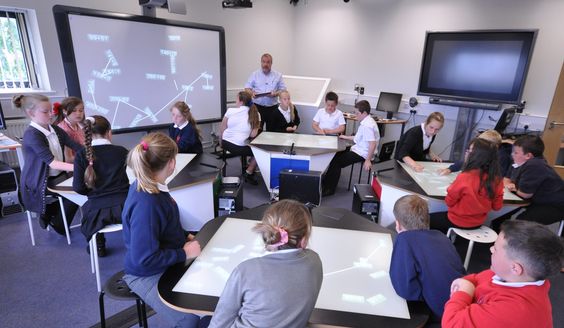
EdTech & Innovation

How I Used Adobe’s Educator Challenges to Strengthen Classroom Community

In today’s rapidly evolving world, it’s essential for educators to incorporate creative thinking, collaboration, and problem-solving skills into their curriculums. One way I achieved this in my own classroom was by utilizing Adobe’s Educator Challenges. These free, project-based challenges offer a fun and engaging way to help students develop a cohesive classroom community while enhancing their digital literacy skills.

Introducing Adobe’s Educator Challenges

Adobe’s Educator Challenges are designed to level up our teaching practices and motivate students to work together on real-world scenarios. They encourage students to collaborate using the suite of Adobe Creative Cloud applications like Photoshop, Illustrator, Premiere Pro, and more. The challenges come complete with suggested project ideas, structured curriculums, and even professional development opportunities for teachers.

Strengthening Classroom Community Through Collaboration

By implementing these challenges into my lesson plans, I’ve witnessed a remarkable transformation in my students’ camaraderie and problem-solving abilities. By dividing them into groups for each project, I saw immediate improvements in their collaboration as they experimented with new tools and techniques together. Furthermore, the challenges encouraged a sense of ownership and pride as students showcased their unique talents.

Here are three impactful challenges that helped strengthen our classroom community:

1. Visualize Your Vocabulary

This challenge prompted students to redefine how they engaged with vocabulary words by visually representing them using Adobe Creative Cloud tools. Not only did this deepen their understanding of complex terms, but it also provided an opportunity for the quieter class members to shine as they expressed their brilliant ideas visually.

2. Digitally Encourage Empathy

In this challenge, students were asked to create multimedia presentations that explored the concept of empathy from various perspectives. Through research, storytelling, and collaboration using Adobe Spark Video, my class built strong emotional connections to this important life skill while developing empathy for one another.

3. Solve a Social Issue

Tasked with devising creative solutions to social issues, students used Adobe XD to map out their ideas. By working together to tackle real-world challenges, they learned the importance of collective problem-solving and developed a sense of purpose as members of our classroom community.

Final Remarks

Overall, incorporating Adobe’s Educator Challenges into my curriculum has greatly enriched my students’ experiences and fostered a strong sense of community in the classroom. The combination of creativity, collaboration, and real-world scenarios has not only improved their digital skills but also encouraged them to become empathetic and active global citizens.

I encourage other educators to explore Adobe’s Educator Challenges as a way to enhance their students’ lives while cultivating stronger classroom communities. No matter the subject or grade level, these challenges can make a significant impact on both teachers and students alike.


How I Brought Innovation into My Elementary School Classroom

Introduction:

Innovation is vital in today’s fast-paced world. It keeps us on our toes and motivates us to seek ever-improving solutions. When it comes to education, innovation can play an essential role in engaging young minds and cultivating a love of learning that lasts a lifetime. In this article, I will share how I successfully brought innovation into my elementary school classroom, transforming the learning experience for my students.

1. Introducing Technology:

One of the first steps I took in making my classroom more innovative was to integrate technology into the curriculum. I started by using interactive whiteboards that enabled students to actively participate in lessons by directly interacting with the content on the screen. Additionally, each student was given a tablet, which allowed them to access educational apps, practice new skills, and complete assignments online.

2. Gamification of Learning:

To encourage motivation and excitement in the learning process, I introduced gamification methods to the classroom. This included turning lessons into puzzles or challenges that students had to solve collaboratively or individually. I also incorporated reward systems such as badges and points that could be traded for small prizes or privileges, fostering healthy competition and camaraderie among the class.

3. Embracing Project-Based Learning:

Project-based learning emphasizes hands-on activities, collaboration, and problem-solving skills. Instead of traditional lectures and memorization exercises, my students participated in group projects where they had to apply their knowledge and critical thinking skills to real-world problems or creative endeavors.

4. Encouraging Student Choice:

Another way I incorporated innovation in my classroom was by empowering students with choices regarding their education. I began offering a variety of instructional materials and activities so each student could select what best suited their learning style and interests. They were also given the opportunity to choose topics for some projects, promoting personal investment in their work.

5. Building A Maker Space:

Creating a dedicated space in the classroom for discovery and creativity helped nurture the innovative spirit in my students. The maker space was stocked with various materials like cardboard, fabrics, and recyclables, as well as technology tools like 3D printers and robotics kits. Here, students had the freedom to experiment and learn through doing, both individually and collaboratively.

6. Emphasizing Growth Mindset:

Lastly, I fostered a growth mindset in my students by praising their efforts and focusing on progress rather than perfection. This approach encouraged them to view challenges as opportunities for growth and learning, rather than simply problems to solve.

Conclusion:

By embracing technology, incorporating gamification, and creating opportunities for project-based learning and choice, I was able to bring innovation into my elementary school classroom. In doing so, I discovered that not only were my students more engaged and excited about learning, but they also developed important skills such as collaboration, problem-solving, and creativity. These experiences proved invaluable in preparing them for their future academic and professional endeavors.

Make Your Life Easier: How to Collect Data Using Google Forms

In today’s fast-paced world, the need for convenient and efficient data collection methods has never been greater. Organizations, businesses, educational institutions, and individuals alike need tools that help them gather information promptly and securely. Google Forms is one such solution that offers a simple platform for creating and sharing custom online surveys or forms. In this article, we will explore the functionalities of Google Forms and how you can make your life easier by using this free tool for collecting data.

What is Google Forms?

Google Forms is a free, user-friendly application that allows users to create customizable online surveys or forms quickly. It is part of the Google Workspace suite of productivity tools, meaning it integrates seamlessly with other popular apps like Google Sheets and Google Drive. With an easy-to-navigate interface and various pre-built templates, users can design questionnaires or forms that cater to their specific needs.

Why Use Google Forms for Data Collection?

There are several reasons people choose Google Forms for their data collection needs:

1. Cost-effective: Google Forms is entirely free to use without any hidden charges.

2. Customizable: Users can unleash their creativity by designing the form layout, choosing a color theme, incorporating images or media elements, and much more.

3. Collaboration: Multiple team members can easily work on a single form simultaneously just like collaborating in a shared Google document.

4. User-friendly interface: The drag-and-drop interface makes it simple for both experts and beginners to create forms seamlessly.

5. Integration: As mentioned earlier, Google Forms supports automatic synchronization with other services in the Google Workspace suite.

How to Create a Form Using Google Forms

Creating a form using Google Forms is quick and straightforward:

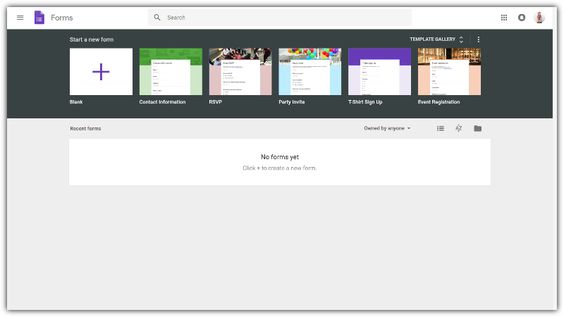
1. Start by navigating to the [Google Forms homepage](https://www.google.com/forms/about/) using your preferred web browser.

2. Log in to your Google account if you haven’t done that already.

3. Click the “Template gallery” option to choose from readily available templates or hit the “Blank” button to create a form from scratch.

4. Begin designing your form by adding questions, various input fields, and media elements as required.

5. Customize your form’s theme, layout, and settings using the Form Designer toolbar on the right-hand side of the screen.

6. Save your masterpiece by clicking on the “Untitled form” at the top-left corner and giving it a unique name.

Sharing Your Google Forms

Once you have created a form, you can easily share it through email, social media platforms, or embed it into your website using the generated code. The distributable link is very flexible as well – you can modify permissions such as restricting access to specific people or allowing anyone with the link to fill out your form.

Analyzing Collected Data

The data gathered through Google Forms gets automatically stored in Google Sheets, making it effortless to visualize and analyze. From there, you can easily export your data in various file formats such as CSV or XLSX or use dedicated Google Sheets analytical tools and built-in charts for better understanding and reporting purposes.

In conclusion, Google Forms is a versatile and valuable tool for individuals and organizations seeking an uncomplicated way of collecting data. By harnessing its power, you can create custom forms quickly, collaborate easily with colleagues, distribute forms effectively, and analyze collected data without breaking a sweat. Give Google Forms a try and witness how it makes your life easier!

10 Things It’s Okay to Do at the Start of the School Year

1. Feel Nervous

It’s completely normal to feel nervous at the beginning of a new school year. Every new school year brings a mix of excitement and anxiety, especially if you’re entering a new grade or attending a new school. Give yourself time to adjust and remember that your classmates likely feel the same way.

2. Make New Friends

A new school year is an excellent opportunity to make new friends or reconnect with old ones. Don’t be afraid to strike up conversations with people you haven’t met before, join clubs or activities, or simply be present in social situations.

3. Take Time to Organize

Spend some time at the beginning of the school year getting organized. Invest in planners, binders, and folders to keep your assignments tidy and easy to find. This will help you stay on top of your workload throughout the year.

4. Set Goals

The start of a school year is an ideal time for goal-setting. Take a moment to reflect on what you want to achieve academically and personally during this year, and create tangible steps for reaching those goals.

5. Find Your Balance

School can be overwhelming, so make sure you find time for extracurricular activities, hobbies, and relaxation alongside your academic work. Striking a balance between all aspects of your life will help prevent burnout later on.

6. Seek Help When Needed

If you’re struggling in a class or feeling overwhelmed by your workload, it’s okay to seek help from your teachers, guidance counselor, or tutors. They are there to support you and ensure you have the tools necessary for success.

7. Experiment with Note-taking Techniques

Each person has their preferred method of note-taking — perhaps it’s handwritten notes, mind maps, or typed summaries on a laptop. The start of the school year is an opportunity to experiment with different techniques to find what works best for you.

8. Ask Questions

Embrace your curiosity this school year and don’t shy away from asking questions in class. Teachers appreciate engaged students, and asking questions may spark insights or stimulate meaningful discussions.

9. Adjust Your Routine

New school years often call for changes in your daily routine. Evaluate your sleep schedule, meal planning, and study habits to determine if adjustments are necessary for optimal productivity and well-being.

10. Embrace Change

Finally, remember that change is okay and often inevitable at the start of a new school year. If you’re facing new situations or challenges, take them as opportunities to learn and grow both academically and personally. Embrace the changes that come your way and make the most of your year ahead.

7 Awesome Reasons Why to Sign Up for WE Schools (and How to Earn a $250 Grant)

Are you an educator looking for innovative ways to engage your students and develop their leadership skills? Consider signing up for WE Schools, a program designed to empower young people to make a real-world impact through social action initiatives. Here are seven awesome reasons to sign up for WE Schools and learn how you can earn a $250 grant for your school.

1. Inspire empathy and active citizenship

WE Schools encourages students to see the world from different perspectives and understand social issues. This helps develop empathy and nurtures a sense of global responsibility, inspiring students to take action in their local and global communities.

2. Develop leadership skills

The program teaches essential leadership skills such as communication, problem-solving, teamwork, and planning. These abilities help students build confidence and prepare them for future academic and career success.

3. Access high-quality resources

WE Schools offers educators access to a comprehensive suite of curricular resources, including lesson plans, videos, fact sheets, and activities—all carefully designed by experts in the field of education.

4. Participate in impactful campaigns

By joining WE Schools, your students can participate in various national and global campaigns like WE Day, which celebrates youth empowerment, or WE Villages, which supports sustainable development in underprivileged communities worldwide.

5. Engage parents and communities

WE Schools goes beyond the classroom by engaging parents and local communities in the change-making process. This creates a strong support system that enables youth-led initiatives to have a more significant impact on society.

6. Network with like-minded educators

With thousands of schools enrolled in the program worldwide, WE Schools provides ample opportunities to connect with other educators passionate about empowering today’s youth through positive change.

7. Earn a $250 grant for your school

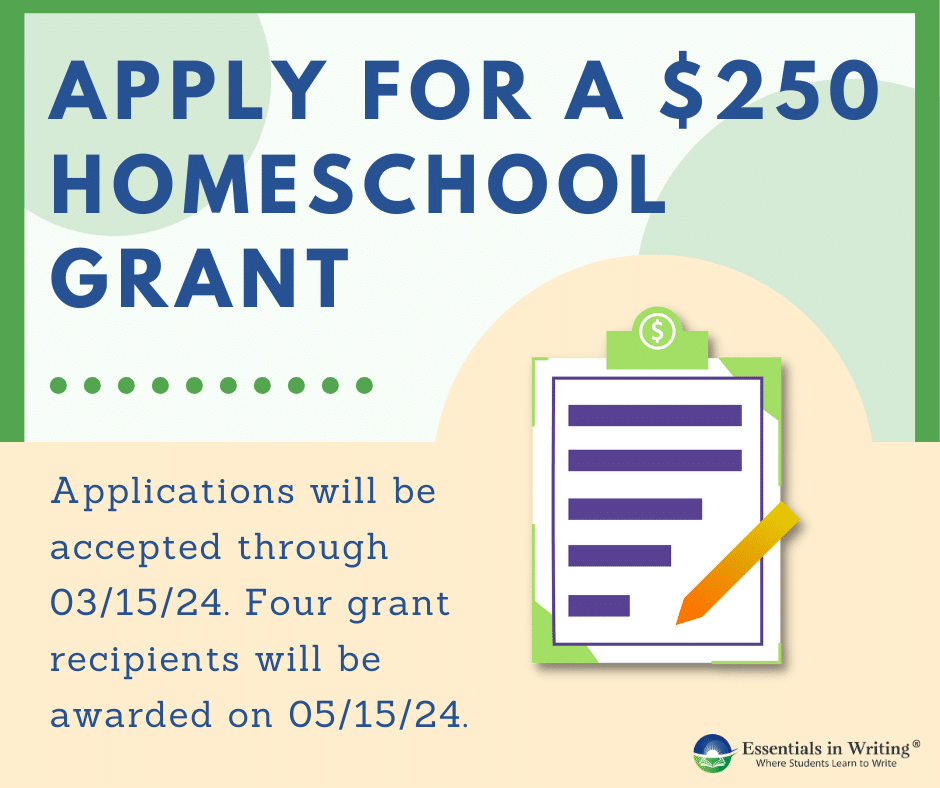
What’s more, when you sign up for WE Schools this year, your school has the opportunity to earn a $250 grant. This grant can help fund your students’ social action projects, further encouraging them to make a meaningful difference in their communities and the world.

To get started with WE Schools and the opportunity to earn a $250 grant, visit their website and complete the registration form. Don’t miss out on this fantastic opportunity to create positive change in your students, school, and community!

How to Overcome Your Inner “Yes” Teacher

Do you often find yourself agreeing to things, even when you do not want to or lack the time or energy? If so, you’ve probably met your inner “Yes” teacher. The inner “Yes” teacher is that part of your psyche that constantly urges you to be agreeable and accommodating, even at the expense of your well-being. Fear not, here are some strategies on how to confront and overcome this voice:

1. Recognize your inner “Yes” teacher: The first step in overcoming this voice is acknowledging its presence. Pay attention to your thoughts and feelings whenever you agree to something. Notice how your inner voice influences your decisions and choices.

2. Set boundaries: Establishing clear boundaries is essential for personal growth and maintaining a healthy balance in relationships. Learn to say “No” when an opportunity does not align with your priorities, values or interests. Remember it is okay to decline invitations or responsibilities without guilt.

3. Prioritize self-care: Self-care involves taking care of our physical, emotional, and mental well-being. Ensure that you are dedicating enough time and attention towards your health, hobbies, and relaxation. Prioritizing self-care allows you to make decisions from a place of strength and clarity.

4. Practice assertiveness: Assertive communication is about expressing your thoughts, feelings, and needs in an open, honest, and respectful manner without neglecting the rights of others. Develop effective communication skills that allow you to deny requests tactfully while maintaining positive relationships.

5. Learn from experience: Reflect on the various situations where you said “Yes” when you should have said “No”. Analyze the outcomes and consequences of those decisions and learn from them in order to make wiser choices moving forward.

6. Seek external support: Reach out to friends, family members or professionals who can provide guidance or encouragement as you work through overcoming your inner “Yes” teacher. Sometimes, having an external perspective can help clarify your own thoughts and feelings.

7. Embrace the change: Overcoming your inner “Yes” teacher is an ongoing process. Be patient with yourself and recognize that this change will bring about personal growth and empowerment.

By consciously working on these strategies, you can gradually overcome your inner “Yes” teacher and start living a more authentic and fulfilling life. Remember, being assertive and saying “No” when necessary does not make you selfish or rude; it’s a fundamental aspect of self-preservation, self-respect, and balanced relationships. So take control of your choices and make decisions that truly reflect your values and priorities.

Teachers Share All the Weird Times They Burst Into Song

Introduction:

We have all come across or heard stories of teachers who have a unique way of engaging their students. Musical teachers, in particular, have an unusual knack of bursting into song at unexpected moments. In this article, we delve into some hilarious and peculiar instances shared by teachers who took an impromptu trip down the melodious route.

1. The Science-Song Teacher:

Mr. Thompson, a high school science teacher, felt the need to engage his students by singing out the periodic table. To everyone’s surprise, his unique teaching method helped students remember and recite the elements with ease.

2. The Math-Melody Educator:

Mrs. Davis, a middle school math teacher, found herself humming mathematical formulas one day while solving algebraic equations on the board. Her catchy tunes suddenly evolved into full-fledged songs that her students couldn’t help but sing along and memorize.

3. The “Frozen” Geography Lesson:

Picture this: A geography class discussing glaciers and icebergs led to Miss Ellie breaking into a rendition of “Let it Go” from Disney’s Frozen. The outcome? A classroom filled with laughter and a newfound interest in geographical phenomena.

4. The Spelling-Beats Master:

Mr. Green had a peculiar approach to teaching spelling – he would beatbox the letters while his students spelled out words aloud. According to Mr. Green, adding rhythm to lessons helped improve spelling accuracy and boosted memory retention.

5. The Kindergarten Classic:

Miss Lucy would sing nursery rhymes to her kindergarten class whenever they became restless or needed a break from regular activities; her ability to instantly transform simple instructions into famous jingles kept her young students engaged throughout the day.

6. The Unexpected Opera Fanatic:

Don’t be fooled by Mrs. Johnson’s stern exterior – she’s an opera fanatic at heart! During one particularly dull history class, she surprised everyone by breaking into an operatic aria to commemorate a historical event they were studying. The classroom was left speechless and captivated by her impressive vocal prowess.

Conclusion:

These entertaining stories of teachers bursting into song showcase the incredible power of music to engross students and promote learning. Their anecdotes prove that unconventional teaching methods can be highly effective in fostering curiosity and creating an engaging classroom environment. So the next time you hear about a teacher singing on the spot, just remember – there’s always a method to the melodious madness!

10 Reasons 3D Printing Has Completely Changed the Way I Teach

1. Encourages Creativity: The introduction of 3D printing in my classroom has sparked creativity and innovation amongst students. They can now bring their ideas to life by designing and printing physical objects, which is an invaluable skill that they can carry into their future careers.

2. Enhances Learning Experience: 3D printing enables students to understand complex concepts in a tangible way, making learning more enjoyable, engaging, and interactive. It has also helped me create tailored lesson plans that cater to each student’s learning style.

3. Personalized Projects: With 3D printing, each student can customize their projects according to their interests and aptitude. This makes the learning process more personalized and rewarding for them.

4. Builds Problem-solving Skills: Students learn to think critically, troubleshoot issues, and solve problems when working with 3D printers. These are essential skills that prepare them for future challenges.

5. Collaboration and Teamwork: Working on a shared 3D printer promotes collaboration and teamwork amongst students. They learn to communicate more effectively and work together towards a common goal.

6. Real-world Applications: Integrating 3D printing into my teaching has opened up doors for real-life applications of subjects such as STEM (Science, Technology, Engineering, and Mathematics). By using the practical side of these disciplines, students can better understand their relevance in the real world.

7. Future Job Skills: As 3D printing continues its rapid growth within various industries like healthcare, automotive, aerospace, and more, it’s essential for students to develop up-to-date skills to stay competitive in the job market.

8. Eco-Friendly Learning: Incorporating 3D printing into my teaching has raised awareness about environmental sustainability amongst my students. They learn about recycling materials and using eco-friendly filaments in their projects.

9. Inspires Entrepreneurship: As students bring their ideas to life, they often come up with potential business ventures. Exposure to 3D printing helps foster an entrepreneurial mindset and gives students the confidence to explore new opportunities.

10. Overall Satisfaction: Witnessing my students’ enthusiasm, creativity, and progress has been incredibly rewarding. It reaffirms my belief that teaching with 3D printing is demonstrating a positive impact on their education and future success.

A Teacher’s Guide to Digital Stress and Social Media Addiction

Introduction:

In today’s technologically advanced society, digital stress and social media addiction are increasingly pervasive issues impacting students’ mental health and well-being. As educators, it’s crucial to understand these challenges and help students navigate the digital landscape in a healthy, balanced way. This article will explore the impact of digital stress and social media addiction on students, and provide practical strategies for teachers to address these issues in the classroom.

Understanding Digital Stress and Social Media Addiction:

Digital stress refers to the anxiety or discomfort experienced as a result of excessive screen time, constant internet use, and information overload. Social media addiction is characterized by an unhealthy reliance on various social platforms, resulting in negative consequences on an individual’s mental health, relationships, and overall well-being.

The Impact on Students:

Research indicates that digital stress and social media addiction can lead to poor academic performance, increased anxiety, depression, sleep disturbances, body image issues, and even suicide ideation among students. With young people spending an average of 9 hours a day on screens outside of schoolwork time (Common Sense Media), these concerns demand teachers’ attention.

Strategies for Addressing Digital Stress and Social Media Addiction in the Classroom:

1. Set Clear Boundaries:

Establish guidelines around appropriate screen time during class hours and encourage students to follow these limitations outside of school as well. Encourage breaks from screens during lunchtime or other appropriate times during the school day.

2. Educate Students on Healthy Social Media Use:

Discuss the potential dangers of excessive social media usage and share tips for developing healthy digital habits such as limiting app usage, turning off notifications, following accounts that inspire rather than discourage them, and practicing self-care.

3. Promote Open Dialogue:

Create an open environment for students to discuss their experiences with digital stress or social media addiction. By fostering conversations in class or through self-reflection activities like journaling or sharing anonymously, students can express their concerns, realize they’re not alone and learn from others.

4. Encourage Real-Life Interactions:

Reinforce the importance of in-person connections by organizing class activities, group projects, and after-school clubs where students can develop meaningful relationships outside of their online experiences.

5. Incorporate Mindfulness Techniques:

Teach students relaxation techniques such as deep breathing, yoga, or meditation that can help alleviate stress and encourage a healthy balance between digital and non-digital activities.

6. Involve Parents and Caregivers:

Communicate with parents about the role they play in monitoring their child’s digital usage, guiding them towards healthy behaviors, and providing examples of healthy screen-time habits at home.

Conclusion:

As educators, it’s essential to be aware of the potential negative impacts of digital stress and social media addiction on our students. By implementing these strategies in the classroom, teachers can help foster a balanced approach to technology and equip students with the tools needed to navigate their digital worlds healthily.

5 Surprising Things You Can Do With Seesaw

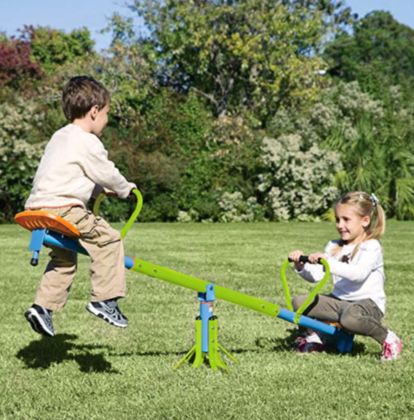
Seesaw is not just a wooden play equipment commonly found in playgrounds; it is also a versatile teaching and learning platform that has gained popularity among educators, students, and parents. This digital portfolio app allows students to showcase their work, while teachers can provide real-time feedback and engage parents in the learning process.

But beyond its standard classroom functionalities, Seesaw offers a host of surprising features that can be super useful for both educators and learners. In this article, we’ll explore five of these unexpected perks:

1. Create Interactive Assignments: With Seesaw’s Activity Library, educators can design interactive assignments using multimedia components such as videos, images, and drawings. Customizing activities with creative tools like drawing tools, labels, voiceovers, links, and more enhances student engagement and facilitates the understanding of complex concepts.

2. Collaborate Globally: One of the lesser-known features of Seesaw is its ability to connect schools all around the world through the Global Collaborative Projects. Educators can partner with classrooms from different regions to share content and collaborate on assignments related to the culture, traditions, or environment of each participating class. This fosters cultural exchange and enables students to develop crucial teamwork skills.

3. Host Virtual Guest Speakers: Organizing guest speakers can be logistically challenging for many educators. However, with Seesaw’s digital platform, teachers can invite experts from various fields to record a video or leave a voice message discussing their area of expertise. Students have the opportunity to listen, engage with questions or comments on the shared content.

4. Develop Student Blogs: Encourage students to express themselves through writing by using Seesaw’s blogging feature. Teachers can create class blogs where students can publish their work; this includes stories, reflections, artwork and more for their peers to read and interact with online. Teachers have full control over what gets published, and the safe digital environment encourages even shy students to share their work and opinions.

5. Integrate with Virtual Reality (VR) Technology: When used in conjunction with other apps, Seesaw can help bring lessons to life! For instance, integrating Seesaw with apps like Google Expeditions allows students to explore virtual field trips and share their discoveries in a multimedia format on the seesaw platform. This immersive educational experience helps boost student engagement by facilitating a deeper understanding of subjects.

In conclusion, Seesaw’s versatility expands learning possibilities beyond traditional classroom walls. The platform provides a wide array of tools that encourage students to collaborate, create, and share their work while fostering connections with their peers globally. So, why not try some of these surprising features and take your teaching to the next level?